

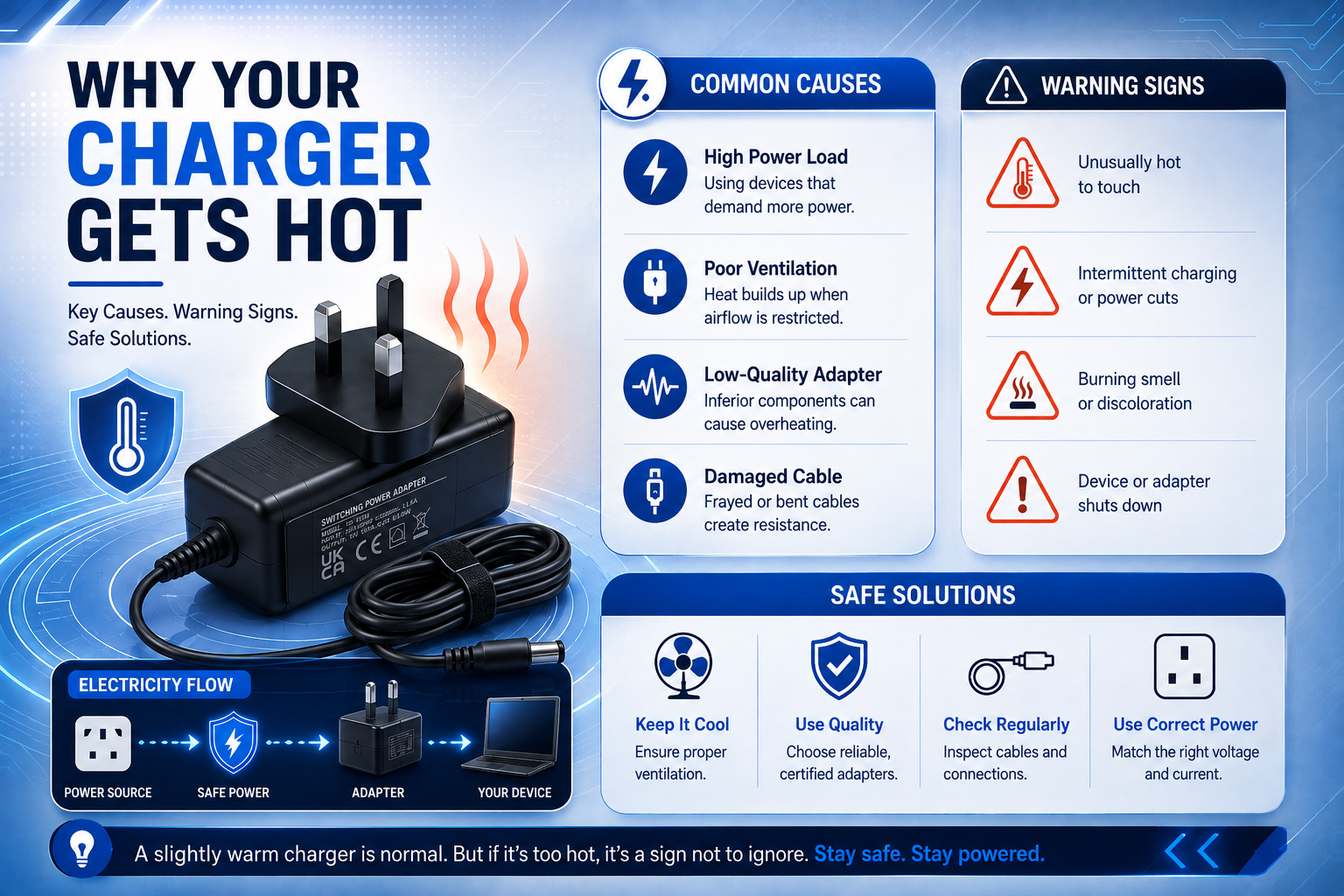
Have you ever felt your charger get hot and wondered if it’s safe? Whether you’re charging a laptop, monitor, router, or another electronic device, some warmth is completely normal. Every charger generates heat while converting mains electricity into the power your device needs.
The important question isn’t whether your charger gets warm. It’s whether it’s getting too hot.
Knowing the difference between normal operating temperatures and signs of a failing charger can help you avoid charging problems, protect your device, and know when it’s time for a replacement.
Quick Answer
A charger becomes warm because it converts AC (Alternating Current) electricity from your wall socket into DC (Direct Current) power that your electronics can use. This conversion process is never entirely efficient and naturally produces heat as a byproduct. However, if your charger becomes too hot to touch, smells like burning plastic, makes unusual clicking or buzzing noises, or repeatedly disconnects while charging, it has likely failed and should be replaced immediately to prevent damage to your property.
Why Does a Charger Get Hot?
Every power adapter contains components that regulate voltage and current before delivering power to your device. No charger is 100% efficient, so a small amount of electrical energy is always released as heat.
Several factors affect how warm a charger becomes.
- The power required by your device
- How long the charger has been operating
- Ambient room temperature
- Airflow around the charger
- Charger quality and age
For example, a charger used with a laptop generally runs warmer than one used for a small household device because it delivers considerably more power.
When Heat Becomes a Warning Sign
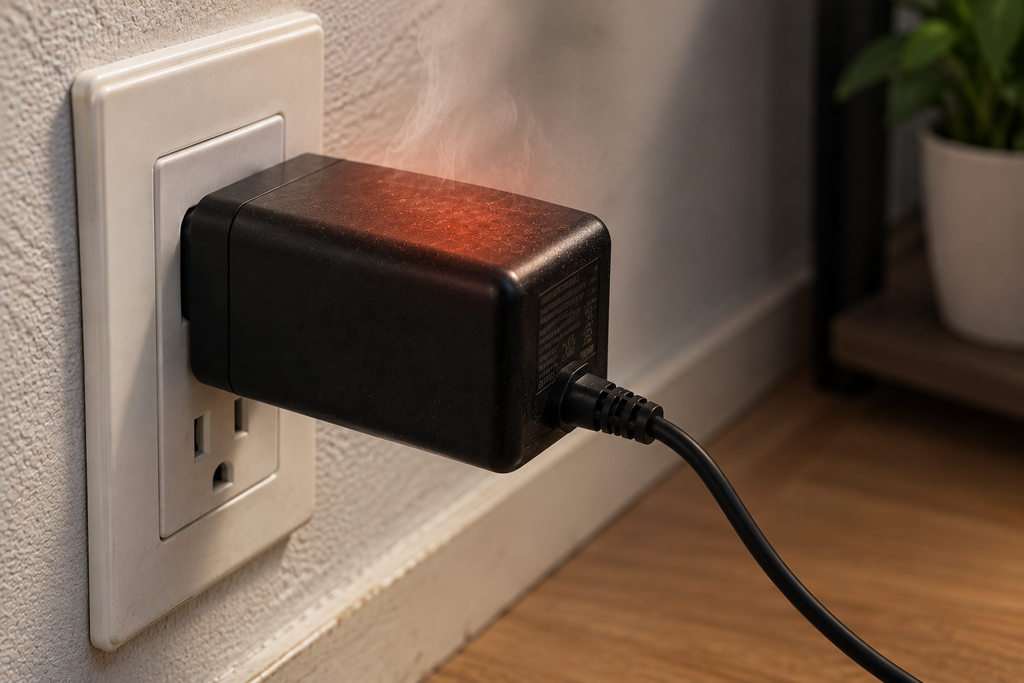
A warm charger is usually expected and completely safe. Excessive heat, however, is not.
Internal thermal limits are designed to keep the casing safe to handle. Stop using your charger immediately and unplug it from the mains if you notice any of these critical warning signs:
- It becomes too hot to hold comfortably: If you cannot keep your hand on the plastic block for more than a few seconds, it is dangerously overheating.
- You notice a burning smell: An acrid, metallic, or melting plastic odour indicates that internal components are actively failing or melting.
- The casing has cracks or has become discoloured: Yellowing, brown scorch marks, or warped plastic are clear indicators of long-term overheating.
- Charging cuts in and out: If your device constantly switches between ‘charging’ and ‘on battery’, the adapter’s internal safety mechanisms might be tripping due to thermal overload.
- You hear buzzing or crackling noises: While a very faint hum can sometimes be normal, loud buzzing, whining, or crackling often points to electrical arcing inside the casing.
These symptoms usually indicate failing internal components, frayed internal wiring, or a fundamentally incompatible power adapter. Continuing to use a damaged charger is a severe safety hazard and could eventually damage both the charger and the connected device’s motherboard.
Common Causes of Charger Overheating
| Cause | Why It Happens |
| Incorrect voltage or current | The charger works harder than intended. |
| Poor ventilation | Heat becomes trapped around the charger. |
| Heavy workloads | Larger devices demand more power. |
| Ageing electronics | Older components become less efficient. |
| Physical damage | Worn cables increase electrical resistance. |
Many overheating problems can be prevented simply by using the correct charger for your device.
Choosing the Right Replacement Charger
If your charger consistently overheats, replacing it is usually the safest option.
Before buying a replacement, always check:
- Output voltage
- Output amperage
- Connector size
- Device model compatibility
For example, users replacing a compact laptop charger should choose a compatible charger for Coda Model 1.1 laptop that matches the original specifications rather than using a generic adapter.
If you own a hybrid laptop and tablet, selecting a Lenovo IdeaPad Miix 320 laptop charger designed for your device helps provide stable charging and reduces unnecessary heat caused by incompatible power supplies.
The same principle applies to displays. Using the correct LG 22M38A monitor power adapter ensures the monitor receives the correct power output without placing unnecessary stress on the adapter.
Network equipment also benefits from using the correct power supply. A DrayTek Vigor 2700G router power adapter that matches the original voltage and current helps maintain reliable performance while avoiding unnecessary heat buildup.
Good Charging Habits
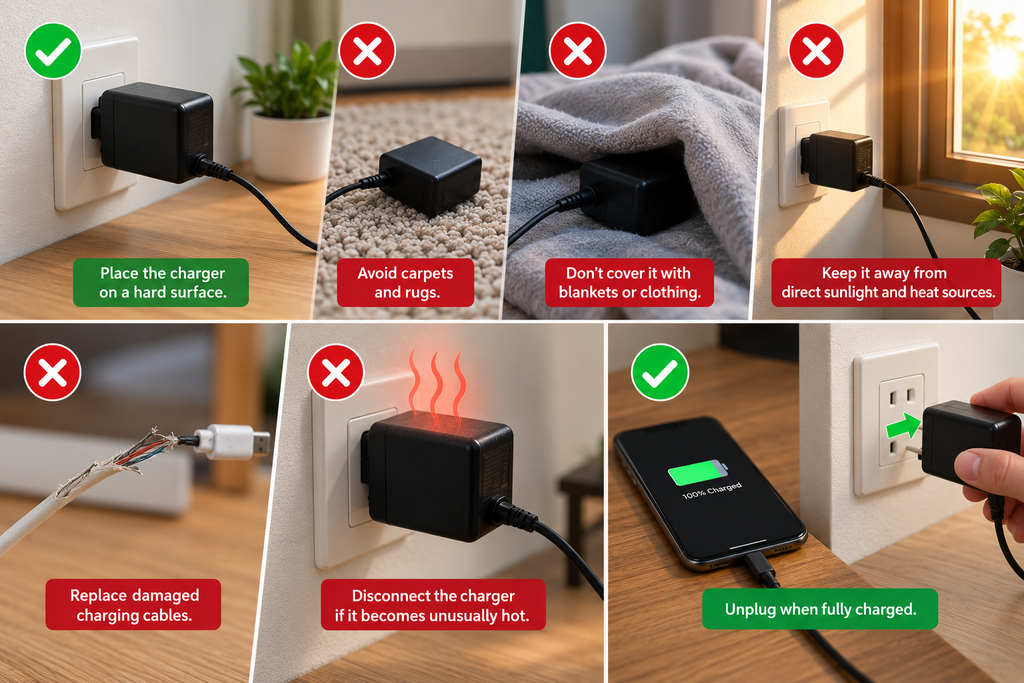
Following a few simple, proactive practices can drastically help reduce charger temperatures and prolong the lifespan of your electronics.
- Place the charger on a hard surface: Keep adapters on desks, wooden floors, or tiles. Carpets and rugs act as insulators and trap heat.
- Avoid covering it with blankets or clothing: Never leave a charger in bed or under a pile of laundry while it is actively drawing power.
- Keep it away from direct sunlight: Avoid plugging adapters into sockets that receive direct afternoon sun, and keep them away from household radiators.
- Replace damaged charging cables: Frayed wires create resistance. If the cable is splitting, replace the entire unit.
- Disconnect the charger if it becomes unusually hot: Give the adapter time to cool down before resuming your charging session.
- Unplug when fully charged: While modern devices stop drawing heavy current when full, unplugging prevents unnecessary “vampire draw” and allows the adapter to rest completely.
These simple, daily habits improve airflow, reduce thermal stress, and help extend the life of both your charging equipment and your expensive devices.
Frequently Asked Questions
Is it normal for my charger to feel warm?
Yes. A moderate amount of heat is expected during normal charging.
Can an overheating charger damage my device?
Yes. An overheating or faulty charger can provide unstable power, which may affect battery life and long-term device performance.
Should I continue using a charger that gets very hot?
No. If a charger repeatedly becomes excessively hot, develops a burning smell, or shows visible damage, it should be replaced immediately.
Why does my charger get hot even when not connected?
This suggests an internal fault or short circuit. A charger should not generate noticeable heat when it isn’t actively powering a device.
Is it safe to charge my device on a bed or sofa?
No. Soft surfaces like mattresses and cushions trap heat and block airflow. You should always charge your devices on a flat, hard surface.
Bottom Line
A warm charger is usually a sign that it’s working normally. Excessive heat, however, should never be ignored. Understanding what causes chargers to overheat and recognising the early warning signs can help protect your equipment and improve charging reliability.
When replacing a charger, always choose a model designed for your specific device. A compatible charger that matches the original voltage, current, and connector specifications is the safest and most reliable long-term solution.