

How to Find the Perfect Replacement Monitor Power Adapter
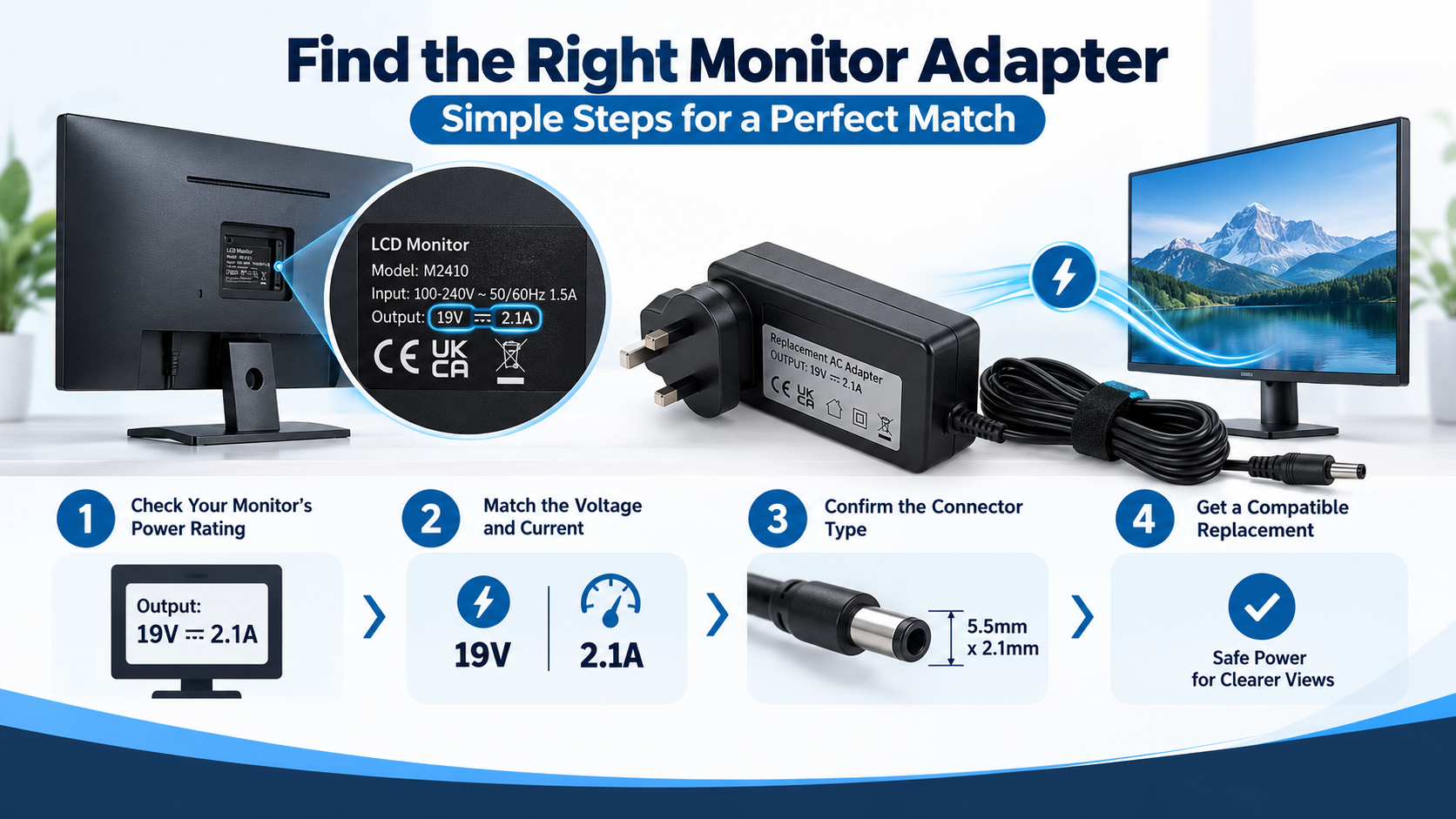
Finding the correct replacement monitor power adapter is much easier once you know which specifications actually matter. Whether your original power brick stopped working, vanished during a move, or got damaged, choosing a replacement just because the plug looks similar is a fast track to screen flickering or hardware failure.
The safest approach is straightforward: check your monitor specification label or original adapter, confirm the voltage, current, connector size, and polarity, and verify your exact monitor model number. Your replacement does not necessarily have to carry the original manufacturer logo, but it must match the display electrical and physical requirements down to the millimetre.
What Information Do You Need From Your Monitor?
Your search starts right on the monitor itself. Flip your screen around or look along the side bezel to find the manufacturer specification label. You are looking for a DC input requirement, which usually looks something like 19V DC at 2.1A, 14V at 3A, or 12V at 4A.
If you still have your dead power brick, its output label provides the same crucial details. Make sure you capture:
- Output Voltage: Measured in volts (V)
- Current Rating: Measured in amperes (A) or milliamperes (mA)
- DC Connector Dimensions: The exact physical size of the barrel plug
- Polarity: The direction of electrical flow (centre-positive vs. centre-negative)
- Monitor Model Number: The exact alphanumeric string for your specific display
Gathering these details prevents you from wasting time searching for a generic monitor charger that will likely cause power instability.
Does the Replacement Adapter Voltage Need to Match?
Voltage is non-negotiable. Your replacement adapter must match the exact output voltage specified by your monitor.
You must match your monitor’s required voltage exactly, such as pairing a 19V display with a 19V adapter. Never use a mismatched power supply just because the barrel connector fits; supplying too little voltage causes reboots and unstable backlights, while supplying too much will fry internal components and permanently destroy your screen.
Keep these golden rules in mind:
- A 19V monitor requires a 19V replacement adapter, such as a 19V Samsung monitor charger replacement.
- A 14V monitor requires a 14V replacement adapter.
- A 12V monitor requires a 12V replacement adapter, such as a 12V power adapter for Acer monitors.
Never try to compensate for a different voltage by playing with the amperage. Voltage must always be an exact match.
Can the Replacement Have More Amps?
Voltage must match exactly, but you can safely use a replacement adapter with an equal or higher amp rating.
The amp rating is simply a maximum limit. Your monitor will only ever draw the exact amount of current it requires.
For example, using a 3A adapter on a 2A monitor is perfectly safe and provides extra headroom, allowing the power supply to run cooler and last longer.
However, using a lower-amp adapter causes severe strain. An undersized unit will struggle under load, leading to overheating, voltage drops, and sudden shutdowns.

How Do You Check the Monitor Power Connector?
Perfect electrical ratings are useless if the physical plug does not fit securely into your monitor’s power jack.
Most desktop monitors use cylindrical DC barrel connectors, measured by their outer and inner diameters in millimetres (such as 5.5mm by 2.5mm). Some models also feature a delicate centre pin inside the barrel.
If your original adapter is lost, check your user manual or search your exact model number online to find the correct plug dimensions. Never force a tight plug into a socket or use a loose one, as poor connections will cause intermittent power drops.
How Do You Check Polarity?
Polarity dictates how positive and negative electrical paths are arranged inside the DC connector.
You can identify the polarity by checking the tiny icon printed near the monitor power input or on the original adapter label. It looks like a small diagram with a centre dot and an outer crescent connected to plus and minus signs. Most consumer electronics use centre-positive polarity, where the inner pin carries positive voltage and the outer barrel carries ground.
Never assume polarity. Connecting a centre-negative adapter to a centre-positive display forces electricity backwards through the system, instantly tripping internal safety circuits or frying the logic board.
Should You Search by Monitor Model Number?
Searching by your exact monitor model number is one of the most reliable ways to filter out incompatible junk.
Manufacturers frequently build monitors with identical exterior casings and screen sizes while changing internal power requirements across production years. Typing your specific model number into a retailer search bar ensures you see power supplies engineered specifically for your hardware rather than generic one-size-fits-all units. Exploring a dedicated option like an MSI Optix gaming monitor adapter or a compatible LG monitor power supply ensures you get the exact fit you need.
Can a Laptop Adapter Be Used With a Monitor?
It is tempting to grab a spare laptop charger when your monitor loses power, but doing so carries hidden risks.
While laptop chargers and monitor bricks both output DC power via barrel connectors, their internal wiring, voltage steps, and plug dimensions rarely match perfectly. Even if a laptop charger outputs 19V, its plug inner diameter or polarity may differ enough to cause short circuits or permanent damage. Always verify every specification before cross-using power supplies.
What About Wattage?
Wattage indicates the total amount of electrical power an adapter can supply, calculated by multiplying voltage by amps. For example, a 19V supply running at 2.1A outputs roughly 39.9W. When shopping for specialised setups, matching your required wattage profile, such as using a dedicated 19V AC-DC adapter for LG screen displays, helps ensure stable, flicker-free performance under heavy display loads.
What Are the Most Common Replacement Mistakes?
Avoid these frequent pitfalls when shopping for a new power brick:
- Buying an adapter solely because the plug looks like it fits
- Guessing voltage instead of reading the device label
- Choosing an undersized amperage rating to save money
- Overlooking polarity and reversing electrical current
- Relying on generic universal multi-voltage chargers with loose tips
- Assuming all 19V adapters are universally interchangeable
How Can You Buy a Safe Replacement Monitor Power Adapter?
Before checking out, carefully cross-reference your monitor’s exact voltage, amperage, connector size, and polarity requirements with the product listings.
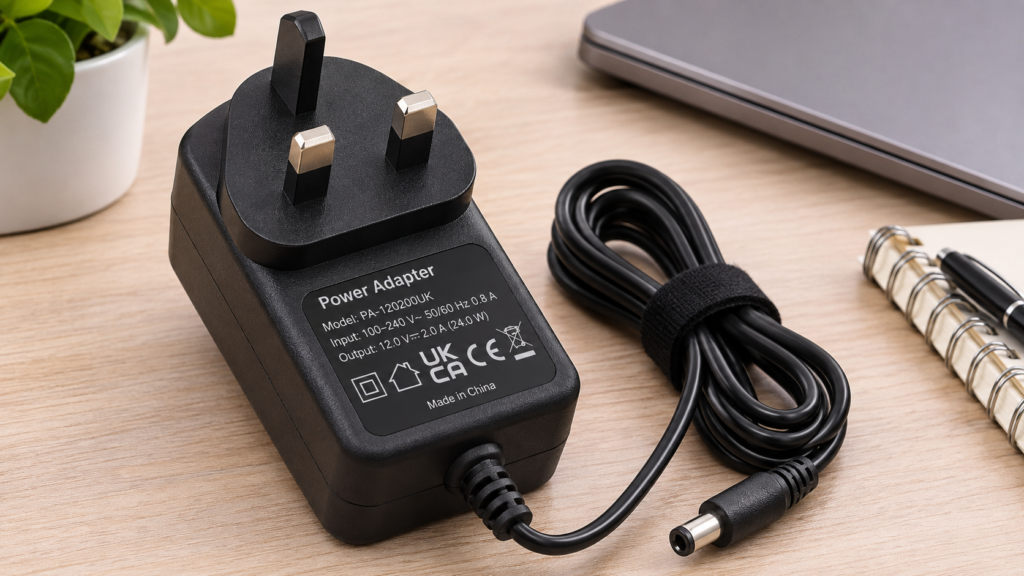
Choose reputable sellers that provide clear technical specifications rather than vague descriptions. Ensure your adapter includes a standard UK 3-pin mains plug and carries safety certifications like UKCA marking guidance. If you need further reassurance, review official UK electrical safety guidance to guarantee a reliable and safe purchase.
Finally, when disposing of broken adapters, always follow proper UK electrical waste responsibilities to keep electronic components out of standard household waste.
Frequently Asked Questions
Can I use a higher-amp monitor adapter?
Yes. A higher amperage rating provides extra headroom and safety, as long as the voltage, connector size, and polarity match your monitor requirements.
Can I use a lower-amp adapter?
No. Using an adapter with a lower current rating than your monitor demands will cause the power supply to overheat, drop voltage under load, and trigger constant shutdowns.
Does every 19V monitor use the same power adapter?
No. Two 19V monitors from different brands or even different series within the same brand can use entirely different current ratings, connector sizes, and polarity setups.
How do I know what monitor adapter I need?
Check the specification label on the back or bottom of your monitor. Match the voltage, amperage, connector dimensions, and polarity listed there.
Can I use a laptop adapter for my monitor?
Only if every single electrical and physical specification matches precisely. Matching voltage alone is never enough to guarantee safety.
Conclusion
Finding a replacement monitor power adapter is simple once you check your monitor’s specification label for the required voltage, amperage, connector size, and polarity. While the current capacity can be equal or higher, your voltage and physical plug dimensions must match exactly to prevent hardware damage. By avoiding generic universal chargers and verifying these specific details, you can confidently purchase a safe, fully compliant replacement to power your display without risk.