

Whether it is a router that suddenly drops offline, a TV that refuses to power up, or a musical instrument left silent, a broken power adapter is a massive inconvenience. When looking for a replacement, understanding power supply compatibility means you do not need to hunt down an expensive, hard-to-find original branded unit.
Opting for a high-quality compatible replacement adapter is faster, more cost-effective, and stops perfectly functional equipment from ending up in a landfill. However, to make sure your electronics run smoothly and safely, you need to understand how to read power specifications. This practical guide will walk you through everything you need to know about voltage, amperage, and connector tips to confidently pick the perfect power supply.

The golden rules of power supply compatibility: voltage and current
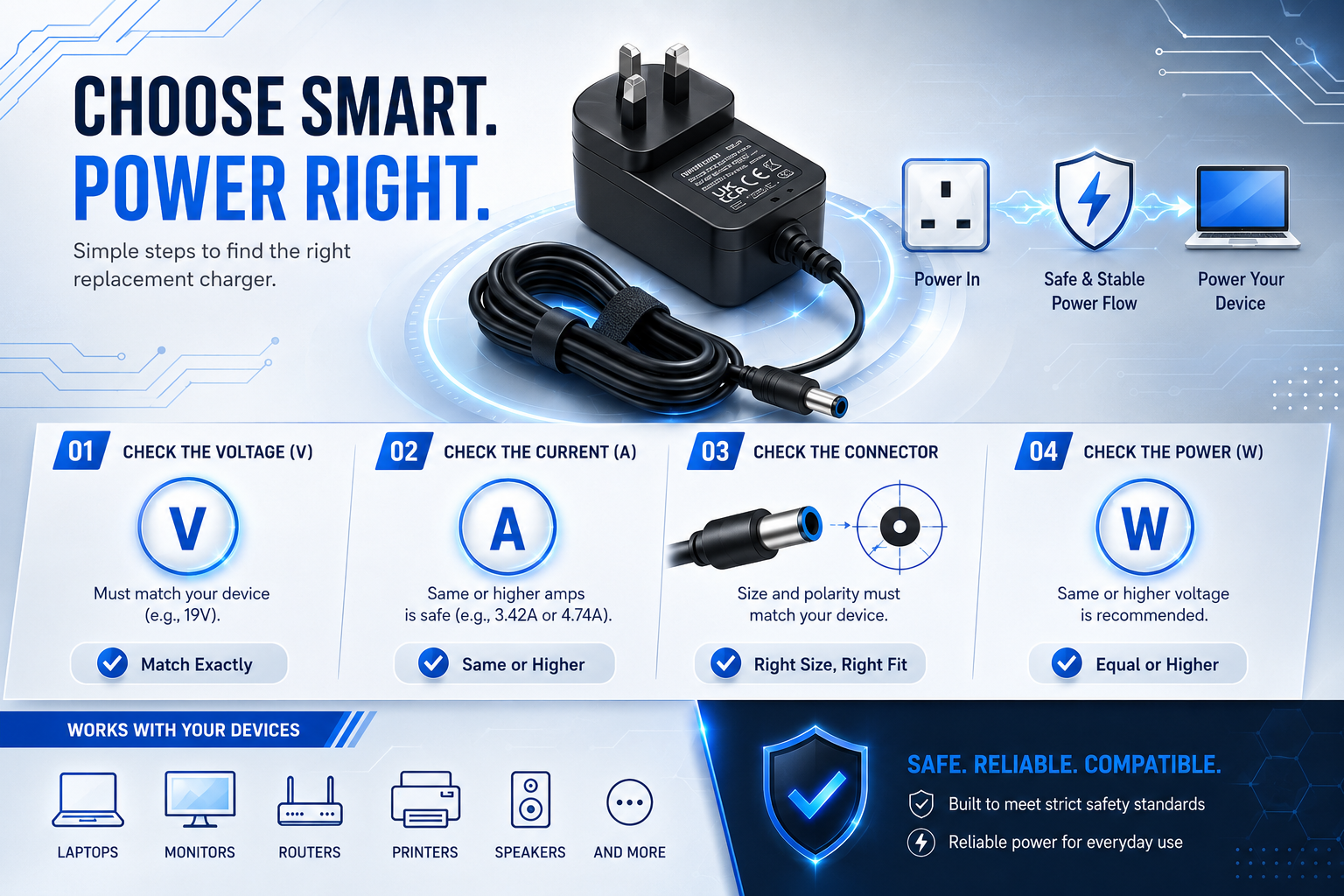
To achieve hardware compatibility, your replacement power supply must output the exact same voltage (V) as your original unit. However, its amperage (A) rating must be equal to or greater than the original device’s requirement. Violating the voltage rule risks ruining your hardware, while low amperage causes the adapter to burn out.
Explanation
Think of electrical supply like a household water system. Voltage represents the water pressure, while amperage represents the rate of flow. If you connect a power supply with too much electrical pressure (high voltage), you will instantly crack or destroy the delicate internal components of your device. Conversely, amperage is drawn passively by the device itself. A power adapter doesn’t “push” current; it simply makes it available. Therefore, having extra amperage capacity is highly beneficial, as it prevents the adapter from overheating.
Example
If you are replacing a power supply for an Alba LED TV that demands 12V and 3A, a 12V 3A or a 12V 4A adapter will work perfectly. But if you connect a 19V laptop charger to it, the television will be destroyed immediately.
Common Mistakes
A massive mistake consumers make is assuming that if a barrel tip fits securely into a device’s power port, it is automatically safe to turn on. Physical fitment does not guarantee electrical alignment.
Buying Advice
Look at the label on your old adapter or the “DC Input” text printed next to the power port on your device. Note down the exact “V” and “A” numbers before making your selection.
- Check our main shop for verified replacement models.
- According to the UK Electrical Safety First guidelines, matching electrical inputs precisely is crucial to preventing localized component failure.
- Summary: Match voltage exactly; match or exceed your device’s current (amperage) requirement.
Definition Box:
- Direct Current (DC): The type of continuous power used by most small home appliances and electronics.
- Voltage (V): The measure of electrical potential or pressure. It must match your device perfectly.
- Amperage (A): The volume of electrical current. It can be equal to or higher than the device’s draw.
Sizing up connector tips and matching polarity
A truly compatible replacement charger must physically fit your device’s port and share its precise electrical polarity configuration. Most everyday devices use a standard barrel plug with a “centre-positive” alignment. Mixing up polarity or forcing an incorrect plug size can stop current flow or cause short-circuiting.
Explanation
Most household power adapters use a cylindrical, barrel-style plug. These tips are characterised by two dimensions: the Outer Diameter (OD) and the Inner Diameter (ID), measured in millimetres. Even if two plugs look similar to the naked eye, a fraction of a millimetre difference will prevent a solid connection. Furthermore, DC power travels in a specific direction. You must ensure the positive and negative terminals of the adapter line up with the device’s internal wiring, indicated by a specialized diagram on the label.
Example
A large portion of modern home networking gear, like a Technicolor TalkTalk TV Hub, utilizes specialized barrel tips. Using an adapter with a slightly wider internal pin layout will result in loose connections, causing your device to restart constantly.
Common Mistakes
Many people purchase cheap multi-tip universal adapters, only to accidentally flip the manual polarity switch or use an unlisted tip size that damages the charging socket.
Buying Advice
The cleanest and safest solution is to look for a power supply explicitly listed as compatible with your exact brand and model number rather than guessing plug sizes.
- Find an exact replacement adapter for the Technicolor TalkTalk TV Hub.
- Summary: Secure a plug with identical millimetre dimensions and match the centre pin polarity precisely.
Quick Comparison: The Compatibility Matrix
| Electrical Metric | Replacement Value Rule | Risk If Too High | Risk If Too Low |
| Voltage (V) | Must be identical | Permanent circuit damage | Device won’t turn on |
| Amperage (A) | Can be equal or higher | None (perfectly safe) | Adapter overloads & fails |
| Polarity (+/-) | Must be identical | Immediate short circuit | Component failure |

Spotting safe, high-quality replacement adapters
Certified third-party compatible replacements are completely safe as long as they bear authentic UKCA and CE certification marks. These labels prove the item has passed rigorous electrical safety testing against over-charging, voltage spikes, and dangerous thermal build-ups.
Explanation
There is an ongoing myth that you must only purchase replacement power units directly from your original device manufacturer. In truth, top-tier third-party compatible adapters offer identical performance, safety compliance, and power delivery profiles at a fraction of the cost—while keeping perfectly functional electronics out of our waste streams.
Myth vs Fact
- Myth: Generic or compatible power adapters will wear down your device’s battery life over time.
- Fact: A power supply only feeds electricity to your device’s internal regulation boards. If the voltage matches and the unit is UKCA certified, your hardware cannot tell the difference between it and a branded original.
Smart Buying Checklist
- Locate the device’s input sticker (e.g., 12V DC).
- Confirm the maximum current drawn (e.g., 2.0A).
- Check the polarity layout (look for the centre-positive dot indicator).
- Verify that the item contains recognised UK safety marks.
How to Diagnose Power Issues
If your device fails to boot up with a new power adapter:
- Ensure the wall outlet switch is turned to the ‘on’ position.
- Gently confirm the barrel tip is pushed entirely inside the input socket without gaps.
- Re-verify that you did not accidentally buy an AC-output adapter for a DC-input device.
FAQ
Is it safe to use a power supply with a higher wattage rating?
Yes, it is completely safe. Wattage is simply voltage multiplied by amperage ($V \times A$). If the voltage is identical to your old adapter but the wattage is higher, it just means the replacement adapter has a greater amperage capacity and will run smoothly without stressing its internal components.
What happens if I accidentally use a centre-negative adapter on a centre-positive device?
If your device does not feature reverse-polarity protection circuits, plugging in an inverted polarity adapter can instantly damage the motherboard or blow internal fuses, rendering the device useless. Always check the polarity graphic on both labels before making a physical connection.
Where can I find my device’s power requirements if the sticker is missing?
If the label on the bottom of your device has rubbed off, check the product’s official user manual online, look up the specific model number on the manufacturer’s support page, or look up dedicated compatible replacements on specialized retail sites like Power Adapter Warehouse.
Can I use an AC-output adapter for a device that requires DC-input?
No, never mix AC and DC power type profiles. Alternating Current (AC) constantly reverses direction, whereas Direct Current (DC) flows uniformly in one direction. Connecting an AC-output adapter to a DC-input device bypassing internal rectification will cause immediate hardware failure and is a serious fire hazard.
Why does my replacement adapter feel warm during prolonged operation?
Power adapters naturally generate mild heat during the voltage conversion process. High-quality, UKCA-certified units feature built-in thermal protection to manage this safely. However, if the power supply unit feels painfully hot to the touch, it means your device is drawing more current than the adapter can safely supply, indicating an under-rated amperage profile.
Conclusion
Selecting a replacement power supply doesn’t have to be intimidating. By paying close attention to the voltage, giving yourself plenty of headroom with the amperage, and matching the physical plug characteristics, you can effortlessly restore your favourite electronics to working order. Choosing verified, certified compatible options keeps your home tech running safely while remaining highly budget-friendly.
Explore Our Solutions:
- Browse Replacements by Brand & Model
- Shop Our Complete Power Supply Catalogue
- Stuck? Reach Out to Our Dedicated UK Support Experts