

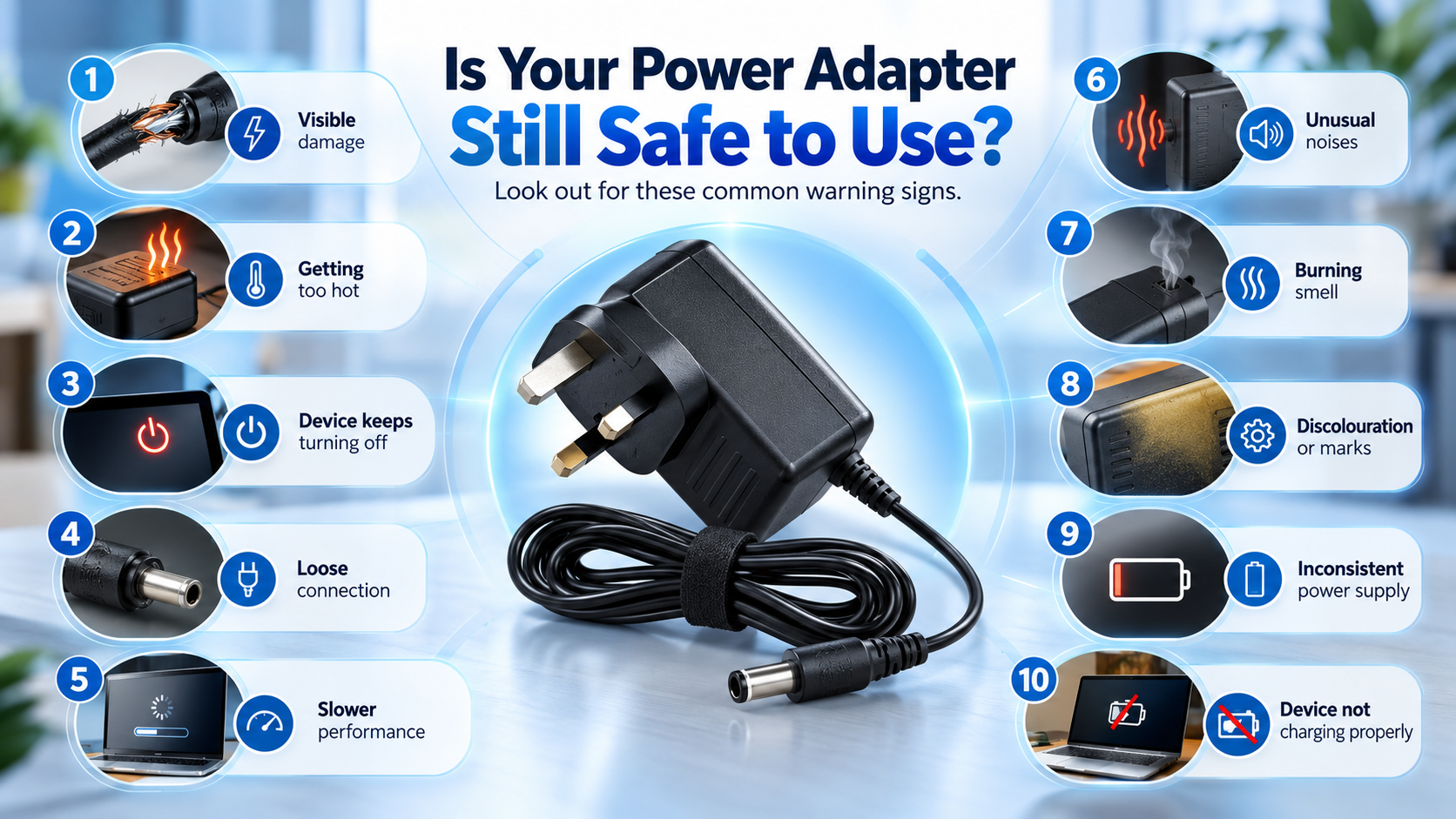
It can be hard to tell when your power adapter needs replacing, as most people don’t think about their power supply until it stops working completely. However, a failing adapter often shows warning signs long before total failure occurs. Ignoring these symptoms can lead to unreliable device performance, charging issues, or even damage to valuable electronics.
Whether you use a laptop charger, router power supply, TV adapter, keyboard power supply, or another electronic device, recognising the early warning signs can help you replace the adapter before it becomes a bigger problem. If you’re already experiencing issues, a replacement 19V laptop power adapter may be a reliable solution for many laptops and display devices.
In this guide, we’ll cover the 10 most common signs your power adapter needs replacing and explain when it’s time to invest in a safe and compatible replacement.
The Adapter Becomes Excessively Hot
A slight increase in temperature during operation is normal.
However, if your adapter becomes extremely hot to the touch, this may indicate:
- Internal component failure
- Electrical overload
- Age-related wear
- Reduced efficiency
Excessive heat can shorten the lifespan of both the adapter and your device.
If you regularly notice overheating, it may be time to replace the adapter before it fails completely.
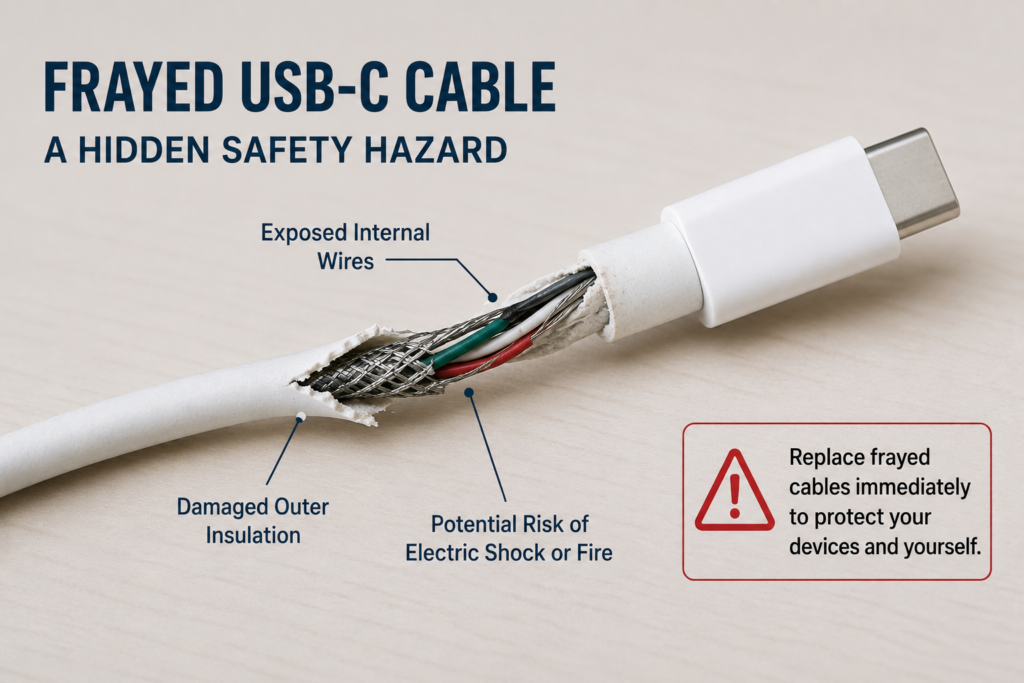
How to Identify a Faulty Power Adapter by Frayed Cables
Visible cable damage is one of the clearest signs that a power adapter needs replacing.
Look for:
- Cracked insulation
- Exposed wires
- Bent cable sections
- Torn outer casing
Damaged cables can create safety hazards and increase the risk of electrical faults.
A replacement power adapter is usually far safer than attempting temporary repairs.
Your Device Randomly Loses Power
Does your laptop, router, or monitor suddenly switch off?
Intermittent power delivery is often caused by a failing adapter.
This problem is particularly common with networking equipment. In many cases, installing a replacement router power adapter can restore stable operation and eliminate unexpected restarts.
Symptoms may include:
- Random shutdowns
- Device restarts
- Flickering displays
- Network interruptions
Many users mistakenly blame the device itself when the real problem is a failing power supply unit (PSU).
You Notice a Burning Smell
A burning smell should never be ignored.
This can indicate:
- Internal overheating
- Electrical component failure
- Short circuits
- Damaged wiring
Disconnect the adapter immediately if you notice unusual odours.
Continuing to use it could damage your equipment and create unnecessary safety risks.
The Adapter Makes Buzzing or Clicking Noises
Power adapters are generally quiet.
If you hear:
- Buzzing
- Clicking
- Humming
- Crackling
The internal circuitry may be deteriorating.
Unusual sounds often occur before complete failure, making early replacement a smart decision.
Charging Has Become Slow or Inconsistent
A healthy adapter should provide stable power output.
If charging speeds have slowed significantly or power delivery becomes inconsistent, the adapter may no longer be operating efficiently.
Signs include:
- Slower charging times
- Devices failing to reach full charge
- Frequent charging interruptions
Musicians and home studio users often experience these symptoms when their keyboard power supply begins to fail. A replacement Yamaha keyboard power adapter can often restore normal performance and reliable operation.
Replacing the adapter often restores normal performance immediately.
The Connector Feels Loose
Over time, repeated use can wear down connector pins and barrel plugs.
A loose connector may cause:
- Intermittent charging
- Frequent disconnections
- Difficulty maintaining power
If the connector itself has become worn, switching to a properly fitting 12V adapter with 3.5mm connector may resolve recurring connection problems.
If you constantly need to reposition the cable to maintain power, your adapter is likely approaching the end of its lifespan.
The Adapter Is More Than Several Years Old
Even high-quality adapters wear out over time.
Internal capacitors and electrical components naturally degrade after years of use.
Older adapters may:
- Run hotter
- Deliver unstable voltage
- Become less efficient
Rather than waiting for complete failure, many users choose to upgrade to a modern 12V replacement power supply that offers improved reliability and efficiency.
Replacing an ageing power supply before failure helps avoid unexpected downtime.
Visible Cracks or Physical Damage
Inspect your adapter regularly.
Common signs of physical deterioration include:
- Cracked casing
- Bent plugs
- Missing insulation
- Damaged connectors
Physical damage can expose internal electronics and increase the risk of failure.
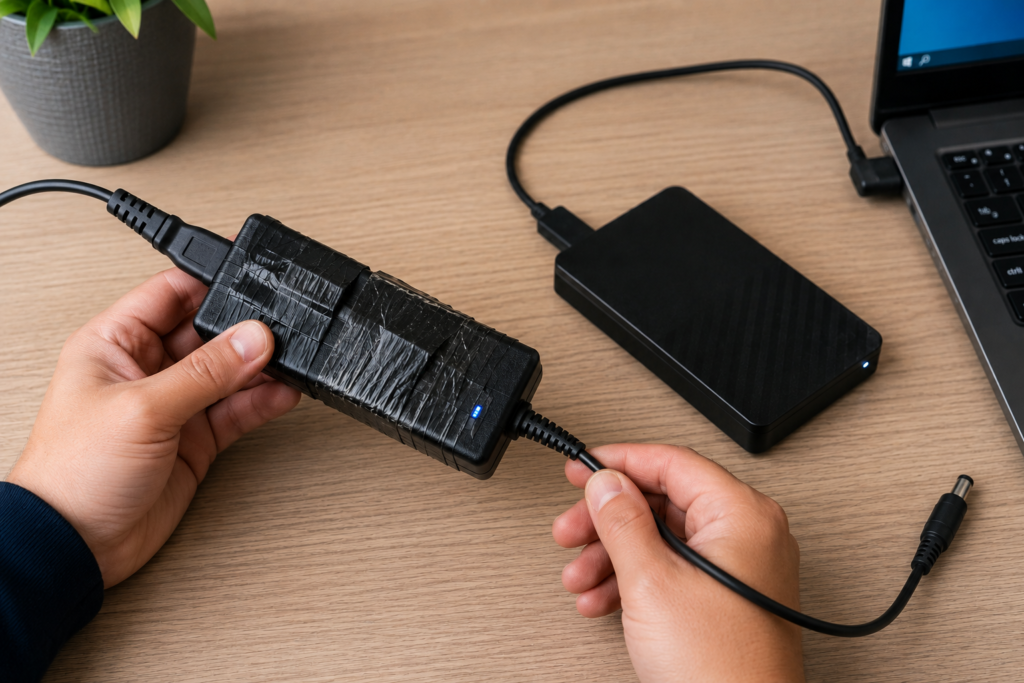
The Adapter Has Already Failed Once
If your adapter has previously required repairs or has already shown signs of failure, replacement is usually the most reliable long-term solution.
External storage devices can also suffer from unreliable power delivery. Investing in a replacement power adapter for LaCie hard drives can help prevent recurring issues and protect valuable data.
Continuing to use an unreliable power adapter can put connected devices at risk.
Why Replacing a Faulty Adapter Matters
A faulty adapter does more than inconvenience you.
It can potentially:
- Reduce device lifespan
- Cause charging failures
- Interrupt productivity
- Damage sensitive electronics
- Create avoidable safety risks
Replacing a failing adapter early helps keep your electronics running safely and efficiently.
FAQ Section
Can a faulty power adapter damage my device?
Yes. An unstable or failing power supply can cause performance issues and potentially damage sensitive electronics.
Is it safe to use a higher amperage adapter?
Generally yes, provided the voltage matches exactly and the connector is compatible.
How long should a power adapter last?
Most quality adapters last several years, depending on usage conditions and build quality.
Should I replace an adapter with exposed wires?
Yes. Exposed wiring presents a safety hazard and should be replaced immediately.
What specifications should I match when buying a replacement?
Match the voltage exactly, ensure equal or higher amperage, verify polarity, and confirm connector size compatibility to ensure complete device compatibility.
Conclusion
Recognising the warning signs early can help you avoid device downtime, charging problems, and potential safety risks. If you notice overheating, frayed cables, power interruptions, strange noises, or visible damage, there is a good chance your power adapter needs replacing.
If you’ve noticed any of these warning signs, now is the time to act before complete failure occurs. Upgrading to a reliable 19V AC DC replacement power supply or another compatible replacement adapter can help keep your devices running safely, efficiently, and reliably for years to come.