

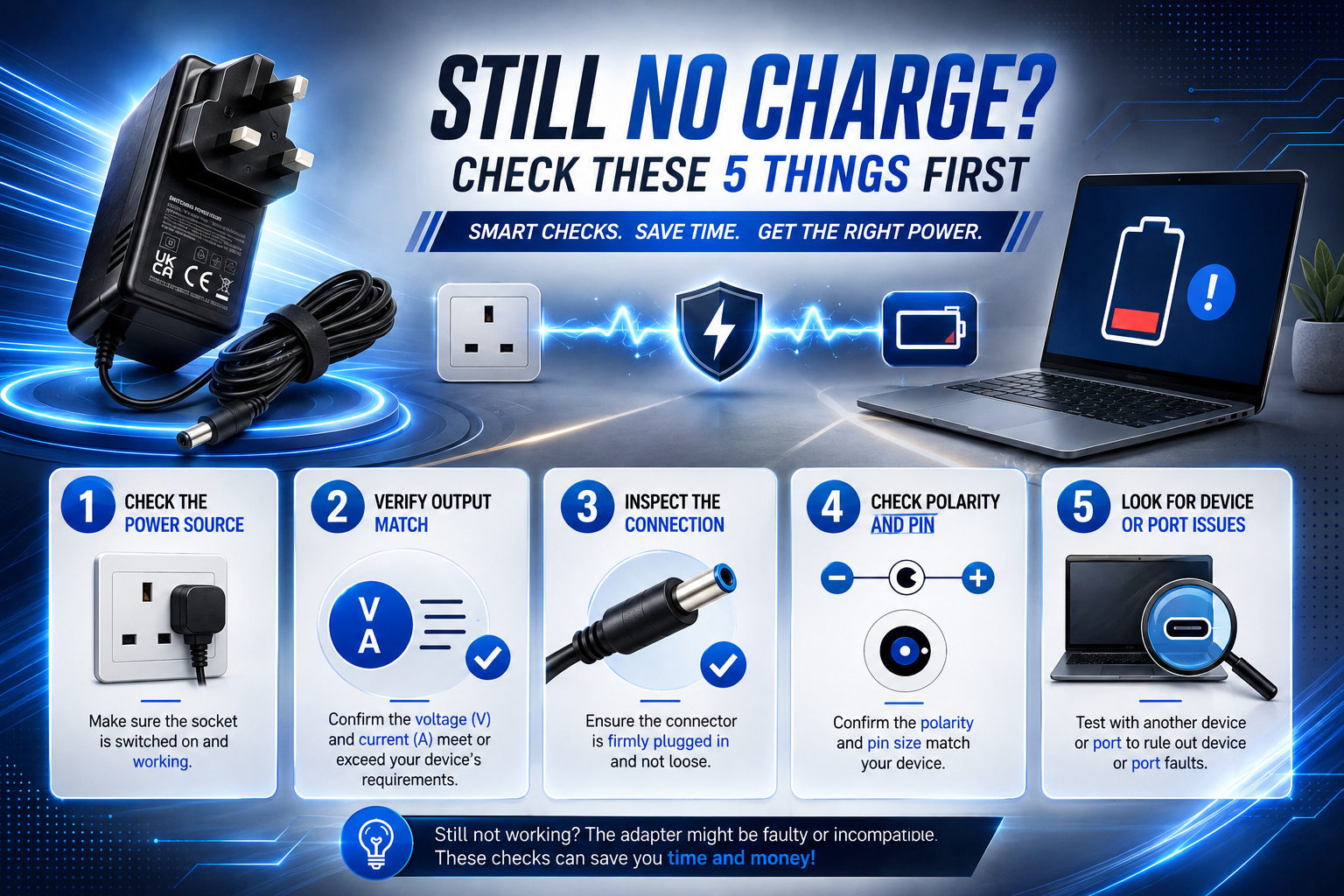
Dealing with a device not charging after changing adapter can be incredibly frustrating. Replacing a power adapter should solve the problem, not create a new one. So when your device still refuses to power on, it’s understandable to think you’ve received a faulty product.
Fortunately, that isn’t always the case.
In many situations, the replacement adapter is working exactly as intended. The real issue is that it isn’t compatible with your device. Two chargers may look almost identical, yet small differences in their electrical specifications can stop a laptop, router, monitor or TV box from powering on.
Before ordering another replacement, spend a few minutes checking the basics. It could save you both time and money.
Don’t Assume the Charger Is Faulty
Most charging problems begin with one simple assumption.
“The connector fits, so it must be the right charger.”
Unfortunately, that’s one of the most common reasons replacement adapters don’t work.
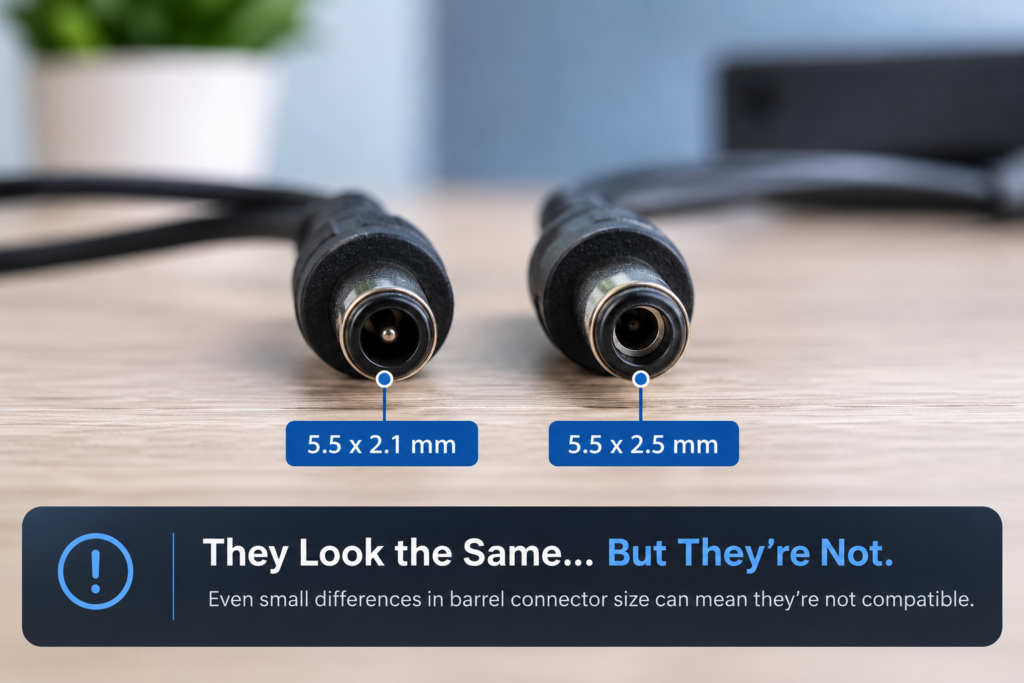
Manufacturers often use barrel connectors that look almost identical across different devices. Although the plug fits, the adapter may supply different electrical specifications than your equipment requires.
Rather than comparing chargers by appearance, compare the information printed on the label. Those small numbers tell you far more than the connector ever will.
Your 5-Minute Compatibility Check
Before buying another charger, work through these simple checks.
| Check | Why It Matters |
| Compare the original and replacement adapter labels | Confirms whether the electrical specifications match. |
| Inspect the connector carefully | A loose or incorrect connector can interrupt the power supply. |
| Try another wall socket | Rules out a simple mains power issue. |
| Check the adapter for visible damage | Look for worn cables, bent connectors or overheating. |
| Search using your exact device model | Helps confirm you’ve purchased the correct replacement. |
If one of these checks reveals a difference, you’ve probably found the reason your device isn’t charging.
Sometimes the Smallest Difference Makes the Biggest Difference
Imagine replacing the charger for your TalkTalk Android TV Hub.
The new adapter arrives.
The connector fits perfectly.
The charging light never appears.
Everything looks right, but the device still refuses to power on.
After comparing the specifications, you discover the replacement outputs different electrical values from the original adapter.
Instead of buying another generic charger and hoping for the best, choosing the Compatible 12V Power Adapter for Technicolor TalkTalk Android TV Box TV Hub UZW4054TTG UHD gives you a replacement designed specifically for that model. That removes much of the uncertainty because the power requirements have already been matched.
Generic Doesn’t Always Mean Compatible
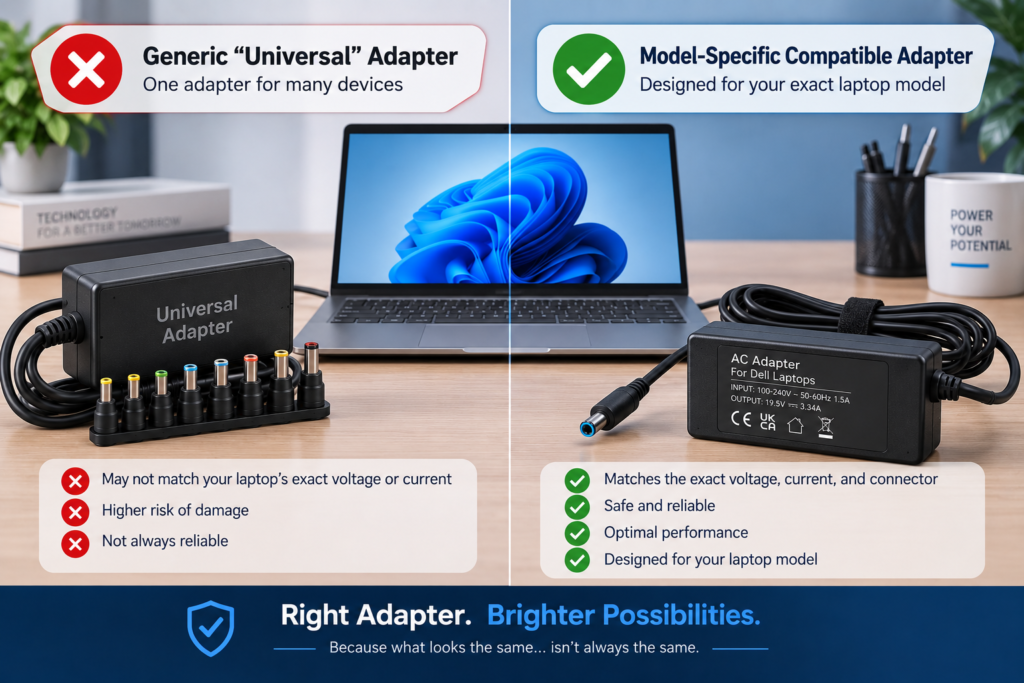
Generic replacement chargers can be useful, but they rely on you choosing every specification correctly.
If the voltage, connector size or polarity doesn’t match, the charger may never work properly regardless of how similar it looks.
A model-specific replacement removes much of that guesswork.
For example, if your Lenovo laptop no longer charges after replacing the adapter, the USB-C 65W Laptop Adapter for Lenovo ThinkBook 16 G6 is designed for that device, making compatibility much more straightforward.
Likewise, if your monitor has stopped receiving power, the 12V Power Adapter Compatible for Dell S2240L LED Monitor provides a replacement that’s intended for that specific display instead of relying on a universal charger.
Choosing the Right Replacement Saves Time and Money
The same principle applies to networking equipment. If your router stopped powering on after replacing the adapter, using the Compatible 19V Adapter Power Supply for ASUS RT-AX89X Router gives you a replacement that’s designed for that specific model instead of relying on a generic alternative.
Android TV boxes can also be difficult to match because many brands use similar-looking connectors. If you own a MECOOL streaming device, the 5V 2A AC/DC Power Supply Adapter Compatible with MECOOL KM3 Android TV Box is designed specifically for that hardware, helping reduce the risk of ordering another incompatible charger.
Buying a replacement that’s listed for your exact device model is often the quickest way to restore power. Instead of comparing dozens of specifications yourself, you can choose an adapter that’s already been matched to your equipment.
Still Not Charging After Changing Adapter? Read This Before You Buy
Before placing another order, ask yourself these questions:
- Have I compared the replacement adapter with the original?
- Does the output voltage match exactly?
- Is the current rating suitable for my device?
- Does the connector fit securely?
- Have I searched using my exact device model?
If the answer is “Yes” to all of these questions, the charging issue may be caused by the device itself rather than the adapter. In that case, it’s worth checking the charging port, battery or internal hardware.
If the answer is “No” to any of these questions, replacing the charger with a verified compatible model is usually the best next step.
Frequently Asked Questions
Why does my replacement charger fit but not charge?
A connector that fits is only one part of compatibility. Your replacement adapter must also match the original voltage, current, polarity and connector dimensions. If any of these differ, your device may not receive the power it needs to charge properly.
Can I use a charger with a higher amperage?
Yes. In most situations, a charger with a higher current rating is safe because the device only draws the amount of power it requires. The output voltage, however, should always match the original adapter exactly.
Can the wrong power adapter damage my device?
It can. Using an adapter with the wrong voltage or polarity may prevent your device from charging and could damage sensitive internal components. Always compare the specifications before using a replacement charger.
Is a model-specific adapter better than a universal charger?
For most users, yes. A model-specific replacement is designed to meet your device’s electrical requirements, reducing the chance of compatibility problems. Universal chargers can work, but they require careful configuration and aren’t suitable for every device.
How do I know if I’m buying the correct replacement adapter?
Start by checking the label on your original charger and note the output voltage, current, polarity and connector type. Then search for a replacement that’s listed for your exact device model. Choosing a verified compatible adapter helps avoid repeated charging problems and unnecessary returns.
Conclusion
Replacing a charger should be a simple solution, but compatibility matters just as much as the connector itself. A replacement adapter that looks identical to the original can still have different electrical specifications, preventing your device from charging.
Taking a few minutes to compare the original adapter with the replacement can save you from buying multiple unsuitable chargers. If you discover the adapter isn’t compatible, choosing a replacement that’s designed for your exact device model is usually the fastest and most reliable way to get your equipment working again.