

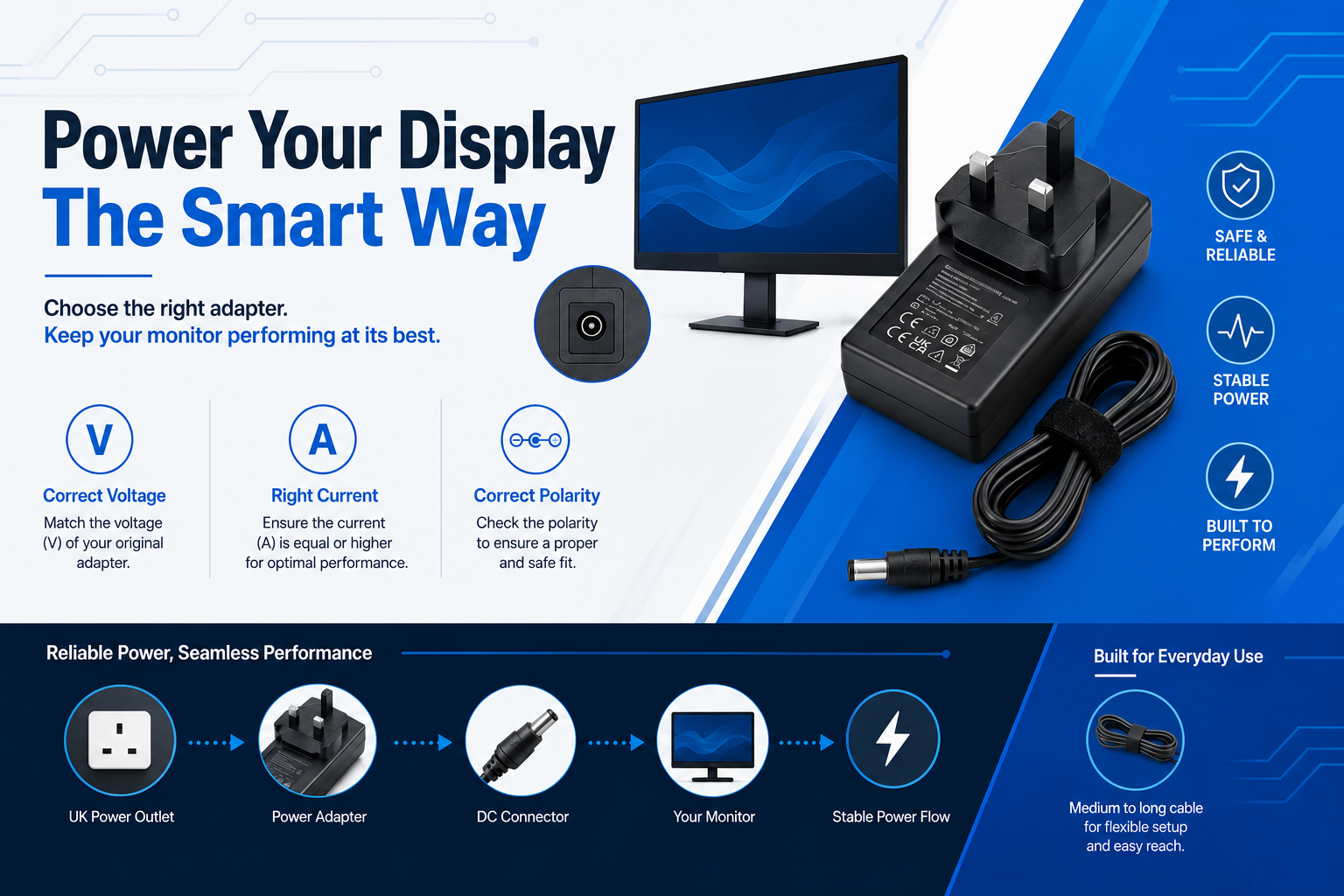
Finding the correct monitor charger replacement requires matching three essential factors: voltage, amperage, and connector tip size. The voltage of your replacement adapter must match your monitor’s exact requirement to prevent electrical damage, while the amperage rating can safely be equal to or higher than the original charger. The connector tip must also fit securely into the monitor’s DC input port.
When a desktop monitor suddenly stops working, or the original power supply unit is misplaced, replacing the adapter can seem complicated. Many users assume they need to purchase an expensive manufacturer-branded charger from companies such as Samsung, LG, or Dell. However, reliable third-party replacement adapters can provide the same performance and safety at a lower cost when the correct specifications are matched.
To identify the required specifications, check the information label on the back of your monitor or inspect your old power adapter. Look for the output rating, which is usually displayed in a format such as 19V ⎓ 2.1A. This information tells you the voltage and current required for safe operation.

Understanding Voltage, Amperage, and Polarity
- Voltage (V) Must Match Exactly: If your monitor requires 14V, you must use a 14V adapter. Providing too little voltage will cause the screen to flicker or fail to turn on; providing too much voltage (such as using a 19V laptop charger on a 14V monitor) will permanently fry the internal circuit boards.
- Amperage (A) Can Be Equal or Higher: Amperage represents the maximum current the adapter can deliver. If your screen requires 2.13A, a 3A or 4.5A adapter is perfectly safe to use. The monitor will only draw 2.13A. However, using a 1.5A adapter will cause the charger to overheat and fail.
- Polarity Must Match: Most modern consumer electronics use a centre-positive polarity configuration, indicated by a diagram where the centre dot points to a plus sign ( – o + ).
Myth vs. Fact:
- Myth: A higher-amp charger will damage my monitor.
- Fact: Monitors only draw the current they require. A higher-amperage adapter simply provides additional capacity, allowing it to operate cooler and reducing stress on internal components.
Avoid purchasing low-quality universal chargers with adjustable voltage switches. These can easily be changed accidentally to an incorrect setting, potentially damaging your monitor. A dedicated fixed-voltage replacement adapter designed for your monitor model is a safer choice.
For tested and reliable replacement options that meet UK safety requirements, explore our range of 14V Samsung monitor charger replacements directly matched from verified stock.
Measuring and Identifying the Correct Connector Tip
Monitor manufacturers utilize various circular barrel jack sizes to prevent users from plugging in the wrong voltage supplies. Identifying the correct replacement plug requires measuring the Outer Diameter (OD) and Inner Diameter (ID) of the barrel plug in millimeters. Many popular brands also include a central signal pin inside the jack that must match the replacement tip design.
Even if the electrical numbers line up perfectly, the replacement monitor charger will be useless if it cannot physically plug into the device. Most screens utilize a circular connection known as a DC barrel plug.
Common Monitor Brand Plug Dimensions
| Monitor Brand | Typical Voltage | Common Plug Dimensions (OD x ID) | Notable Features |
| Samsung | 14V / 19V | 6.5mm x 4.4mm | Often includes a centre pin |
| LG | 19V | 6.5mm x 4.4mm or 5.5mm x 2.5mm | Used across various widescreen models |
| Dell | 12V / 19V | 5.5mm x 2.5mm or 7.4mm x 5.0mm | Larger plugs found on some premium displays |
| HP | 19V / 19.5V | 4.8mm x 1.7mm or 7.4mm x 5.0mm | Similar to some laptop charging profiles |
How to Check Your Connection Size
If you no longer have your original charger, inspect the DC input port on the back of the monitor. Some models display the required specifications near the socket or provide the information through the model number.
Searching your exact monitor model on a trusted power accessory supplier is often the quickest way to find a compatible replacement without manually measuring the connector.
For gaming setups, matching specialist adapters is equally important. Users with premium displays can find suitable replacements such as our MSI Optix gaming monitor adapter.
Buying Advice: Never force a connector that feels too tight or too loose. A poor connection can create electrical arcing, generate heat, damage the plastic port, and create a safety risk. For Acer displays, selecting a certified 12V power adapter for Acer monitors ensures a proper and secure connection.
Troubleshooting and Choosing an Eco-Friendly UK Replacement
A quality compatible replacement adapter provides reliable performance while helping extend the life of your existing monitor. Replacing only the charger instead of the entire display reduces unnecessary electronic waste.
Before buying a new monitor power supply, confirm that the adapter is actually the cause of the problem.
The Quick Monitor Power Checklist
- Test the plug socket: Connect another device, such as a lamp or phone charger, to the same outlet to confirm the mains supply is working correctly.
- Check the status lights: Many quality adapters include an LED indicator. If the adapter light works but the monitor remains inactive, the issue may be caused by a damaged output cable, connector failure, or an internal monitor fault.
- Look for physical damage: Check the entire cable length for Cuts or exposed wires Severe bends or kinks Damage near the connector joints Signs of overheating.
Why Safe Standards Matter in the UK
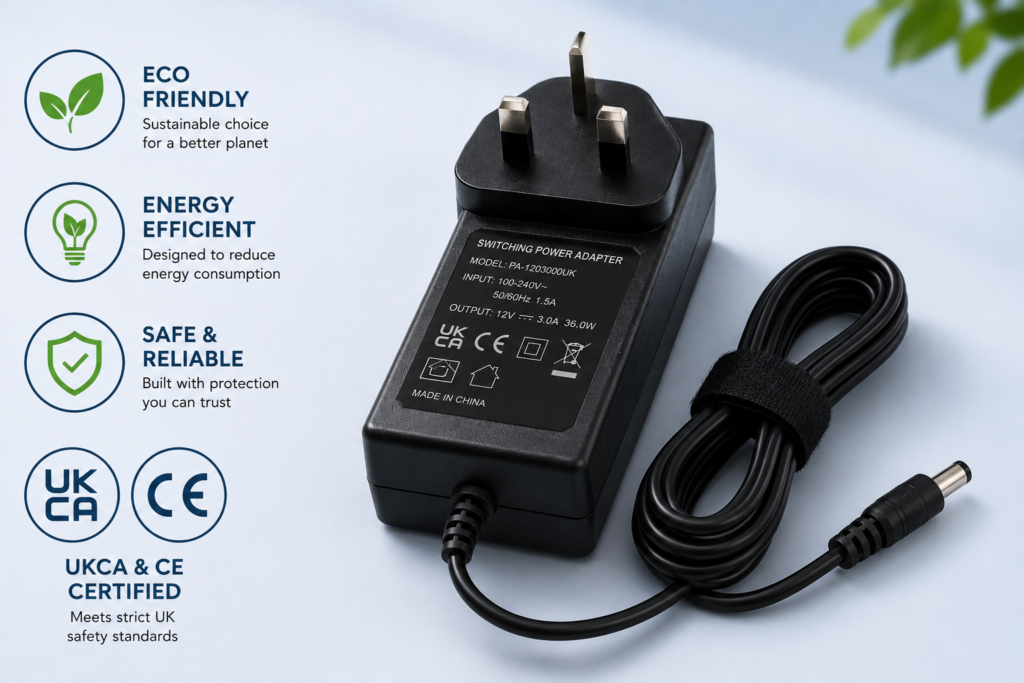
When purchasing a replacement monitor charger in the UK, safety certifications are essential. Look for adapters displaying UKCA and CE markings, which indicate compliance with important electrical safety requirements:
- Short-Circuit Protection: Automatically stops power if a fault occurs.
- Over-Voltage Cut-off: Helps prevent damage from unexpected voltage increases.
- Over-Temperature Protection: Reduces overheating risks during extended use.
Official requirements can be reviewed through the UKCA marking guidelines on GOV.UK.
Choosing a compatible replacement instead of replacing an entire monitor saves money and reduces electronic waste. A simple charger replacement can extend the usable life of LCD and LED displays for many years.
Under the WEEE retailer take-back guidelines on GOV.UK, businesses are encouraged to support responsible recycling and reduce the environmental impact of discarded electrical products.
Restore your workspace quickly by choosing a correctly matched LG monitor power supply from our available replacement range.
Frequently Asked Questions
Can I use a laptop charger for my monitor?
Only if the voltage, polarity, and connector size match exactly. Many laptops use 19.5V or 20V adapters, while monitors often require 12V, 14V, or 19V. Using an incorrect voltage charger can permanently damage your monitor. Always compare the specifications on both devices before connecting them.
What happens if I use a monitor charger with lower amperage?
A lower-amperage adapter may struggle to supply enough power. This can cause overheating, random shutdowns, screen flickering, or complete adapter failure. Always choose an adapter with an equal or higher amperage rating than your original charger.
How do I know if my monitor plug is centre-positive?
Check the polarity diagram on your monitor label or adapter. If the symbol shows the centre connection linked to a positive (+) sign, the device uses centre-positive polarity. This is the most common configuration for modern computer monitors.
How do I find my monitor’s exact power specifications?
Look for the specification sticker on the back or bottom of the monitor. Find the section labelled “Input” or “DC” to identify the required voltage and amperage, such as 19V ⎓ 2.1A. If the label is missing, search using your monitor’s exact model number.
Is a higher wattage replacement adapter safe to use?
Yes. A higher wattage adapter is safe as long as the voltage matches your monitor exactly. Wattage is calculated by multiplying voltage by amperage (V × A). A higher amperage rating simply means the adapter has more available power capacity and can operate with less strain while delivering only the current your monitor requires.