

What Power Adapter Does an External Hard Drive Need?
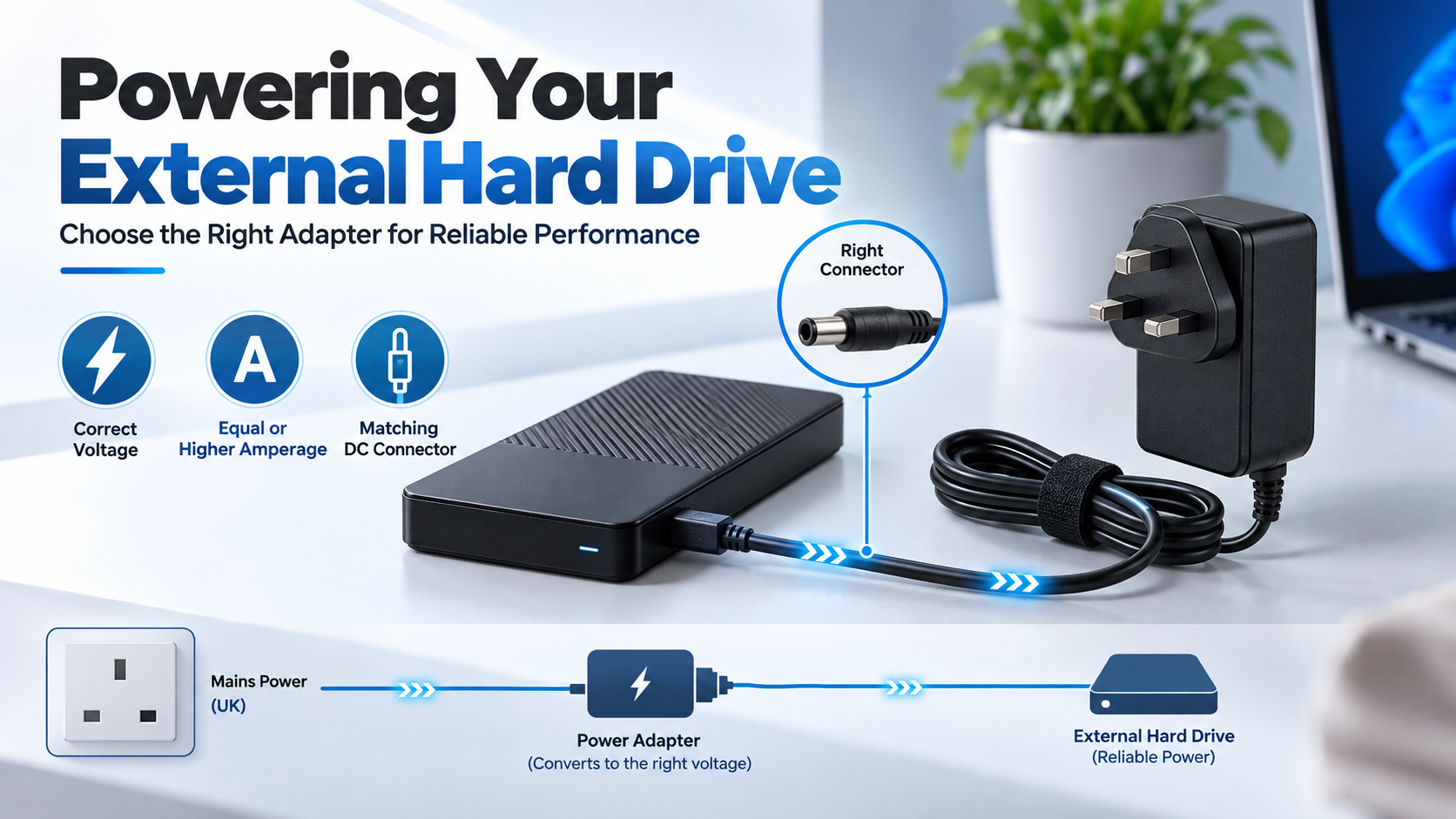
Dealing with a missing or broken power supply for an external hard drive can be frustrating, especially when you are worried about losing precious data. An external hard drive often relies on a separate AC/DC power adapter, particularly if it is a desktop-style unit or houses a larger 3.5-inch drive inside an enclosure. Getting a replacement isn’t just about finding something that plugs into the mains; the correct adapter strictly depends on the drive’s required voltage, current draw, DC connector size, and polarity. Before clicking buy on a random online listing, take a moment to look at the specification label on your drive or original adapter and match every detail carefully to prevent permanent hardware damage.
Checking the External Hard Drive’s Power Requirements
Your journey should always start directly at the source, the specification label printed on the external hard drive, its external enclosure, or the original power supply brick. Look closely for key data points: output voltage, current rating, and DC polarity. You will typically spot text indicating specifications like 12V DC, 2A.
External hard drives from major storage manufacturers like Western Digital, Seagate, Buffalo, LaCie, and others all have unique engineering blueprints and power demands. If your original adapter has vanished or broken beyond recognition, noting the exact model number of your hard drive can help you track down a precise replacement without falling back on guesswork.
What Voltage Does an External Hard Drive Need?
Voltage is arguably the most critical specification to match. If your external hard drive requires 12V DC, your replacement must provide precisely 12V DC.
Never fall into the trap of assuming that a higher voltage is safer or better. Plugging in an adapter with an output voltage that runs too high can instantly fry the internal controller board or damage sensitive drive components. Conversely, a voltage that falls too short will cause the drive to fail to spin up or become completely unreliable during data transfers.
For example, a model-specific 12V 2A Western Digital HDD power adapter is engineered specifically around the unique power delivery requirements of a particular Western Digital external hard drive. Checking the device model matters just as much as matching the raw voltage numbers.
How Many Amps Should an External Hard Drive Adapter Have?
The current rating, measured in amps (A), tells you how much electrical current the power adapter is capable of pushing out safely.
A replacement adapter must exactly match your device’s voltage and polarity, but it can safely have an equal or higher amp rating since hardware only draws the current it needs. For example, a drive requiring 1.5A can safely use a 2A model or a compatible 12V 1.5A Seagate Backup Plus desktop drive adapter.
However, doing the reverse by using a weak 1A adapter on a drive that demands 1.5A is a recipe for trouble. An underpowered adapter will cause your drive to randomly disconnect, loop restart, or behave unpredictably under heavy workloads.
Does the DC Connector Size Matter?
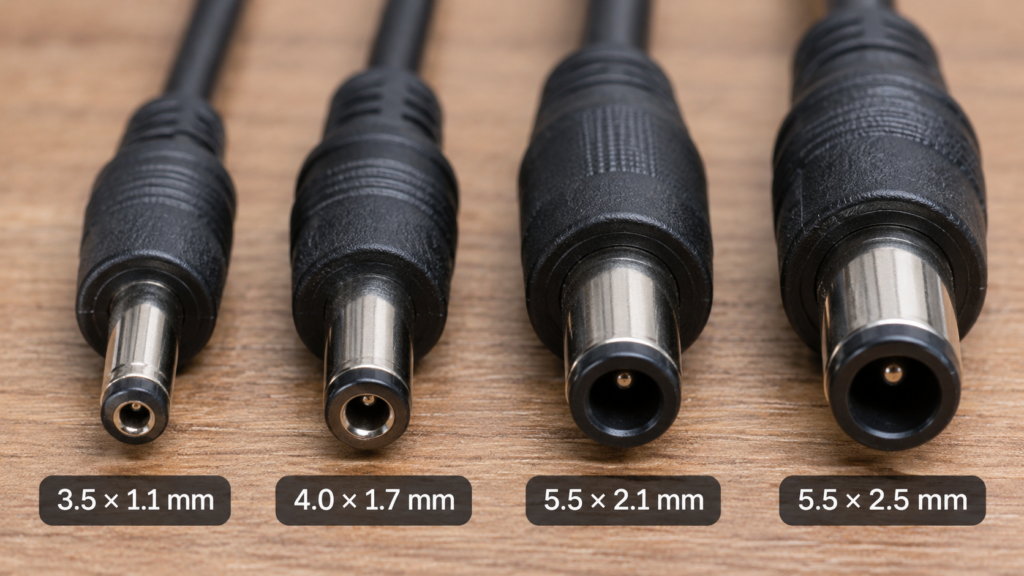
Yes, absolutely. An adapter can boast the exact right voltage and current rating, but if the physical DC plug doesn’t fit the port on your external hard drive, it’s completely useless.
DC barrel connectors vary significantly in their dimensions, so never force a plug into your hard drive if it does not fit smoothly. You can avoid this sizing guesswork entirely by finding a verified Buffalo DriveStation replacement power supply.
Why Does Polarity Matter?
Polarity determines which internal section of the DC connector carries positive power and which carries negative earth. This is universally indicated by a small graphical polarity symbol printed directly on the adapter casing.
Never assume centre-positive polarity, as using an adapter with reversed polarity can instantly fry your hard drive’s internal circuitry even if the plug physically fits. Always verify the polarity symbol first, or ensure safety by choosing a verified compatible LaCie external hard drive adapter to guarantee the correct configuration.
Does the Hard Drive Brand and Model Change the Adapter?
The short answer is yes. Brand names and exact manufacturing iterations make a massive difference.
Hard drive brands and individual models often have unique power and pin configurations, making it essential to search by your exact storage model number to guarantee compatibility. This is especially important for legacy devices, where specialist suppliers offer specific replacements such as Fujitsu Siemens Storagebird external hard drive power supplies.
Are All 12V External Hard Drive Adapters the Same?
Two power bricks can both output a 12V reading on paper while having completely different internal builds, current limits, connector dimensions, or polarities. One might output 12V at 1.5A, while another pushes 12V at 2A or even 5A.
The label “12V” simply checks off a single requirement on your list. You still have to account for the amp load, plug dimensions, and polarity mapping. This nuance becomes especially important when shopping online marketplace listings where dozens of visually identical adapters are marketed as universal replacements.
What About Portable USB External Hard Drives?
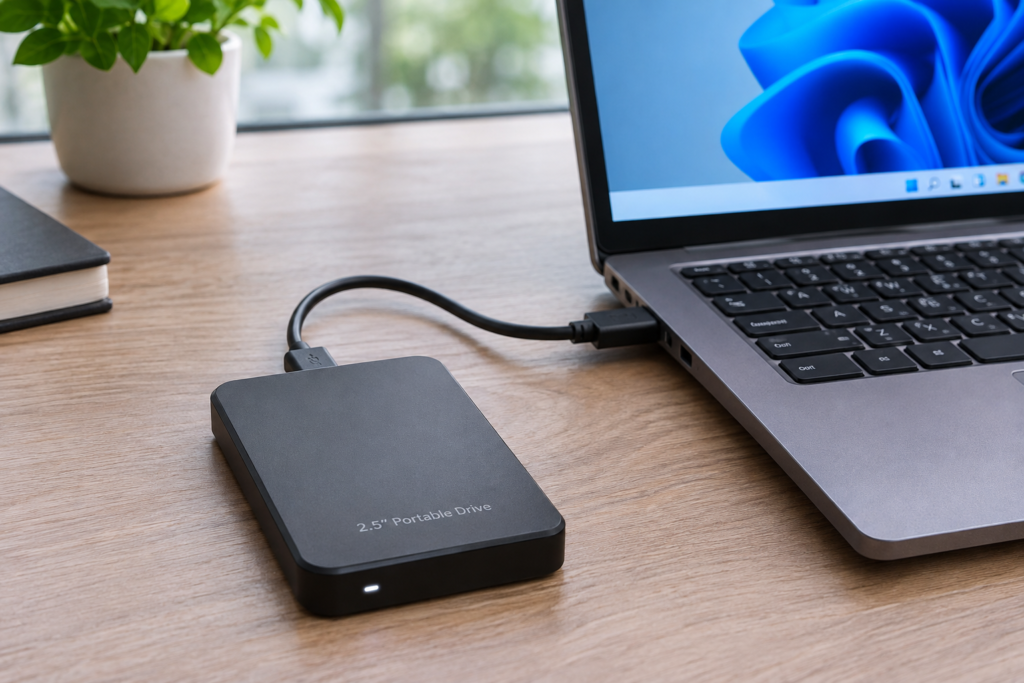
Not every external hard drive requires a bulky mains plug.
Many modern portable USB hard drives draw all the electricity they need straight through the USB connection itself. These portable models don’t require the external AC/DC bricks utilised by heavy-duty desktop units. Desktop-class external drives and multi-drive storage enclosures are the systems that rely on dedicated power bricks. Before ordering a replacement adapter, inspect your drive to confirm it features a dedicated barrel-jack DC power port.
How Can You Choose the Correct Replacement Adapter?
Choosing a reliable replacement adapter comes down to following a methodical matching workflow:
- Locate the exact external hard drive or enclosure model number.
- Identify the exact required output voltage.
- Check the required current rating measured in amps.
- Confirm the outer and inner dimensions of the DC barrel connector.
- Verify the correct polarity symbol.
- Ensure the replacement matches all device specifications safely.
- Check the mains plug type and overall product safety documentation.
Prioritise safety with electrical equipment by keeping adapters uncovered and away from moisture or heat. Stop using any adapter immediately if you notice wear like a cracked casing, exposed wiring, a burning smell, or abnormal heat. For UK standards, consult the Health and Safety Executive’s electrical safety guidance and review the UKCA marking guidance to ensure compliance.
FAQs
Can I use a higher-amp adapter for my external hard drive?
Generally yes, provided the output voltage, connector type, polarity, and remaining electrical specifications match your drive. A higher current rating simply means the adapter has more headroom to supply available current; it does not force extra power into your device.
Can I use a lower-amp adapter?
Using an under-rated adapter is strongly discouraged. If your external hard drive requests more current than the adapter can safely deliver, the system will starve under heavy load, causing frequent disconnects, read errors, or unexpected reboots.
How do I find the exact adapter I need?
Start by reading the model number and printed specification label located directly on your hard drive enclosure or original adapter. Cross-reference those figures to match voltage, current, connector dimensions, and polarity before purchasing.
What happens if I use the wrong voltage on my drive?
If you plug in an adapter with a higher voltage than required, you risk instantly frying the internal circuit board. Conversely, a lower voltage will prevent the drive from spinning up, making it completely useless for data transfers.
What does the polarity symbol on the adapter mean?
Polarity indicates which part of the connector carries the positive power and which carries the negative earth. Using reversed polarity can instantly damage your drive, so always match the polarity symbol exactly before plugging it in.
Final Thoughts
Sourcing the right external hard drive power adapter goes far beyond picking something that physically slides into the socket. You have to balance multiple electrical and physical specs simultaneously.
Verify your exact model, match the voltage precisely, ensure you have sufficient current capacity, confirm the plug dimensions, and double-check the polarity. Taking these small precautions protects your data and keeps your hardware running smoothly. When an old drive or broken adapter finally reaches the end of its lifecycle, reviewing the UK Government electrical waste guidance ensures you handle proper electronic disposal responsibly.