

External Hard Drive Disconnecting? Proven Adapter Fixes
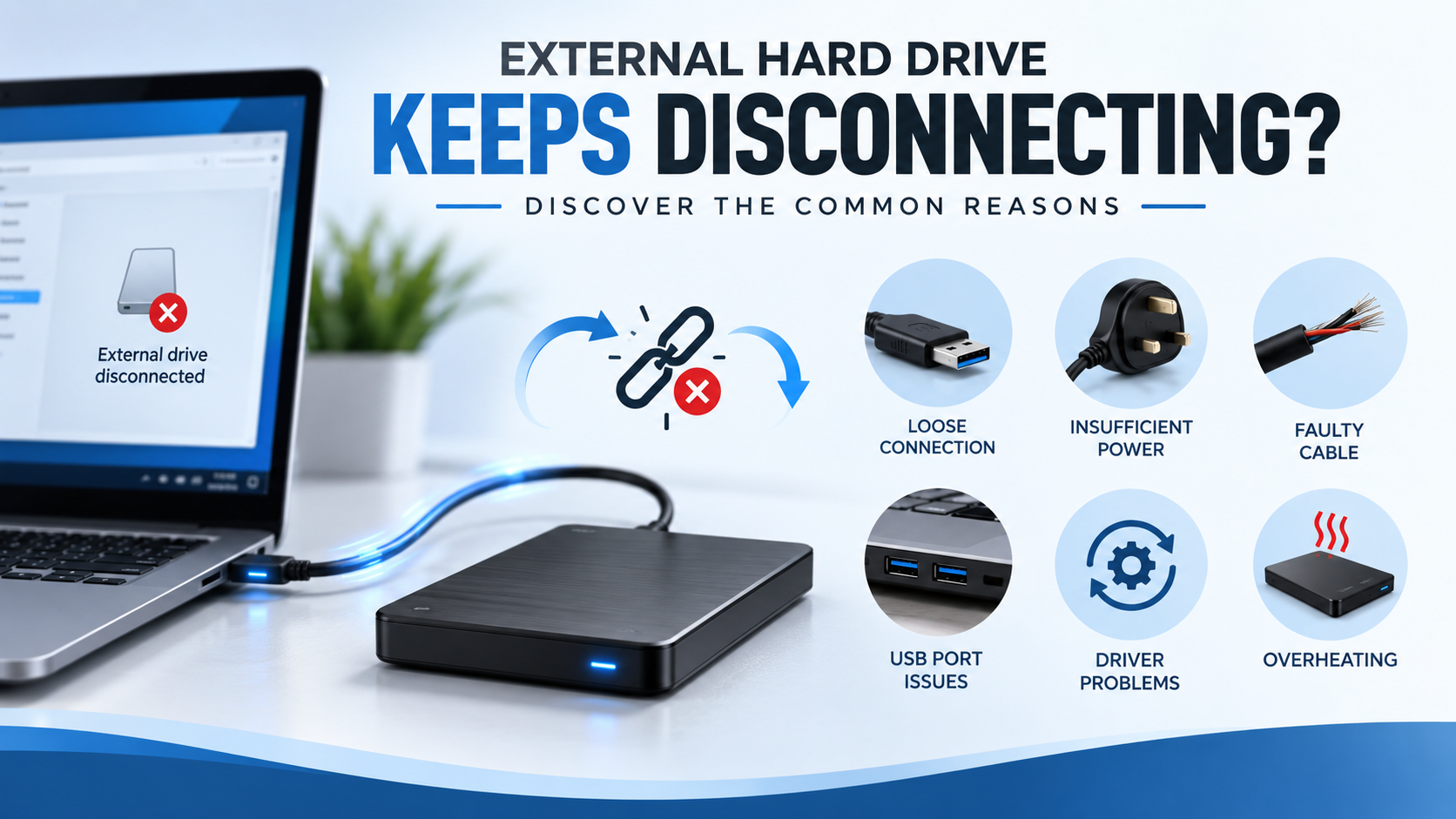
Are you dealing with an external hard drive disconnecting right in the middle of copying important files? It is an instantly stressful moment, but thankfully, a random disconnect doesn’t always mean your drive is dying. Often, it is just a loose connection, a power hiccup, or a bit of overheating.
Here is how you can systematically troubleshoot and fix the issue before you even think about throwing your drive away. Taking the time to properly diagnose each component can save you both money and valuable lost data.
Quick Fixes for an External Hard Drive Disconnecting: Cables and Ports
A worn-out or poor-quality USB cable is one of the easiest culprits to rule out. If a cable has been tightly coiled, bent, or bumped near the connector, its internal wires might be losing contact.
- Try swapping in a known-good, compatible cable to see if the dropouts stop.
- Move the cable to a different USB port, ideally one plugged directly into the back of your computer tower rather than an unpowered USB hub, which can struggle to deliver steady power.
- If you are working with a Western Digital drive, for instance, a model-specific 12V 2A Western Digital HDD power adapter might be necessary if your existing setup is starving the drive of stable power under heavy read and write operations.
Check the Power Supply (Desktop Drives)
If you are using a larger desktop external drive that plugs into the wall, power stability is critical. If an AC/DC adapter is failing, it might supply enough juice for the drive to idle, but it will drop connection the moment the disk spins up hard for a heavy file transfer.
- Inspect the adapter: Look at the label for exact specs like 12V DC and 2A. If the brick is unusually hot, smells faint of ozone, or has a frayed cable, replace it immediately.
- Match specs carefully: Never assume an adapter works just because the plug fits. You need to match four things precisely: Voltage, Current rating in Amps, Connector size, and Polarity. A higher amp rating is usually fine as long as the voltage and polarity match, but too little current will cause drops under load.
- For instance, a model-specific 12V 1.5A Seagate Backup Plus desktop drive adapter illustrates why the exact current rating matters rather than being left to guesswork.
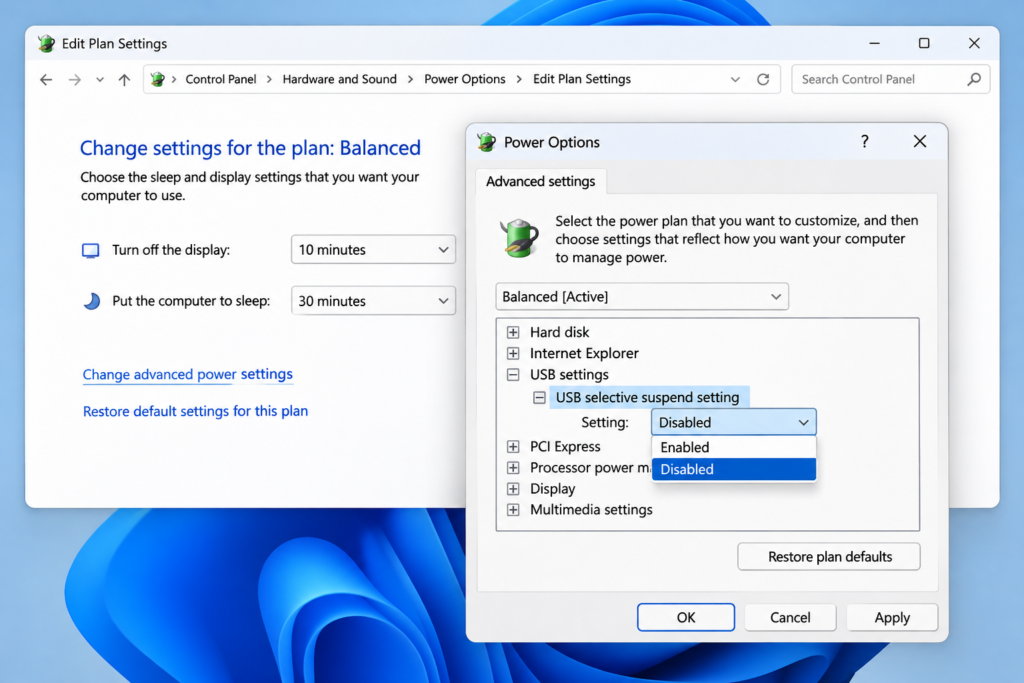
Look at Computer Power Settings
Sometimes Windows or macOS tries a bit too hard to save electricity. If your drive only vanishes after you have stepped away from your desk for a while, it might be putting the USB ports to sleep.
- Review your operating system’s USB power-saving features such as USB selective suspend on Windows to see if power management is aggressively cutting off your peripheral.
- Note: If your drive drops out while you are actively using it, look at physical power or cables instead. Power-saving modes primarily trigger during prolonged idle periods.
Check for Overheating and Enclosure Issues
External hard drives generate plenty of heat, and poor ventilation can cook the internal electronics or the bridge board inside the enclosure.
- Keep your drive resting on a hard, flat surface where air can circulate freely. Never bury it under a pile of papers or set it next to a room heater or radiator.
- If your drive works fine for ten minutes and then disconnects, but works again once it cools down, temperature is likely your main issue.
- Furthermore, older enclosures can develop loose power sockets or bad internal soldering, making a perfectly healthy hard drive behave like it is broken. If you use a hardware brand like Buffalo, checking equipment against a Buffalo DriveStation replacement power supply can help isolate whether the enclosure’s power delivery is at fault before assuming the storage mechanism has failed completely.
Is the Hard Drive Actually Failing?
If you have tested the drive with multiple computers, swapped cables, and verified the power supply, and the drive still randomly disconnects, clicks, grinds, or refuses to open certain folders, the drive itself may be wearing out.
- Prioritise your data immediately. Stop turning it on and off, and copy whatever critical files you can salvage onto another stable location before the drive goes completely silent.
- When testing alternative hardware setups, looking into a compatible LaCie external hard drive adapter or evaluating vintage models via resources like Fujitsu Siemens Storagebird external hard drive power supplies can help keep legacy desktop drives running long enough to back up your precious photos and documents.
Safety Standards and Responsible Disposal
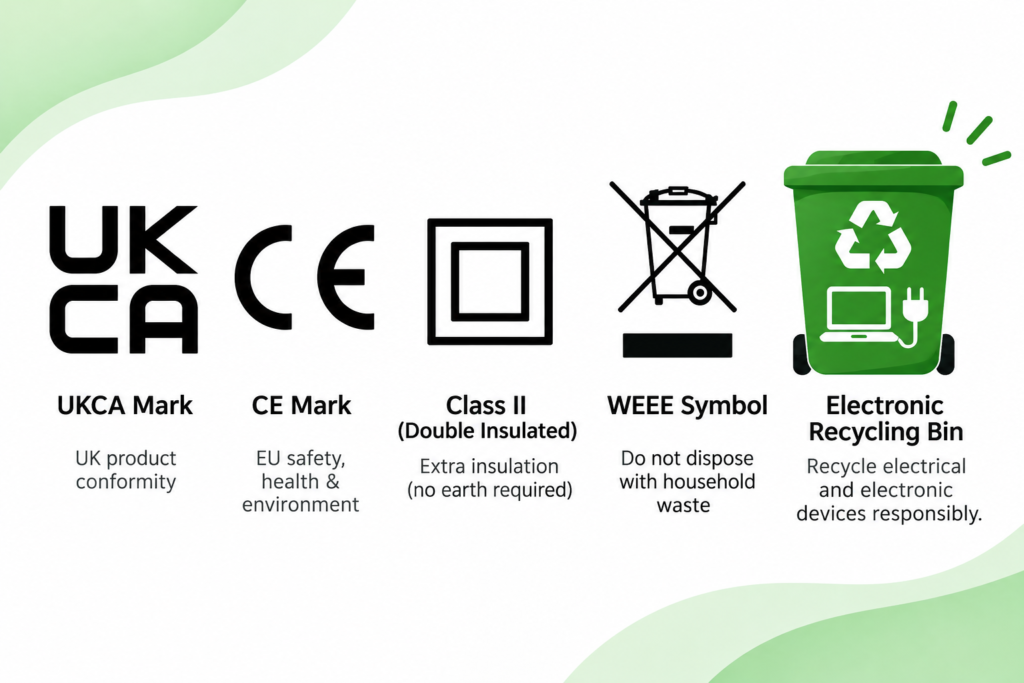
When dealing with electrical hardware, safety guidelines should always be respected. If you are inspecting power cables, extension leads, or mains equipment in a workplace or home office environment, consulting the Health and Safety Executive electrical safety guidance provides an authoritative reference. Additionally, ensuring that any replacement power bricks or electronics comply with regulatory standards can be cross-referenced via UKCA marking guidance. Finally, when electronic equipment genuinely reaches the end of its operational lifecycle, review proper recycling procedures through the UK Government electrical waste guidance.
Frequently Asked Questions
Why does my external hard drive keep disconnecting and reconnecting?
Common culprits include an unstable power supply, a faulty USB cable or loose port, aggressive power-management settings, overheating, a failing enclosure, or internal disk failure.
Can a higher-amp adapter stop disconnections?
It can help if your original adapter was underpowered, but only if the replacement matches the exact voltage, connector type, and polarity required by the manufacturer.
Should I replace the hard drive if it keeps disconnecting?
Not right away. Always rule out the power adapter, USB connection, computer settings, and temperature first. Only consider replacing the drive if it exhibits the same erratic behaviour across multiple computers with known-good cables.
Can an overheating external hard drive cause it to drop connection?
Yes. Excessive heat can cause internal electronics or bridge boards inside the enclosure to behave erratically. Ensuring proper airflow on a hard flat surface can often resolve heat-related dropouts.
How can I tell if my power adapter is causing the problem?
Power issues usually manifest when a drive disconnects under heavy load, fails to spin up consistently, or becomes unusually hot to the touch. Verifying the voltage, current, connector size, and polarity against a verified replacement can clarify if the adapter is at fault.
Conclusion
Dealing with an external hard drive disconnecting repeatedly can be incredibly frustrating, but a methodical troubleshooting approach will usually uncover the root cause. By checking your USB cables, ensuring you have a reliable replacement power adapter, and verifying your computer power management settings, you can often restore stability without needing a complete hardware replacement. Always remember to prioritise data backup as soon as you regain a steady connection. Protecting your files and investing in proper power solutions will save you both time and unnecessary stress in the long run.