

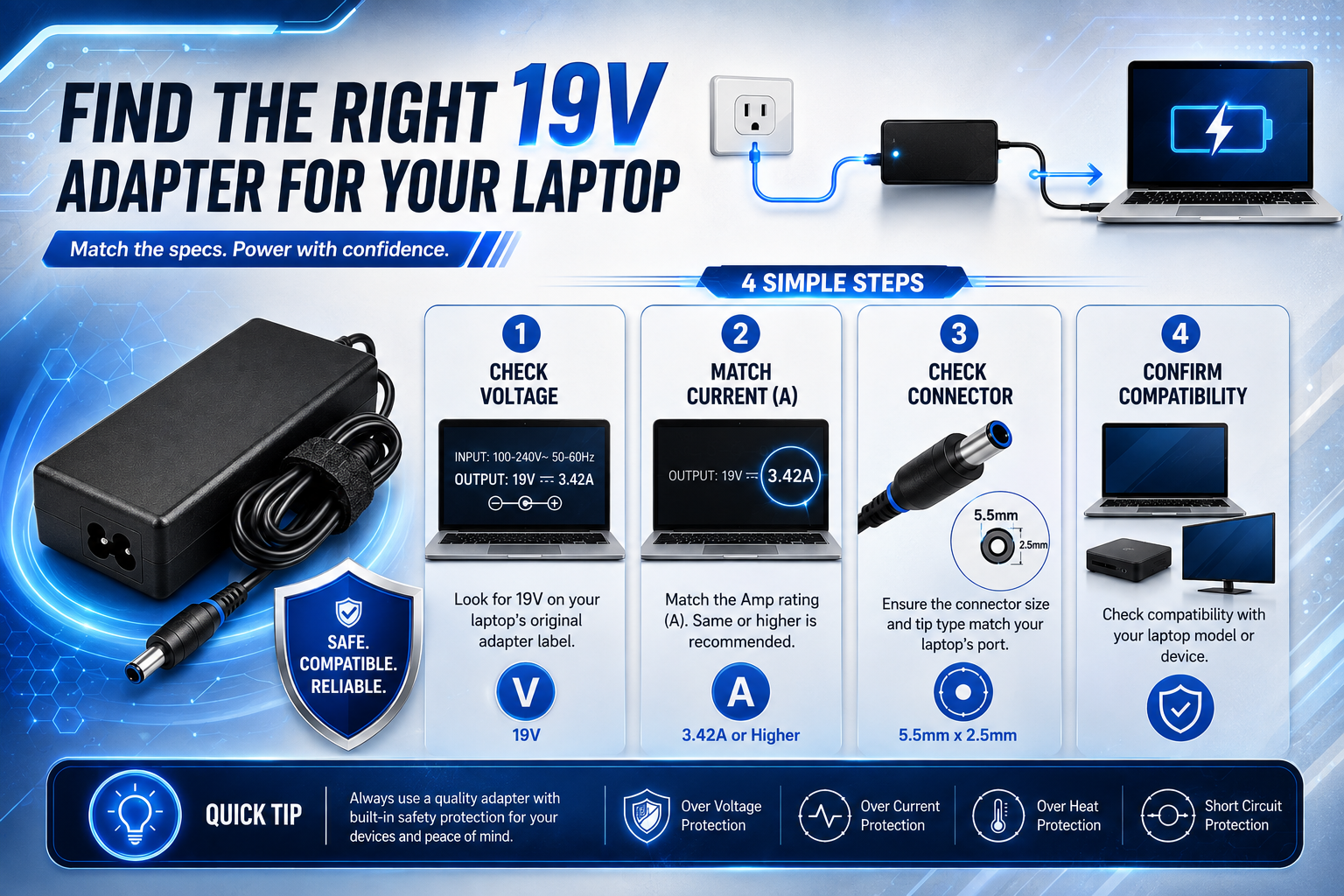
Finding a 19V replacement adapter can look easy until you see how many similar chargers are available. Several adapters may say 19V, yet only some will be suitable for your laptop.
A correct replacement needs to match more than the voltage. You should check the laptop’s required current, connector size, polarity, power rating and exact model before buying.
Start With the Original Adapter Label
If you still have the original charger, its label is one of the best places to start.
Look for the section marked “OUTPUT”. You may see something similar to:
OUTPUT: 19V ⎓ 3.42A
The 19V figure tells you the adapter’s output voltage, while 3.42A indicates its rated current capacity.
Write down the complete output specification before searching for a replacement. Do not rely on remembering only “19V charger”, because the current rating and connector information are also important.
If the original adapter is missing, check the laptop’s input specification, manufacturer’s documentation or the exact model information. You can also compare your requirements with a 19V power adapter for Medion Akoya E15303/E15307 as an example of how product listings can identify a specific laptop model.
Confirm That Your Laptop Actually Requires 19V
The first electrical specification to verify is voltage.
If your laptop is designed for a 19V DC input, the replacement should provide the required 19V output. Voltage should not be guessed from the connector or from another laptop charger you happen to have.
The safest approach is to use the information printed on the original adapter, laptop label or manufacturer’s documentation. Do not assume that every laptop uses 19V simply because many replacement chargers are labelled that way.
Understand the Current Rating Before You Buy
The current rating, measured in amps, tells you how much current the adapter is capable of supplying under its rated conditions.
For example, a 19V 3.42A adapter has a rated capacity of 3.42A. A 19V adapter with a higher current rating has more available capacity.
A higher current rating can generally be acceptable when the voltage, connector, polarity and device requirements are correct. The laptop does not automatically receive the maximum current printed on the adapter. It draws the current it needs.
For example, the sitemap includes a 19V 3.42A replacement adapter for Medion E154076, showing how voltage and current specifications can be included alongside the exact device model.
The Wattage Number Can Be Helpful — But It Is Not the Whole Answer
Wattage can help you compare adapters, but it should not be treated as a complete compatibility test.
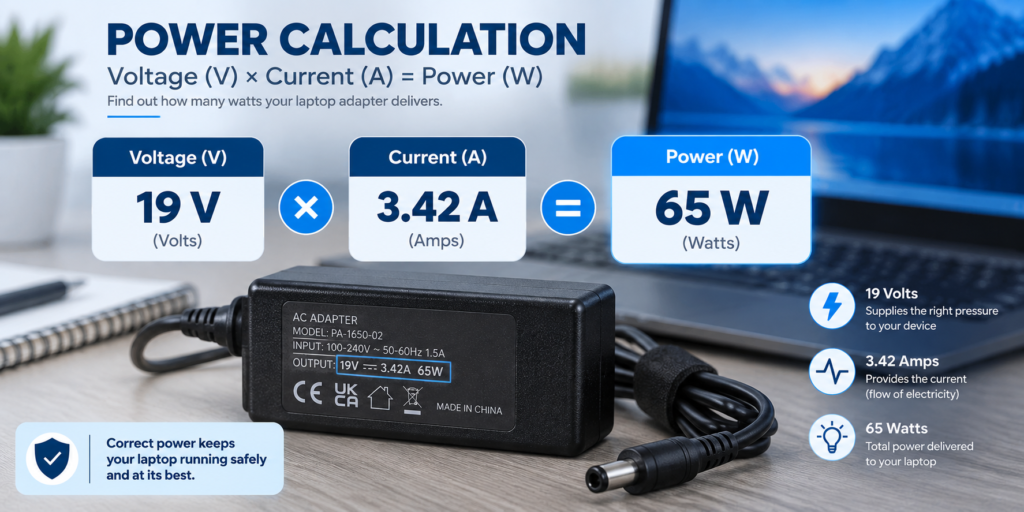
Calculate rated power by multiplying voltage by current:
Voltage × Current = Power
For 19V 3.42A:
19 × 3.42 = 64.98W
That is normally described as a 65W adapter.
For 19V 4.74A:
19 × 4.74 = 90.06W
That is normally described as a 90W adapter.
A charger can have the right wattage and still be unsuitable. Two adapters can have similar power ratings while using different voltages. This is why you should compare the individual specifications instead of searching for a replacement using wattage alone.
Measure the Connector Instead of Guessing
The connector is one of the easiest specifications to overlook.
Many laptop adapters use barrel connectors that look almost identical. However, the inner diameter, outer diameter and connector length can differ.
A connector that appears to fit may be loose, may fail to make reliable contact or may simply be the wrong size.
The sitemap includes a 19V 3.42A UK mains adapter with 5.5mm x 2.1mm and 2.5mm connector options, which demonstrates why connector dimensions need to be checked rather than assumed.
Do not force a connector into the laptop. A correct replacement should fit naturally and securely.
Check Polarity Before Connecting the Adapter
Polarity is another specification that cannot be confirmed simply by looking at the connector.
A barrel connector may use a centre-positive or centre-negative arrangement. The adapter label often includes a polarity symbol showing how the positive and negative connections are configured.
The replacement adapter’s polarity needs to match the laptop’s requirements.
A connector that physically fits is not enough to establish electrical compatibility.
Use the Laptop Model as Your Final Cross-Check
Once you know the electrical specifications, use the exact laptop model to confirm compatibility.
This step is useful because manufacturers can use different adapters across different models. Even laptops from the same product range may have different power requirements or connectors.
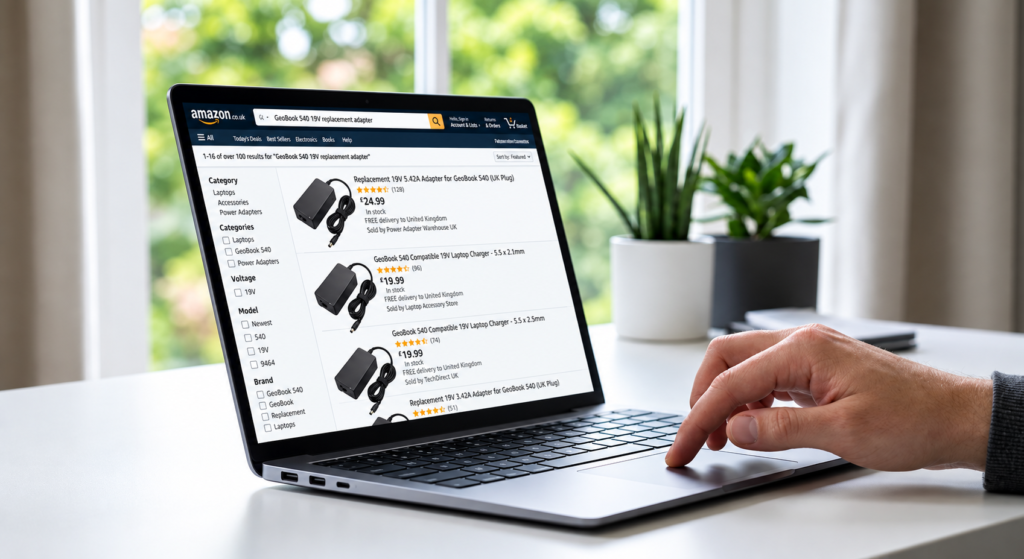
Search for the complete model rather than simply searching for “19V laptop charger”. Then compare the adapter’s listed specifications with your laptop’s requirements.
For example, the sitemap contains a 19V charger for the GeoBook 540 laptop. A product listing like this shows why using the exact laptop model can narrow down the search considerably.
You should also check the UKCA marking guidance on GOV.UK when reviewing safety information provided for products sold in the UK.
Compare Your Laptop’s Power Requirements Before Buying
Before choosing a 19V replacement laptop adapter, compare the important specifications of your original charger with the replacement.
Check the laptop model, output voltage, current rating, wattage, connector size and polarity. Each specification helps confirm whether the adapter is suitable for your device.
For example, if your original adapter is labelled 19V 3.42A, look for a replacement that provides the required 19V output and has sufficient current capacity. Then confirm that the connector and polarity match your laptop.
Checking these details together is much more reliable than choosing a charger based only on the words “19V laptop adapter” or the wattage shown in a product title.
What Are the Most Common Replacement Mistakes?
One of the most common mistakes is matching only the voltage. A 19V label may look promising, but the connector, polarity or current capacity could still be wrong.
Another mistake is choosing a charger because the connector looks correct. Physical fit does not prove electrical compatibility.
Some buyers also focus entirely on wattage. A 65W adapter may sound right for a laptop that originally used a 65W supply, but the voltage and connector still need to match.
The opposite mistake is rejecting a higher-current adapter simply because its amp rating is greater. A higher current capacity can generally be acceptable when the voltage and other compatibility requirements are correct.
19V Replacement Adapter Buying Checklist
Before placing an order, check each of these:
| Specification | What to Confirm |
| Laptop model | Exact model matches |
| Voltage | Required 19V |
| Current | Equal to or greater than required |
| Wattage | Sufficient for the device |
| Connector | Correct size and type |
| Polarity | Matches the laptop |
| Product information | Specifications are clearly stated |
If any important specification is unclear, do not assume it is compatible. Look for better product information or confirm the requirement through the laptop manufacturer.
For another example of a model-specific listing, the sitemap includes a 19V laptop charger for the Chuwi CoreBook Pro.
If you are also considering what happens to an old adapter after replacement, the WEEE retailer take-back guidance on GOV.UK provides information about electrical waste responsibilities in the UK.
Frequently Asked Questions
Can I use a higher-amp 19V adapter?
A higher-current 19V adapter can generally be suitable if the voltage, connector, polarity and laptop compatibility all match.
Can I use a lower-amp adapter?
It may not be suitable because the adapter could have insufficient current capacity for the laptop’s requirements.
Is every 19V laptop adapter compatible?
No. Voltage is only one part of compatibility. Current, connector, polarity and the exact laptop model also need to be checked.
Is a 19V 3.42A adapter a 65W charger?
Yes, approximately. 19V × 3.42A equals 64.98W, which is normally rounded to 65W.
Does the connector need to match exactly?
Yes. The connector must be the correct type and size, and its electrical configuration must also be compatible.
Conclusion
Finding the correct 19V replacement adapter is mainly about matching the complete specification, not simply finding a charger labelled 19V.
Start with the laptop model or original adapter and confirm the voltage, current, connector, polarity and power requirements. Use wattage as a useful comparison, but do not rely on it alone.
The easiest way to avoid mistakes is to build a checklist from the laptop’s requirements and compare every replacement against it. That gives you a much clearer way to identify an adapter that is properly matched to your laptop.