

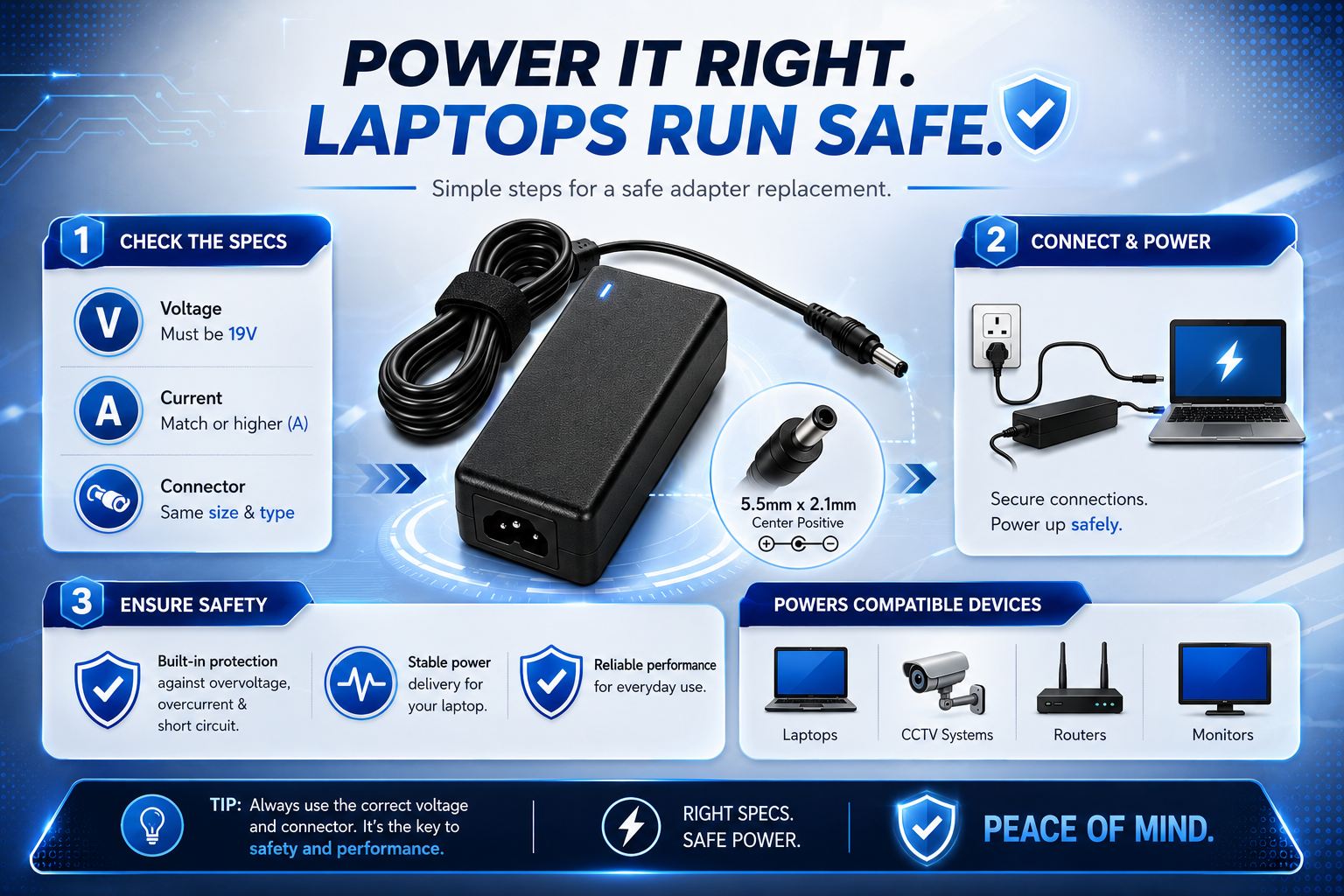
Replacing a lost or faulty laptop charger can be really confusing. You may find a lot of adapters that say 19V. That does not mean they are all good for your laptop. You need to think about the voltage, current rating, connector size and polarity before you buy.
The good news is that choosing a replacement does not have to be hard. Once you know what each specification means and where to find it you can compare a replacement adapter with your charger or laptop requirements with a lot more confidence.
What Is a 19V Laptop Power Adapter?
A 19V laptop power adapter changes mains AC electricity into 19V DC power for a laptop or electronic device. The 19V figure describes the adapters output voltage.
If your laptop says it needs 19V DC input a replacement adapter should give you the required 19V output. However voltage is one part of being compatible. The adapter also needs to have current capacity and the right physical connection.
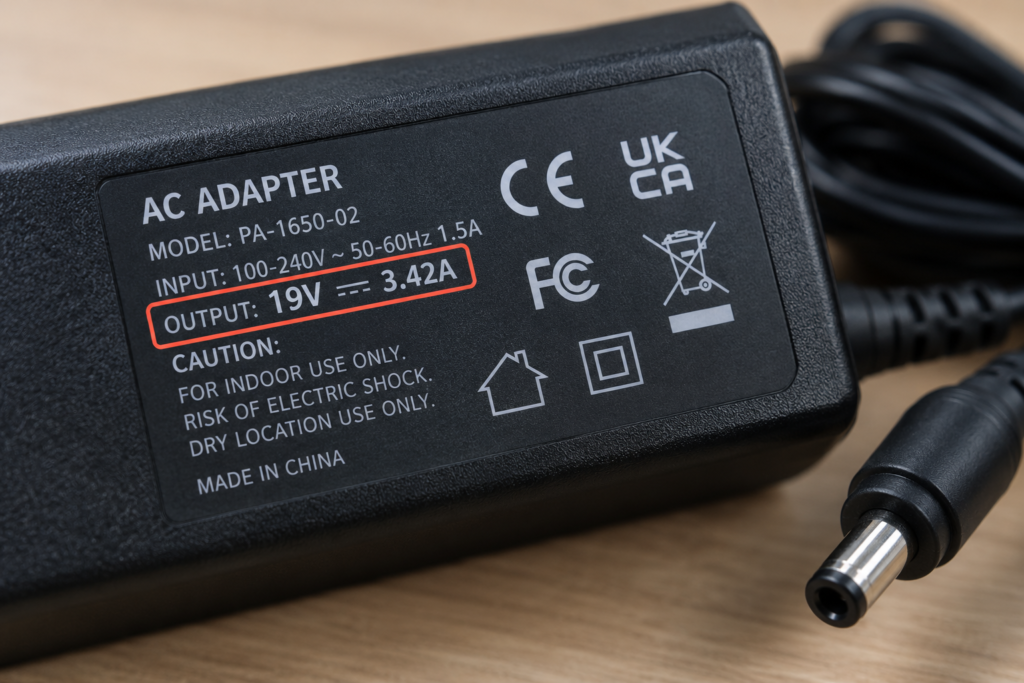
For example an original adapter might say 19V 3.42A. This tells you that the adapter puts out 19 volts DC and can supply up to 3.42 amps.
How Do You Know if Your Laptop Needs a 19V Adapter?
The easiest way to find your laptops required voltage is to check the adapter the laptops rating label, its documentation or the manufacturers specifications.
If the laptop or original adapter says 19V DC you can start looking for a 19V replacement. If you no longer have the charger use the exact laptop model number when searching. This is safer than searching for a 19V laptop charger” because model-specific information can help identify the correct electrical requirements and connector.
Check These Four Specifications Before Buying
Before ordering identify these four details:
- Required voltage
- Rating
- Connector size
- Polarity
What Amperage Should a 19V Laptop Adapter Have?
The replacement adapter should give you at least the capacity required by the laptop. A higher current rating can be okay when the voltage is correct and the connector and polarity match.
Laptop requirement Suitable replacement:
- 19V 2A 19V 2A or higher
- 19V 3A 19V 3A or higher
- 19V 3.42A 19V 3.42A or higher
- 19V 4.74A 19V 4.74A or higher
The important thing is that the voltage should match, while the current capacity can be equal to or higher than what’s required.
A rated adapter is different. If the laptop needs current than the adapter can give the adapter may not be suitable and may get stressed during use.
Can You Use a Higher-Amp 19V Adapter?
In general a amp 19V adapter can be okay if the laptop needs 19V and the replacement has the right connector and polarity.
For example replacing a 19V 3A adapter with a 19V 4A adapter does not mean the laptop will automatically get 4A. The current rating describes the adapters available capacity; the laptop uses the current it needs.
However a higher amp rating cannot make up for the voltage, connector or polarity.
What Matters Voltage or Amperage?
Voltage is the thing to match. If the laptop needs 19V the replacement should give you the 19V output.
The current rating tells you how much the adapter can supply. When the voltage is correct an adapter with more current capacity can usually meet the laptops needs.
How Do You Check the Laptop Charger Connector?
The connector is easy to overlook. Laptop barrel connectors come in sizes so a plug that looks similar may not fit right.
Connector measurements are usually given using the inner diameter in millimetres, such as 5.5mm × 2.5mm.
Check the adapter specification, laptop documentation or exact model information for the required connector. If the plug does not fit naturally do not force it.
A correct voltage and current rating are not enough if the connector cannot make the connection.
Why Connector Size Matters
A connector that’s too big or too small may not connect properly. Even when it seems to fit a wrong connector can result in an electrical connection.
Always check the connector dimensions before ordering a replacement.
Why Does Polarity Matter?
Polarity tells you which part of the DC connector is positive and which is negative. Centre-positive is common. You should check the polarity required by your laptop rather than guessing.
Look for the polarity symbol on the adapter or manufacturer documentation. The replacement should have the polarity.
If the polarity is wrong connecting the adapter can cause problems. This is why polarity should be treated as a required compatibility check.
How to Check Adapter Polarity
Look for the polarity symbol printed on the adapter. It usually shows whether the centre pin and outer barrel are positive or negative.
If the symbol is unclear or not there check the laptop manufacturers specifications. Ask a qualified technician rather than guessing.
How to Choose the Correct 19V Laptop Replacement Adapter
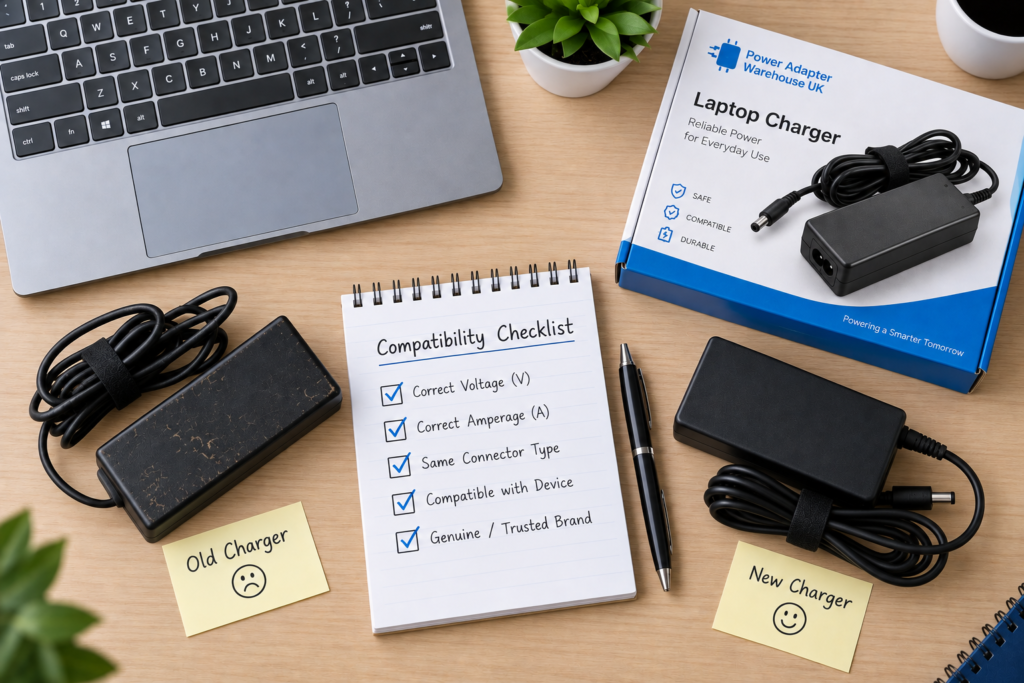
Once you know your laptops requirements compare the replacement adapter against this checklist.
Check What to confirm
Voltage 19V if specified by the laptop
Current Equal to or higher than required
Connector size and type
Polarity Matches the laptop
Model Compatible with the laptop
Do not choose an adapter just because the product title has “19V”. Read the specifications.
Model-specific replacement products can also make the process easier. There are 19V adapters for devices like MSI and LG. Matching the product to the model can reduce uncertainty when replacing an original adapter.
A Simple 19V Adapter Compatibility Check
Before placing an order compare:
- Laptop requirement → Replacement adapter
- Required current → higher current capacity
- Required connector → Exact connector
- Required polarity → Matching polarity
- Laptop model → Compatible model
If all of these checks line up you have a much stronger basis for choosing the replacement.
Common Mistakes When Replacing a 19V Laptop Adapter
One mistake is thinking that all 19V adapters are interchangeable. They are not. The connector, polarity and current capacity can vary when the voltage is the same.
Another mistake is choosing a current adapter because it is cheaper or easier to find. The replacement should have current capacity for the laptop.
It is also important not to think that a higher voltage is better. If your laptop needs 19V do not choose a higher-voltage adapter just because it has a power rating.
Finally do not force a connector that feels loose, tight or wrong. Check the specifications instead.
Frequently Asked Questions
Can I use a amp 19V adapter for my laptop?
Generally yes when the adapter stays at 19V and its connector and polarity match. The higher rating means current capacity.
Can I use a 20V adapter of a 19V adapter?
Do not think that a 20V adapter is the same as a 19V adapter. Match the laptops specified voltage unless the manufacturer says it is okay.
What happens if I use the voltage?
A wrong voltage can make the laptop not work right. May hurt its electronics. Check the required input voltage before connecting a replacement.
How do I find my laptop charger connector size?
Check the adapter, laptop documentation or exact model specification. Connector dimensions may be in the product description.
Is a replacement better, than a universal adapter?
A compatible replacement can make it easier to check the required voltage, connector and polarity. The important thing is whether the complete specifications match the laptop.
Conclusion
Choosing a replacement 19V laptop power adapter is easier when you stop looking at the 19V label. Check the voltage, current capacity, connector size and polarity. Use the exact laptop model whenever possible.
A compatible replacement can be a way to keep a working laptop in service without guessing which charger will fit. Take a minutes to compare the specifications before ordering and you can avoid many common mistakes associated with laptop power adapter replacements.
Need a replacement? Compare the compatible power adapters from Power Adapter Warehouse with your laptops exact requirements before ordering.