

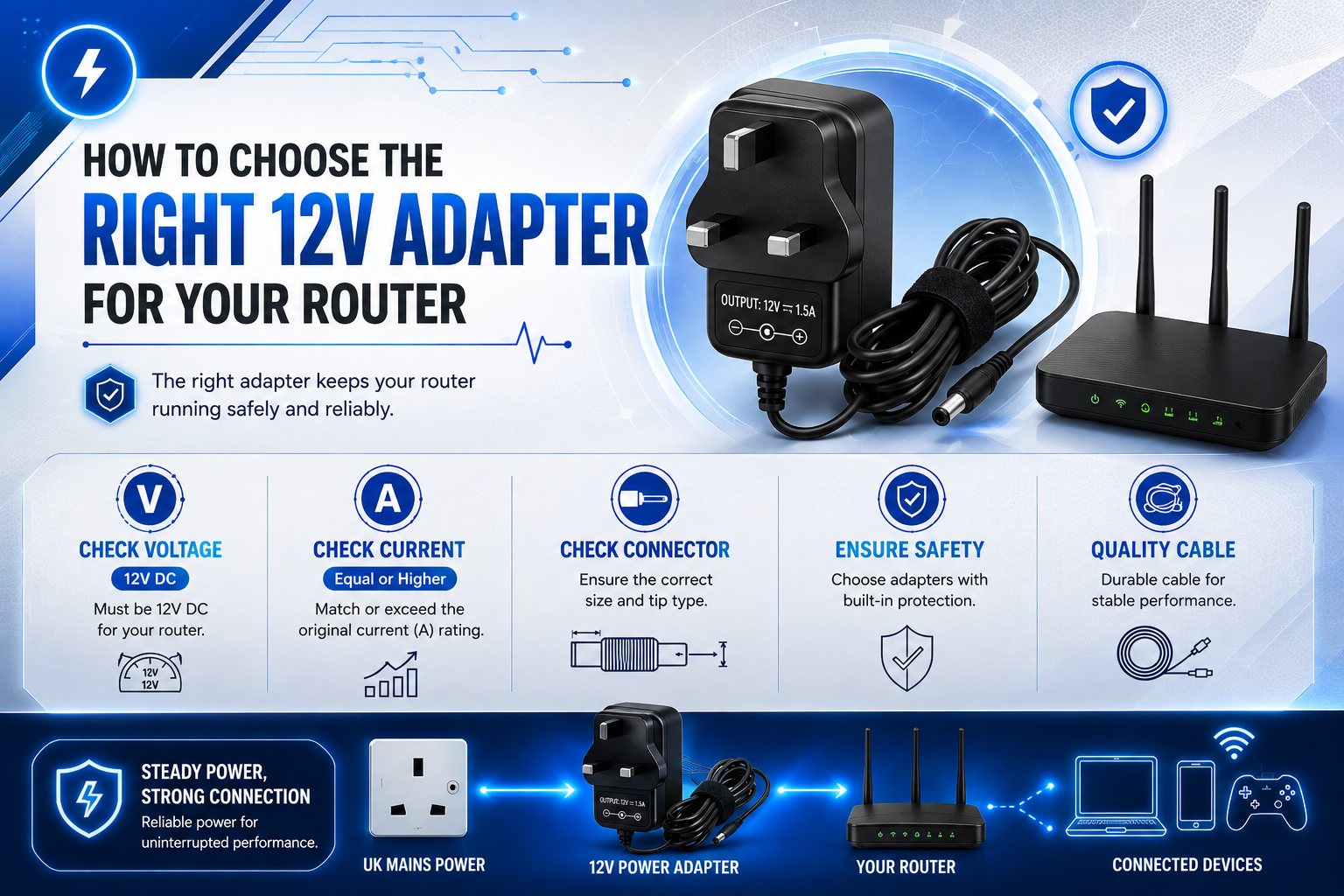
When you need a replacement 12V router power adapter, the voltage label is only the starting point. Different routers can require different current ratings, connector sizes and polarity configurations.
The safest approach is to start with the router model or original adapter. Then confirm the required voltage, connector and polarity. Wattage can help you compare adapters, but it should not replace those checks.
If your original adapter is missing or damaged, do not guess based on the plug alone. A replacement should be selected for the router’s electrical requirements.
What Does 12V Mean on a Router Power Adapter?
12V refers to the adapter’s output voltage. If the router specifies a 12V DC input, the replacement adapter should provide the required 12V DC output.
Check the router label, power supply or manufacturer documentation. You may see something such as “Input: 12V DC” or “12V ⎓ 1A”. The first number is the voltage; the current figure describes the adapter’s capacity.
Do not choose a voltage simply because another adapter has a connector that appears to fit. Confirm the router’s required voltage first.
How Many Amps Does Your Router Adapter Need?
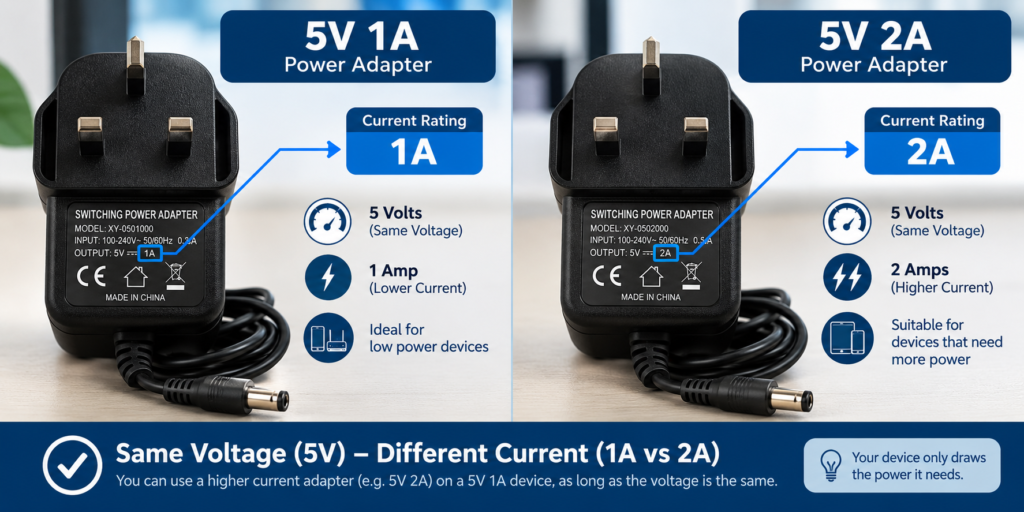
The amp rating shows how much current the adapter can supply under its rated conditions. A 12V 1A adapter has a capacity of 1 amp, while a 12V 2A adapter has capacity for up to 2 amps.
A higher current rating can generally be acceptable when the voltage, connector, polarity and router requirements match. The router does not automatically receive the current printed on the adapter; it draws the amount of current it needs
A lower current rating is more concerning. If the router requires 1.5A and the replacement is rated at 1A, the adapter may not have enough capacity to supply the device reliably.
Can You Use a Higher-Amp 12V Adapter?
Generally, a higher-current 12V adapter can be suitable if the other specifications match.
For example, a router requiring 12V 1A may be able to use a 12V 2A adapter because the replacement has greater capacity.
Think of the rating as available capacity rather than the amount the adapter forces into the router. However, the voltage must still be correct and the connector, polarity and exact router requirements must match.
Check the DC Connector Size
Many routers use round DC barrel connectors. They are available in different outer and inner diameters. Two plugs can look almost identical while having different dimensions.
A loose connection can cause power interruptions, while an incorrect connector may not fit. Do not force a plug into the router.
If you still have the adapter, compare its connector specification with the replacement listing.
For example, a 12V power adapter for the TP-Link Archer D2 router can be assessed against the original adapter’s specifications before purchasing. This type of model-specific replacement is more useful than choosing a generic listing simply because it says “12V router adapter”.
Check the Polarity Before Connecting
Polarity describes how positive and negative electrical connections are arranged at the DC plug.
Many consumer electronics use centre-positive barrel connectors, but you should not assume every router uses the same configuration.
Look for the polarity symbol on the adapter or router documentation. The replacement must use the polarity required by the router.
A connector can physically fit and still have the wrong polarity. Voltage, current capacity, connector and polarity should therefore be checked together.
Use the Router Model to Confirm Compatibility
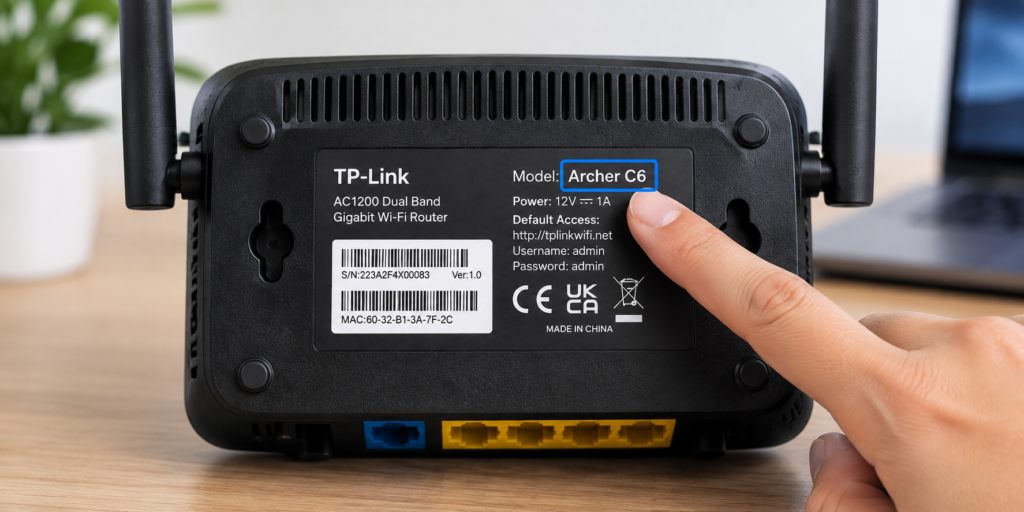
The exact router model is one of the best ways to narrow a replacement search.
Instead of searching only for “12V router adapter”, use the model number printed on the router and compare it with the product description.
A model-specific listing reduces the risk of choosing an adapter that looks suitable but is not intended for your device.
For example, a 12V DrayTek Vigor 2700G/2710 router adapter identifies the intended router models.
You can also compare a 12V Virgin Media SuperHub router replacement adapter when checking whether a power supply is designed for a particular device.
What Does Wattage Tell You?
Wattage shows the adapter’s rated power capacity. Calculate it by multiplying voltage by current:
Voltage × Current = Power
For a 12V 1A adapter:
12V × 1A = 12W
For a 12V 2A adapter:
12V × 2A = 24W
Wattage is useful for comparison, but it should not be your only compatibility test.
Two adapters can have similar wattage while using different voltage and current combinations.
For a router, start with the required voltage and current, then confirm the connector, polarity and exact model.
Common Mistakes When Buying a 12V Router Adapter
One of the most common mistakes is matching only the 12V figure.
Voltage is important, but it does not confirm the connector, polarity or current capacity.
Buyers can also focus heavily on wattage. Similar wattage does not guarantee that the voltage, connector or polarity is correct.
Another mistake is assuming that a plug that fits must be compatible. Physical fit does not confirm electrical compatibility.
A model-specific D-Link DWR-921 12V replacement power adapter, for example, demonstrates why checking the intended device model can be useful when selecting a replacement.
If product information is incomplete, do not guess. Look for a listing with clear specifications or confirm the requirements through the router manufacturer.
How to Compare Two 12V Router Adapters
When you find 12V adapters that appear suitable, compare their specifications side by side before choosing one.
For example, you might find one adapter rated at 12V 1A and another at 12V 2A. If your router requires 12V 1A, the 2A adapter may have additional current capacity, provided the connector, polarity and other requirements match.
Check these specifications together:
- Voltage: Must provide the required 12V output
- Current: Equal to or greater than the router’s requirement
- Connector: Must be the correct size and type
- Polarity: Must match the router
- Router model: Should be confirmed as compatible
This gives you a practical way to compare potential replacements instead of choosing an adapter simply because its label says 12V.
12V Router Power Adapter Buying Checklist
Before placing an order, compare the replacement against the router’s requirements.
| Specification | What to Check |
| Router model | Exact model |
| Voltage | Required 12V output |
| Current | Equal to or greater than required |
| Wattage | Sufficient capacity |
| Connector | Correct type and size |
| Polarity | Must match |
| Product information | Specifications clearly stated |
If any important specification is unclear, do not assume the adapter is compatible. Look for clearer product information or confirm the requirement through the router manufacturer.
Frequently Asked Questions
Can I use any 12V adapter for my router?
No. The replacement must match the router’s required voltage, have sufficient current capacity, and use the correct connector and polarity. The exact router model should also be checked.
Can I use a 12V 2A adapter instead of 12V 1A?
A compatible 12V 2A adapter can generally be suitable for a router requiring 12V 1A because it has greater current capacity. The voltage, connector, polarity and model compatibility still need to match.
Can I use a lower-amp 12V adapter?
It may not be suitable. If the router needs more current than the adapter can provide, it may not operate reliably.
Does the router connector need to match?
Yes. The connector should be the correct type and size and should fit securely. Physical fit alone is not enough; polarity also needs to match.
How do I know which 12V router adapter to buy?
Start with the router model and original adapter. Confirm 12V output, current capacity, connector size and polarity, then compare those requirements with the replacement listing.
Conclusion
Choosing a 12V router power adapter is about matching the complete specification, not finding any charger labelled 12V.
Start with the router model or original adapter, then confirm voltage, current capacity, connector size and polarity.
Wattage can help compare power capacity, but it should not be the only compatibility test. If the original adapter is missing or damaged, a correctly matched replacement can help restore dependable power without replacing an otherwise working router.
For UK buyers, the UKCA marking guidelines on GOV.UK provide official information about the UK’s product-marking framework.
The WEEE retailer take-back guidelines on GOV.UK can also provide useful information about responsibilities relating to electrical waste.