

12V CCTV Camera Keeps Restarting? Proven Fixes for this Frustrating Issue
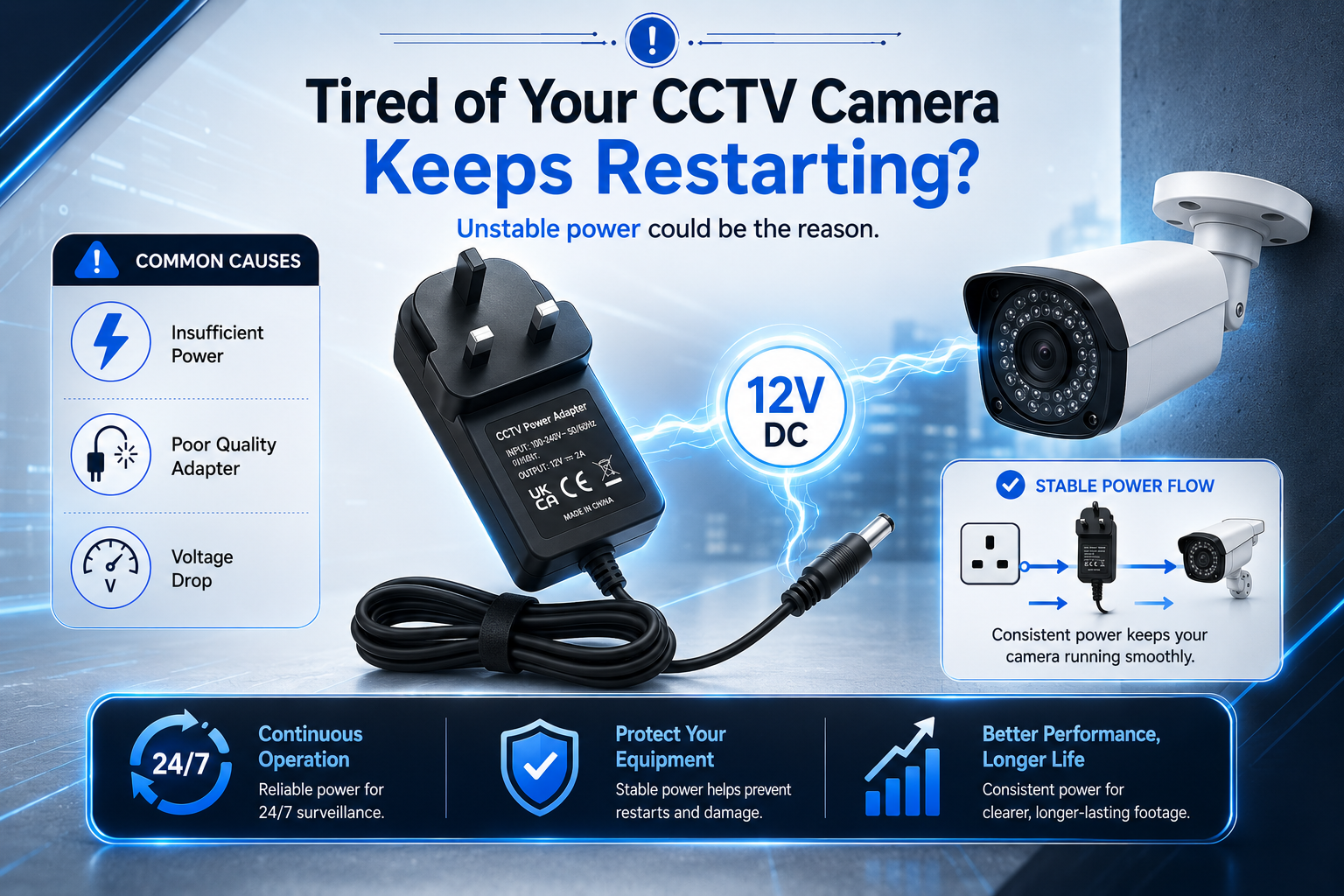
If your 12V CCTV camera keeps restarting, it can be highly frustrating, especially when it works normally for a while before suddenly rebooting. Although the camera itself could have a fault, unstable power is one of the first things worth investigating.
For a 12V CCTV system, the power adapter, cable and DC connector all form part of the power supply path. A problem with any of these components can interrupt the power reaching the camera and cause repeated restarts.
Before replacing the camera, check whether the power supply is providing the correct voltage and enough current capacity. Then inspect the cable, connector and installation conditions.
Why Does a 12V CCTV Camera Keeps Restarting?
A 12V CCTV camera constantly restarting usually indicates unstable power. Common causes include a failing adapter, cable voltage drop, loose connectors, overheating, or internal camera faults.
First, verify the camera’s input requirements. Ensure the power adapter provides the exact 12V DC output and sufficient current capacity.
Restarts often occur during increased power demand, such as when infrared illumination or other active features turn on.
Repeated restarts don’t automatically mean the camera is broken. Always check the adapter, cables, and connectors before replacing the hardware.
Mini summary: Start with the power path. An unstable supply can make a working CCTV camera repeatedly reboot.
Can a Faulty or Underpowered Power Adapter Cause CCTV Restarts?
Yes. A faulty or underpowered 12V adapter can cause unstable power and repeated CCTV restarts.
Voltage and current ratings both matter. A 12V DC camera requires a 12V DC adapter with sufficient current capacity.
A camera requiring 12V 1A can safely use a higher capacity 12V adapter (like 2A) if the connector and polarity match. It will only draw the current it needs.
However, if the camera demands more current than the adapter provides, it will struggle to operate stably.
Failing adapters cause intermittent issues despite suitable specifications. Physical damage, unusual heat, or power interruptions signal a faulty adapter.
For equipment requiring a compatible supply, the 12V 1A CCTV power adapter is a relevant replacement to match original specifications.
Mini summary: Check both the adapter’s voltage and current capacity before assuming the CCTV camera is faulty.
Can a Long Cable or Loose Connection Cause the Camera to Restart?
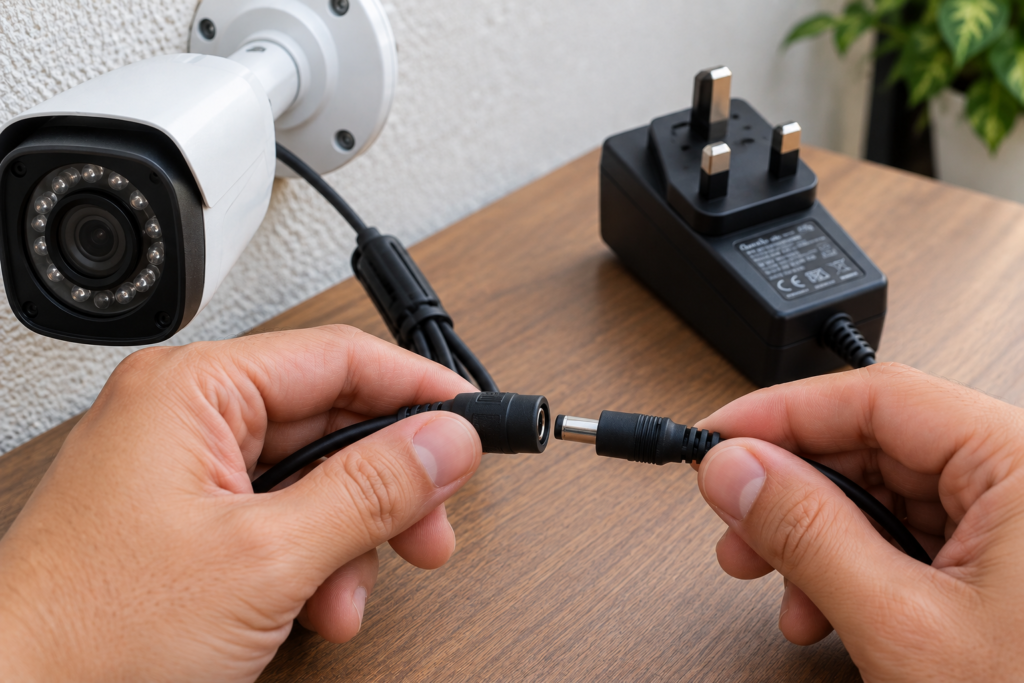
Yes. Long or damaged cables and loose DC connections can disrupt power delivery, causing repeated CCTV restarts.
Long cables introduce voltage drop due to electrical resistance. The impact depends on cable length, specifications, and the camera’s power demands.
Damaged cables also create intermittent power issues. Inspect them for cuts, worn insulation, loose joints, or visible deterioration.
The DC connector must fit securely into the camera. A loose connection can briefly interrupt power, triggering a reboot.
Connector compatibility goes beyond a physical fit. Dimensions and polarity must match the camera’s requirements, otherwise a 12V adapter will remain unsuitable.
Mini summary: If the adapter appears suitable, inspect the complete cable and connector path for interruptions or voltage loss.
Can Overheating Cause a 12V CCTV Camera to Restart?
Overheating causes instability in electronics, so check the temperature when a CCTV camera repeatedly restarts.
Check the camera and adapter locations. Poor ventilation, direct sunlight, enclosed spaces, or nearby heat sources increase operating temperatures.
Restart timing offers clues. If the camera works initially but restarts after prolonged use, consider heat alongside power supply issues.
Ensure the adapter has adequate ventilation. Avoid covering it, and inspect for unusual heat or physical deterioration.
Overheating doesn’t automatically mean the hardware is faulty. It is just one possible cause to investigate if restarts seem temperature-related.
Mini summary: Restarts that begin after extended operation make overheating another useful troubleshooting area.
How Can You Troubleshoot a 12V CCTV Camera That Keeps Restarting?
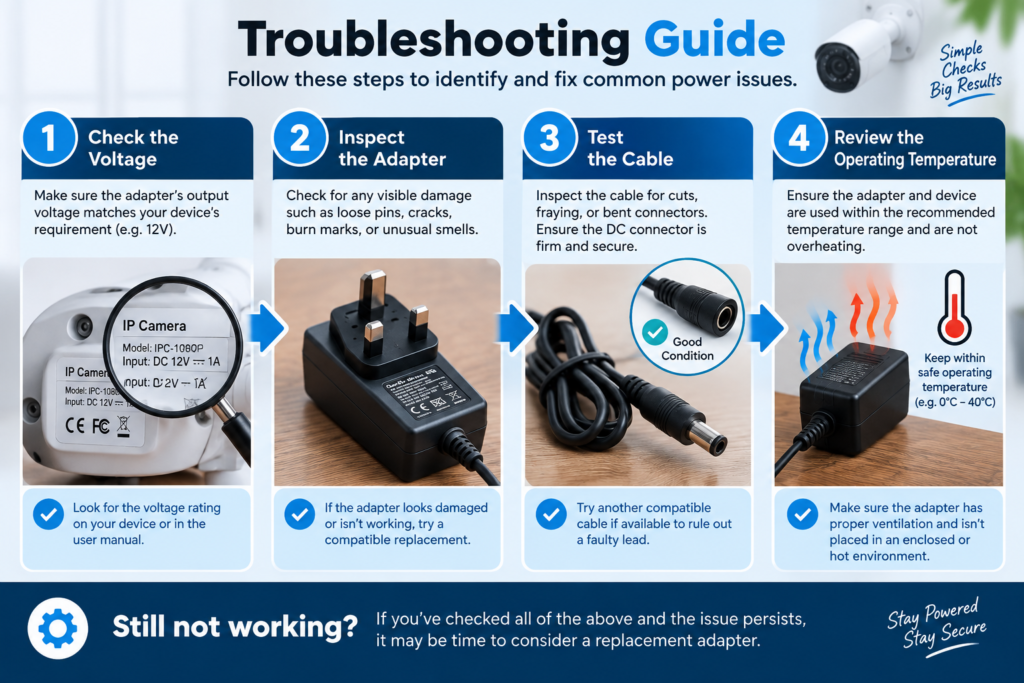
Troubleshoot the power path from the adapter to the camera before replacing the camera itself. Check voltage, current capacity, connections, cable condition and temperature in sequence.
1. Check the camera’s voltage
Confirm the camera requires 12V DC and compare this with the adapter’s output rating.
2. Check current capacity
Make sure the adapter provides sufficient current capacity for the camera. Do not choose a replacement simply because it says 12V.
3. Inspect the adapter
Look for physical damage, unusual heat or other signs of deterioration. If available, testing with a known-compatible adapter can help isolate the problem.
4. Inspect the cable
Check for damage, loose connections, unnecessary extensions and signs of deterioration. Consider the cable length if the camera is positioned far from the power source.
5. Check the DC connector
Make sure the connector fits securely and that the dimensions and polarity are correct.
6. Check operating temperature
Inspect both the camera and adapter installation for excessive heat or poor ventilation.
7. Test with a compatible replacement
If the adapter is suspected, use a correctly matched replacement rather than simply choosing the highest amp rating available.
For example, where the equipment specification matches, the 12V 2A power supply compatible with QVIS CCTV systems can be compared with the existing supply.
For compatible Hikvision equipment, the 12V 2A power supply for Hikvision CCTV systems is another relevant product to compare against the equipment specification.
Mini summary: Work through the power path systematically so you can identify the likely cause before replacing working equipment.
When Should You Replace the CCTV Power Adapter?
Consider replacing the CCTV power adapter when its specifications do not meet the camera’s requirements, when it shows signs of damage or deterioration, or when testing indicates that it is causing unstable power.
Do not choose a replacement simply because it is labelled “12V”. Check the complete specification before connecting it.
The four key points are:
| Specification | What to Check |
| Voltage | Must match the camera’s required 12V DC input |
| Current | Must provide sufficient current capacity |
| Connector | Must physically match the camera |
| Polarity | Must match the camera’s required polarity |
A higher current rating can generally be suitable when the voltage, connector and polarity are correct. A lower current rating should not be selected simply because the adapter also provides 12V.
For additional replacement options, the CCTV power adapters from Power Adapter Warehouse can be compared with the camera or DVR specification.
Mini summary: Replace the adapter based on complete compatibility, not the 12V label alone.
Frequently Asked Questions
Why does my 12V CCTV camera keep restarting?
A 12V CCTV camera may repeatedly restart because of unstable power, an unsuitable or failing adapter, voltage drop, a damaged cable, a loose connector, overheating or a camera fault. Start by checking the adapter and complete power path.
Can a weak power adapter cause a CCTV camera to reboot?
Yes. If an adapter cannot provide sufficient current capacity or is failing, the camera may experience unstable power and restart. Compare the adapter’s output specifications with the camera’s requirements.
Can a 12V 2A adapter replace a 12V 1A CCTV adapter?
Generally, yes. A compatible 12V 2A adapter can generally replace a 12V 1A adapter because it provides greater current capacity. The voltage, connector and polarity must still match.
Can a long cable cause a CCTV camera to restart?
A long cable can contribute to voltage drop depending on the cable and power requirements. If the camera is restarting over a long cable run, inspect the cable and connections and check whether adequate power is reaching the camera.
How do I know if my CCTV power adapter is faulty?
Repeated restarts, intermittent operation, physical damage or unusual heat can indicate a problem. Comparing the existing adapter with a known-compatible replacement can help determine whether the adapter is responsible.
Conclusion
A 12V CCTV camera that keeps restarting does not necessarily have a failed camera. An underpowered or failing adapter, cable-related voltage drop, loose connector or overheating can all contribute to repeated reboots.
Start by checking the camera’s required voltage and current, then inspect the adapter, cable and connector. If the power supply is unsuitable or faulty, replace it with a compatible 12V adapter that provides sufficient current capacity and has the correct connector and polarity.
The key is to check the complete power specification rather than choosing a replacement based on voltage or amperage alone.