

How to Find the Perfect External HDD Power Adapter
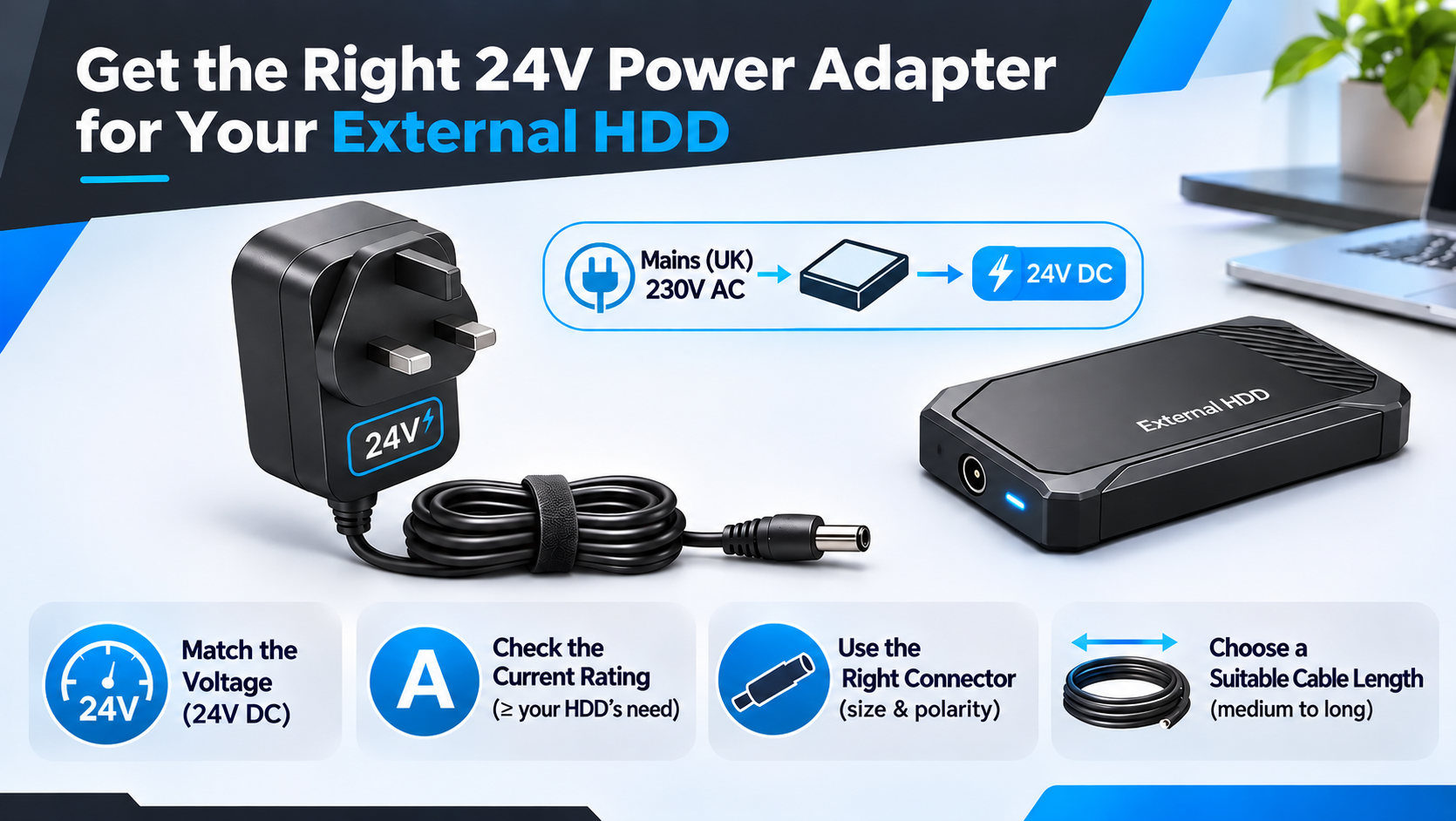
Losing or breaking your External HDD Power Adapter can instantly trigger panic, especially if you have gigabytes of irreplaceable photos, work documents, or a media library trapped inside an enclosure that refuses to power on. Your instinct might be to race online, type ’12V hard drive power supply’, and buy whatever cheap generic brick shows up first with a matching plug.
Resist that urge. Buying a random power supply just because it physically plugs into your external HDD is the quickest way to fry internal components, corrupt data, or cause intermittent drive dropouts during a file transfer. External hard drives demand precision when it comes to their electrical diet.
Finding a safe replacement isn’t a guessing game; it is a matching process. By understanding core electrical specifications such as voltage, current, connector dimensions, and polarity, you can easily hunt down a trustworthy replacement that brings your backup drive back to life and keeps data secure.
Start With the External HDD Model
The single most valuable piece of information when searching for a replacement adapter is the exact model number of your hard drive or external enclosure. Manufacturers rarely use a one-size-fits-all approach; two desktop drives from the same brand can have completely different power demands depending on internal mechanisms, boards, and fans.
Inspect the underside, look at the rear panel, or check any permanent product labels. If you have the original power adapter, check its label for clues.
When you search online, use that specific model string. For instance, looking up a replacement power adapter using a 12V 2A Western Digital HDD power adapter will steer you towards a purpose-built solution rather than a risky “universal” block with adjustable switches you might accidentally slide into the wrong position.
Check the Required Voltage
Voltage is the absolute non-negotiable first rule of electrical matching. Measured in volts (V), it will typically be printed right on the device label or the original brick as something like 12V DC.
If your enclosure calls for 12V DC, your replacement must supply precisely 12V DC. Never substitute a higher voltage. Feeding a 5V device a 12V charge can instantly overwhelm internal circuits, frying the board. Conversely, plugging a low-voltage supply into a high-voltage drive prevents the internal motor from spinning properly, causing endless clicking, disconnects, and file corruption. Always match your required output voltage first.
Check the Current Rating in Amps
Once you have locked down the voltage, check the current rating, measured in amps (A) or milliamps (mA). This dictates how much electrical flow the adapter safely delivers under load.
Can you use an adapter with a higher amp rating? Generally, yes. If your hard drive requires 1.5A, pairing it with a 12V 1.5A Seagate Backup Plus desktop drive adapter or a higher amp rating of the exact same voltage is safe. The drive only draws the current it needs; the adapter simply operates comfortably below its maximum capacity.
However, the reverse scenario is dangerous. If your enclosure requires 2A of current to spin up mechanical drives and keep the controller stable, but you connect it to a 1A adapter, trouble is guaranteed. The adapter will quickly overheat, struggle under the load, drop voltage levels, and cause crashes.

Verify the DC Connector Size
You can match voltage and amps perfectly, but if the physical barrel plug doesn’t fit cleanly, you are out of luck. External hard drives rely on cylindrical barrel connectors coming in a dizzying array of outer diameters, inner pin widths, and lengths.
Never force a plug into your external HDD socket if it feels tight or loose. A loose fit causes intermittent power drops, destroying data integrity. Verify connector dimensions using technical specifications, or compare your device against a Buffalo DriveStation replacement power supply to ensure electrical compatibility.
Check the Polarity
Polarity is arguably the most overlooked specification, and ignoring it is catastrophic. The polarity symbol looks like a small diagram showing a circle with a dot in the middle, linked via lines to a plus (+) and a minus (-) sign. This indicates whether the inner pin of the barrel connector carries the positive voltage and the outer sleeve carries the negative, or vice versa.
Many consumer electronics lean towards a centre-positive standard, but never assume this applies to storage enclosures. If you plug in an adapter with reversed polarity, the physical plug might slide in, but the moment you switch on the mains, it instantly fries the regulation circuitry. Always check this symbol, or review a listing like a compatible LaCie external hard drive adapter to confirm pin configurations.
Does Wattage Matter When Choosing an HDD Adapter?
You might see adapters marketed by their wattage (W) rather than their specific amperage. Wattage is simply a calculation of voltage multiplied by current (Voltage x Current = Wattage).
For example, a 12V supply running at 2A equals 24W. While knowing wattage helps understand the overall power ceiling, matching wattage alone never guarantees compatibility. You must verify that the voltage, amp rating, barrel size, and polarity match your blueprint.
What If You No Longer Have the Original Adapter?
Losing the original power brick entirely makes the hunt trickier, but start by carefully reading every line of text printed on the enclosure housing itself. Manufacturers always stamp input voltage and current requirements next to the power port.
If labels have worn off, search online communities or manufacturer archives using the exact product name and serial number. You can often find legacy listings such as Fujitsu Siemens Storagebird external hard drive power supplies mapped to specific historical units. Cross-reference community findings before buying. Replacing an expensive storage array is infinitely more costly than verifying a spec sheet.
What Should You Check Before Buying?
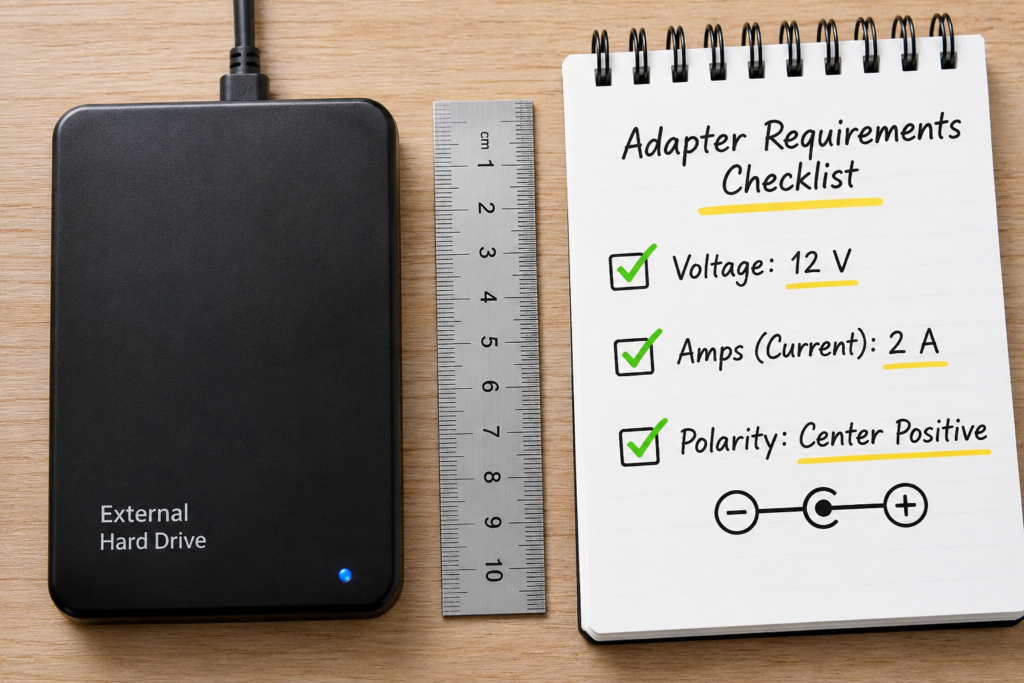
Before ordering a replacement external HDD power adapter, confirm these five details:
- Exact HDD or enclosure model
- Required output voltage
- Required current rating
- DC connector size
- Polarity
Also check whether the adapter is intended for the UK market and comes with a standard 3-pin plug, and whether the product listing provides enough information to verify compatibility. For general electrical safety information, the Health and Safety Executive electrical safety guidance is a useful UK authority. You can also review UKCA marking guidance when checking product information and UK marking requirements.
Common Replacement Mistakes to Avoid
The easiest way to choose the wrong adapter is focusing on just one specification. Avoid buying based only on “12V”, choosing a lower current rating, assuming all barrel connectors are the same size, or ignoring polarity. Do not assume a plug fitting means it is safe. A replacement adapter must be treated as part of the HDD’s power system, not just a generic accessory.
Frequently Asked Questions
Can I use a higher-amp adapter for an external HDD?
Generally, yes, provided the voltage, connector, polarity, and other requirements match. A higher current rating gives the adapter more available capacity.
Can I use a lower-amp adapter?
It is generally not recommended. If the adapter cannot provide enough current for the HDD, it may result in unreliable operation, shutdowns, or excessive heat.
Can I use any 12V adapter for my external hard drive?
No. The connector size, polarity, and current rating must also match the HDD requirements.
What happens if the polarity is wrong?
Incorrect polarity can prevent the external HDD from working and may damage the drive or enclosure’s power circuitry.
How do I find the correct adapter if I lost the original?
Find the exact model number on the external HDD or enclosure and use it to identify the required voltage, current, connector, and polarity.
Final Thoughts
Rescuing an older external hard drive by tracking down a proper replacement adapter is a fantastic way to keep your storage infrastructure running smoothly without generating unnecessary electronic waste in the process. Methodically checking these specs protects your valuable data. For safe disposal of dead electronics, consult the UK Government electrical waste guidance.