

Monitor Turns Off With a Replacement Adapter? Proven Fixes
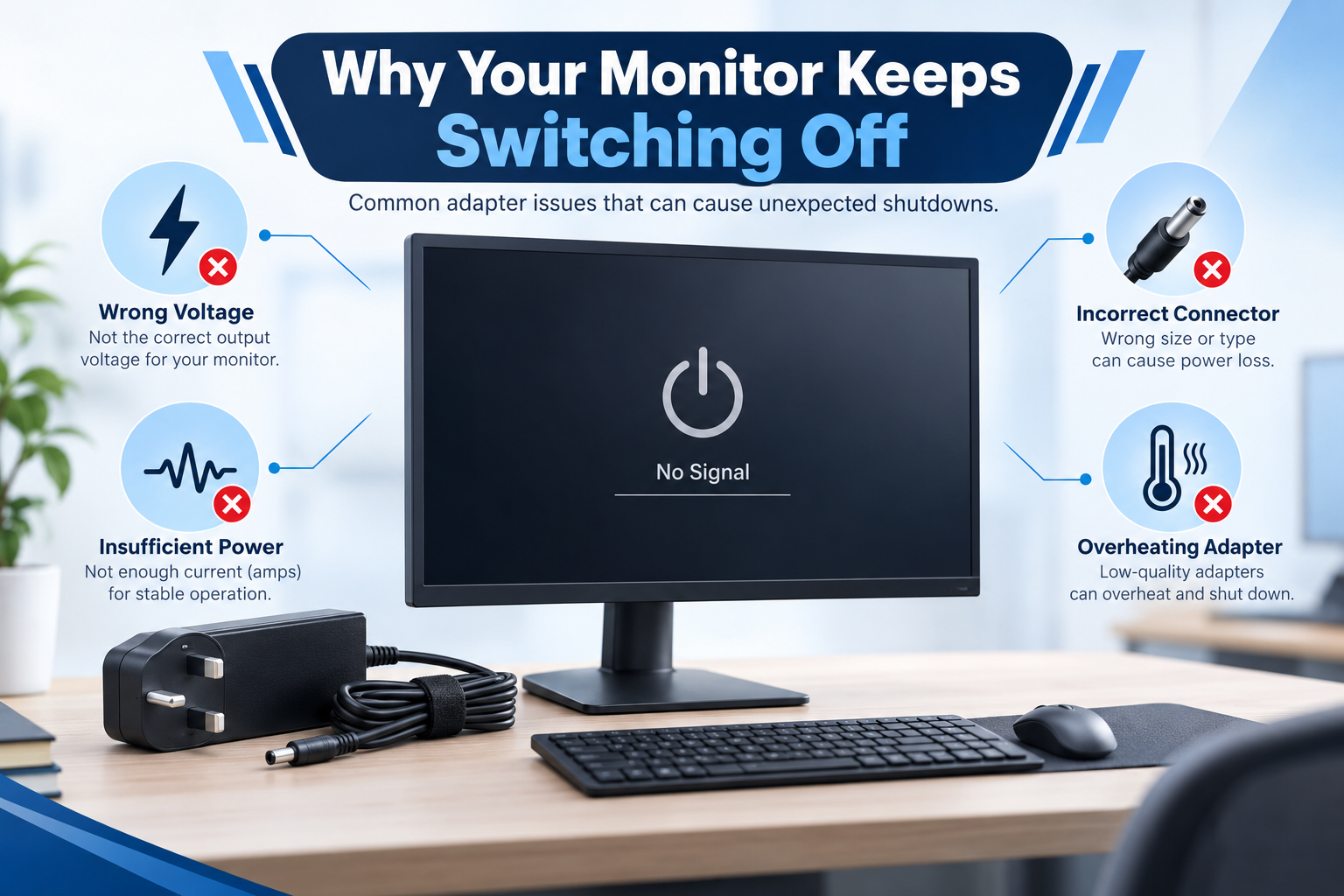
Dealing with a situation where your monitor turns off with a replacement power adapter is incredibly frustrating. While it is easy to assume the new brick is broken, the issue is usually a specification mismatch between what your screen demands and what the adapter delivers.
Traditional monitor chargers output a fixed stream of electricity; if any single variable is misaligned, the display’s internal logic board will shut down instantly to protect itself. To function safely, a replacement must perfectly match five critical criteria: exact output voltage, sufficient current capacity, a properly sized DC connector, matching polarity, and clean direct current.
Check the Replacement Adapter Voltage
Voltage should always be your absolute priority when sourcing a replacement. If your monitor’s original label or manual calls for 19V DC, your replacement adapter must output 19V DC. For example, if you are working with a Samsung screen, opting for a proper 14V Samsung monitor charger replacement ensures that you do not feed an incorrect voltage level into the display circuitry.
Never guess or assume compatibility based on plug size alone. Manufacturers often use identical barrel connectors across completely different product lines. For instance, plugging a 14V or 12V adapter into a monitor that demands 19V will usually result in a failure to turn on, severe screen flickering, or unexpected reboots as soon as the backlight tries to draw power. Conversely, feeding a lower-voltage monitor too much voltage can fry the internal capacitors and permanently brick your hardware. Always flip both the original adapter and the new one over to cross-reference the tiny text under the output header.
Check the Adapter’s Current Rating
Once you are certain the voltage matches, look closely at the current rating measured in amperes or milliamperes. The amperage represents the maximum current the adapter can safely supply, not what it aggressively forces into your device. Monitors only draw the amount of current they actually need at any given moment. If you use a heavy-duty display like an MSI Optix gaming monitor adapter, a replacement rated at 19V and 2A, or even 19V and 3A, will work safely because the adapter has plenty of headroom.
The trouble begins when you go the other direction. If you pair a power-hungry monitor with an under-specced adapter, such as trying to run a 2A device on a 1A adapter, the power supply will struggle the second the monitor’s backlight brightens or dynamic scenes load. Under that heavy load, the adapter’s voltage drops, triggering safety cutoffs that manifest as sudden reboots, intermittent black screens, or a boiling hot power pack.
Check the DC Connector and Polarity
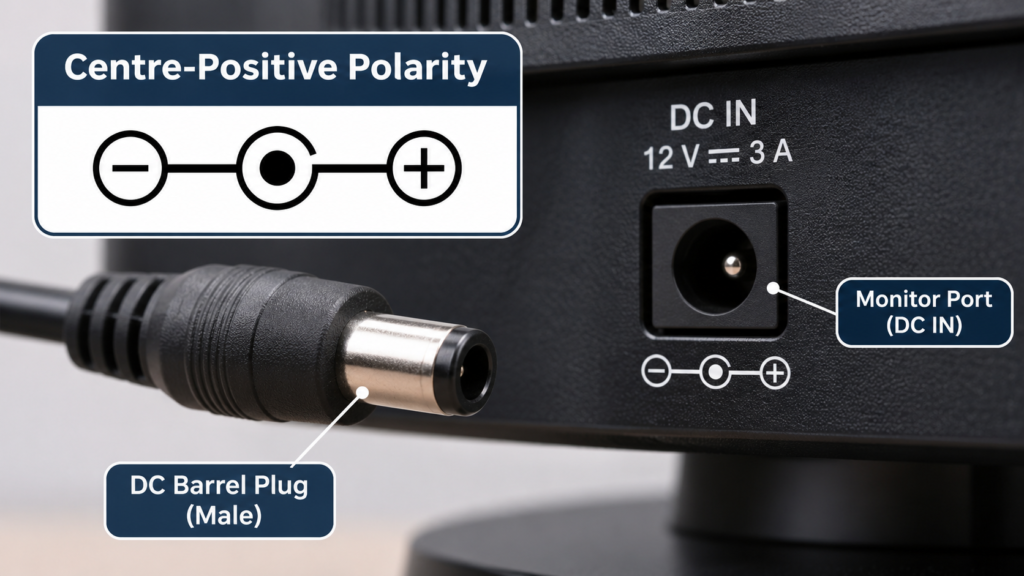
Beyond electrical ratings, an adapter can still cause constant power drops if the physical plug does not mate properly with the monitor’s DC jack. Barrel connectors come in a dizzying array of outer and inner diameters, sometimes differing by just a fraction of a millimetre. If a plug is slightly too loose inside the port, even minor vibrations from typing on your desk or adjusting your monitor angle can momentarily sever the connection.
Furthermore, you must check adapter polarity, which dictates the direction of electrical flow through the connector by distinguishing the positive outer barrel from the negative inner core. Most modern external monitor adapters use a standard centre-positive configuration. If your replacement adapter has reversed polarity, electricity flows backwards, forcing internal protection circuits to cut power immediately.
Check for Damage if Your Monitor Turns Off With a Replacement
Sometimes the replacement adapter checks out on paper, but the physical hardware is compromised. Examine the entire length of the cable for sharp bends, frayed insulation near the strain reliefs, or cracked plastic housings around the transformer box.
Pay close attention to thermal behaviour as well. While power adapters naturally run warm, a defective or poorly engineered replacement will often become excessively hot to the touch within minutes of operation. Internal component degradation can cause internal thermal fuses to trip temporarily and shut off output. If you need clarity on handling electrical equipment safely, you can review official UK electrical safety guidance.
Could the Monitor Itself Be the Problem?
If you have carefully verified that the replacement adapter matches the required voltage, meets or exceeds the amperage, features the correct polarity, and plugs in securely, yet the monitor still shuts down, the issue may lie within the screen itself.
Over time, the solder joints on a monitor’s internal DC power jack can crack due to mechanical stress from plugging and unplugging cables. When this happens, the physical connection inside the chassis breaks loose, causing power loss even when the external cable is completely stationary. Internal power supply boards can also develop failing capacitors that bulge or leak, rendering them incapable of regulating power even under a stable external supply. When sourcing components to test potential issues, utilising a compatible LG monitor power supply or a reliable 19V AC-DC adapter for LG screen displays helps isolate whether the power block is truly to blame.
How to Choose the Correct Replacement Adapter
When you are ready to buy a proper fix, bypass generic multi-voltage universal adapters that rely on a confusing assortment of interchangeable tips. These cheap units frequently suffer from poor voltage regulation and loose tip connections.
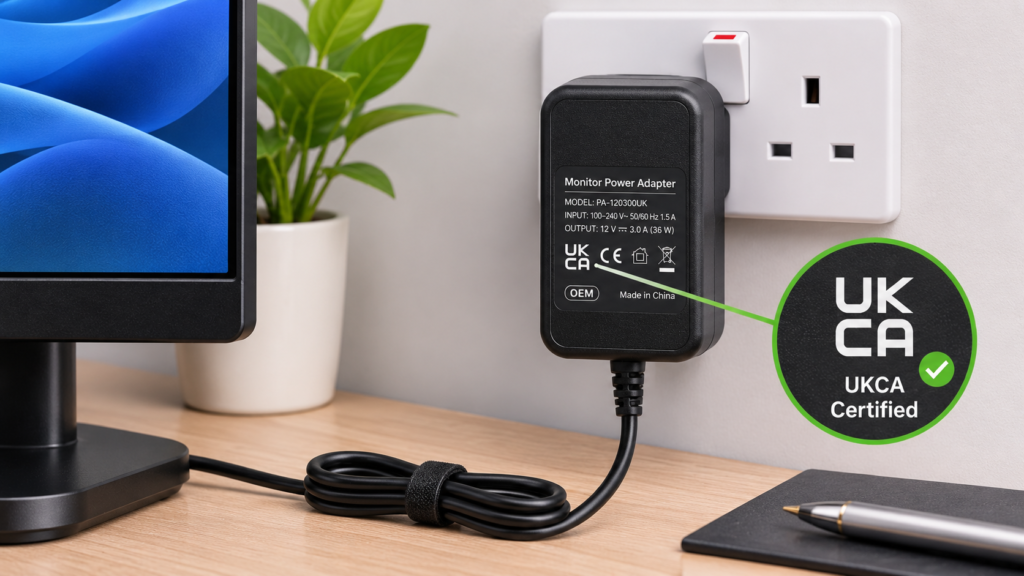
Instead, search for an exact OEM replacement matching your monitor’s exact brand and model number, such as sourcing a reliable 12V power adapter for Acer monitors. If an original manufacturer part is unavailable or discontinued, look for a reputable third-party brand that explicitly lists your monitor model in its compatibility notes and matches the voltage, amperage, and barrel dimensions down to the millimetre. When buying hardware in the UK, ensuring products meet standards like UKCA marking guidance guarantees compliance with regional safety rules. Spending a few extra pounds on a certified, well-built power supply saves you from endless troubleshooting and protects your display from long-term electrical damage.
As you dispose of old, faulty power supplies, remember to follow proper UK electrical waste responsibilities to keep hazardous electronics out of general waste bins.
Frequently Asked Questions
Why does my monitor turn off with a new power adapter?
The replacement may feature the wrong voltage, insufficient current capacity, an incorrect connector size, reversed polarity, or an internal fault. The monitor itself can also suffer from a worn power jack or failing internal components.
Can a lower-amp adapter make a monitor turn off?
Yes. If the adapter cannot provide enough current for the monitor when the backlight spikes or dynamic scenes load, its output drops under load, leading to shutdowns or restarts.
Can a higher-amp adapter make my monitor turn off?
A higher current rating is generally not an issue as long as the voltage, connector size, and polarity match precisely. A 3A adapter can safely replace a 2A adapter because devices only draw the current they need.
Does connector barrel size really matter?
Yes. The plug must physically and electrically match the monitor socket securely. A loose or poorly sized connector creates an intermittent connection, causing sudden power loss with minor desk vibrations.
What should I check if the replacement adapter specs are correct?
Inspect the physical cable for fraying, check if the connector fits snugly, test a different mains socket, and consider whether the monitor’s internal power board or DC jack is damaged.
Conclusion
Troubleshooting a monitor that repeatedly shuts off with a new power adapter ultimately relies on verifying precise electrical and physical specifications. Securing the exact voltage match, adequate amperage capacity, correct polarity, and a perfectly sized DC barrel connector will resolve the vast majority of unexpected power failures. By skipping cheap universal chargers and selecting a proper replacement, you safeguard the internal components of your display from long-term electrical degradation. Always carefully check your hardware requirements, and if the device continues to fail with a verified power supply, the fault likely rests within the internal power board of the monitor itself.