

How to Match a Replacement Keyboard Adapter to Voltage and Polarity

Finding a replacement power supply is not simply about choosing a plug that fits. You must match the correct keyboard adapter voltage polarity, while also providing sufficient current and using the correct connector and output type. A visually identical adapter can still be electrically incompatible.
If your original adapter is missing or damaged, start with the keyboard model and its power requirements. Then compare the replacement specification carefully before connecting it.
How Do You Match Keyboard Adapter Voltage?
Voltage is one of the first specifications to check. Look for the required input on the keyboard or the output rating on the original adapter.
You may see information such as OUTPUT: 12V DC or OUTPUT: 15V DC. For example, you must use a 15V replacement power adapter if that is the exact voltage specified for your keyboard.
Do not assume that all keyboards from the same manufacturer use the same voltage. Different models can have different power requirements.
A 15V adapter should only be used when the keyboard requires 15V. Using a different voltage simply because the connector fits can cause malfunction or potentially damage the instrument.
What Does Keyboard Adapter Polarity Mean?
Polarity describes how positive and negative connections are arranged at the DC connector.
A common configuration is centre-positive, where the centre pin carries positive voltage and the outer sleeve is negative. Some equipment can use a different arrangement, so you must check the standard electrical polarity symbol rather than assume.
The polarity symbol normally appears on the adapter label or in the keyboard documentation. Compare the symbol on the original supply with the replacement before connecting it.
How Do You Read a Polarity Symbol?
A polarity diagram typically shows two connection points representing the centre pin and outer barrel. It identifies which connection is positive and which is negative.
The important point is that a connector can physically fit while having the wrong polarity. Mechanical compatibility does not guarantee electrical compatibility.
If you cannot clearly identify the polarity, check the keyboard manual, original adapter or reliable model-specific information. Do not guess based on the connector appearance.
Why Checking Keyboard Adapter Voltage Polarity Is Not Enough
Voltage and polarity are critical, but they are not the complete compatibility check.
You should also confirm:
- Current requirement
- AC or DC output
- Connector dimensions
- Exact keyboard model
- Original adapter specification
- Mains plug requirements
For example, two adapters could both provide 15V DC with centre-positive polarity but use different barrel connectors. One may fit correctly while the other does not.
The safest replacement matches the complete electrical and physical specification.
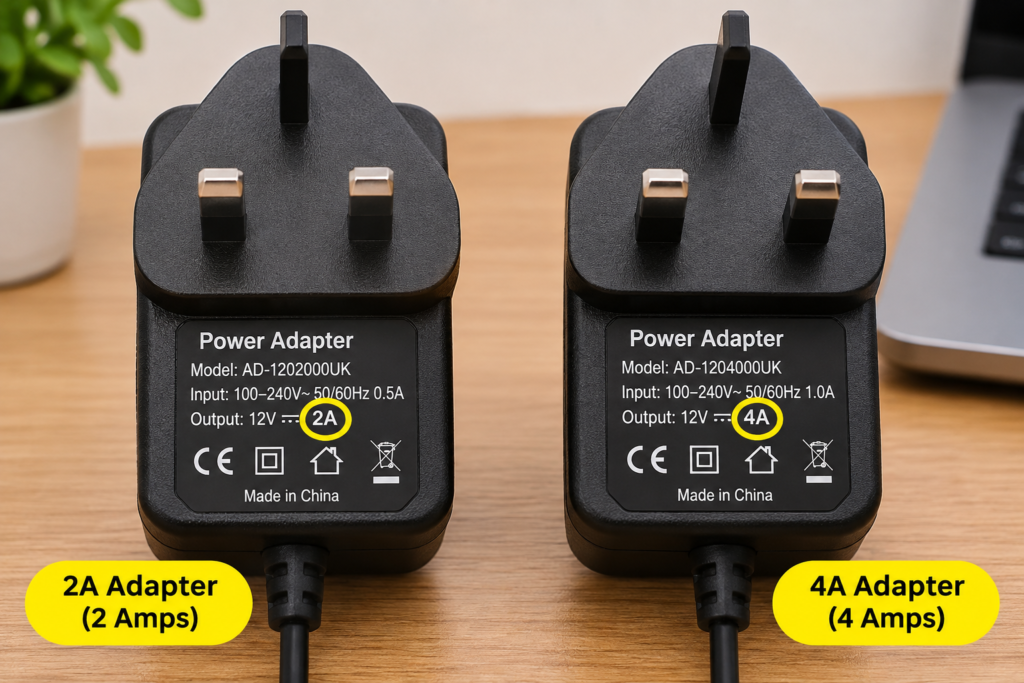
Can You Use a Higher-Amp Keyboard Adapter?
Often, yes. A replacement can have a higher current rating when the voltage, polarity, connector, output type and other requirements match.
For example, if a keyboard requires 15V 2A, a compatible 15V 4A power adapter can generally provide sufficient capacity. The keyboard does not automatically receive 4A. It draws the current it requires.
A higher current rating therefore does not normally create a problem by itself. The critical mistake is using a different voltage or incorrect polarity.
What Happens If the Voltage Is Wrong?
Incorrect voltage can cause poor operation or equipment damage, depending on the difference and the keyboard’s design.
A supply providing too little voltage may cause the keyboard to fail to start, shut down or operate unreliably. Excessive voltage can place electronic components under severe electrical stress, making it essential to follow proper electrical safety guidance.
Never treat a 12V, 15V or 19V adapter as interchangeable simply because the connector looks similar.
What Happens If the Polarity Is Wrong?
Incorrect polarity can create a serious electrical problem because positive and negative connections are reversed.
Depending on the keyboard’s protection circuitry, the result could range from the instrument not operating to damage to internal components.
For this reason, never connect an adapter when you cannot confirm the polarity. Check the symbol and compare it with the keyboard’s specification first.
How Do You Check Your Keyboard’s Power Requirements?
Start with the keyboard itself. Look around the power input for an electrical rating or model information.
Then check the original adapter if you still have it. Record the output voltage, current, AC or DC type, polarity and connector details.
The exact model number is especially useful when the label is missing or difficult to read. Use the model to find the manufacturer’s specification or documentation, then compare it with the replacement adapter.
How Does Connector Size Affect Compatibility?
DC barrel connectors come in different sizes. Two plugs can look almost identical while having different outer diameters, inner diameters or lengths.
Common examples include a 15V 5.5mm × 2.1mm adapter and a 15V 5.5mm × 2.5mm adapter.
A connector that is too large may not enter the socket, while one with the wrong dimensions may fit loosely or fail to make reliable electrical contact.
Never force a replacement connector into the keyboard. Confirm the dimensions before ordering.
Can Two Keyboards Use the Same Adapter?
Sometimes, but you should never assume that they can.
Two keyboards may share the same voltage and connector but have different current requirements or polarity. Conversely, they may have similar power ratings but use different connectors.
If you want to share an adapter between instruments, compare the complete specification for both keyboards. Matching only one or two numbers is not enough.
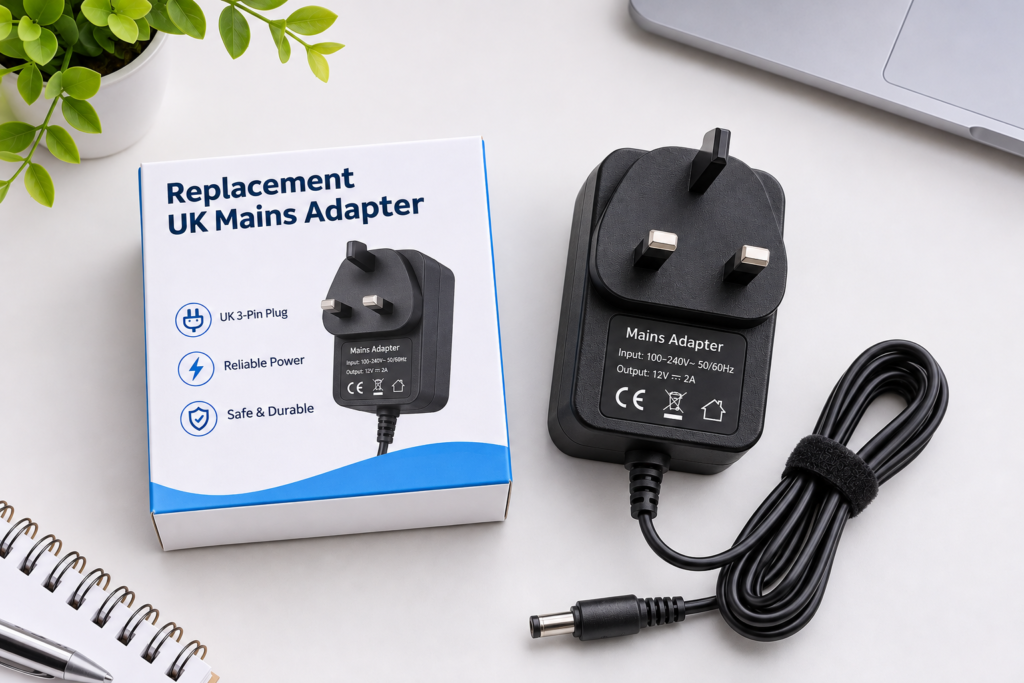
How to Choose a Safe Replacement Keyboard Adapter
Before purchasing, create a simple compatibility checklist:
- Exact keyboard model
- Required voltage
- Required current
- AC or DC output
- Polarity
- Connector dimensions
- Original adapter part number
- Suitable UK mains connection
A replacement like a 15V Kawai digital piano adapter should meet the keyboard’s electrical requirements rather than simply being advertised as a keyboard charger. Review UK product safety guidance to ensure safe operational standards.
Replacement Keyboard Adapter Checklist
Before connecting the new adapter, confirm:
- Voltage: Does the adapter provide the required voltage?
- Polarity: Does the polarity symbol match?
- Current: Does the adapter provide sufficient current capacity?
- Output: Is the adapter AC or DC as required?
- Connector: Does the barrel plug have the correct dimensions?
- Model: Does the specification correspond with your exact keyboard?
If all six checks agree, you have a much stronger basis for compatibility.
Frequently Asked Questions
Can I use any replacement keyboard adapter?
No. The replacement must match voltage, polarity, current capacity, output type and connector requirements.
Can I use a higher-amp adapter?
Generally, yes, provided the voltage, polarity, connector and output type are correct and the adapter meets the keyboard’s requirements.
Does a keyboard adapter have to have the same polarity?
Yes. The replacement should match the polarity specified by the keyboard.
Can a connector fit if the polarity is wrong?
Yes. Physical fit does not prove electrical compatibility. Always check polarity separately.
How do I find the correct keyboard adapter?
Check the keyboard model, original adapter and input specification. Compare voltage, current, polarity, output type and connector size.
Final Answer
To match a replacement keyboard adapter correctly, start with the exact voltage required by the instrument and make sure the replacement provides the same voltage. Then check the polarity symbol and confirm that positive and negative connections match.
After voltage and polarity, check current capacity, AC or DC output, connector dimensions and the exact keyboard model. A higher-amp adapter can generally be suitable when the voltage and all other specifications remain correct.
The key rule is simple: do not choose a keyboard adapter based on voltage or connector fit alone. Match voltage, polarity, current, output type and connector before connecting the replacement.