

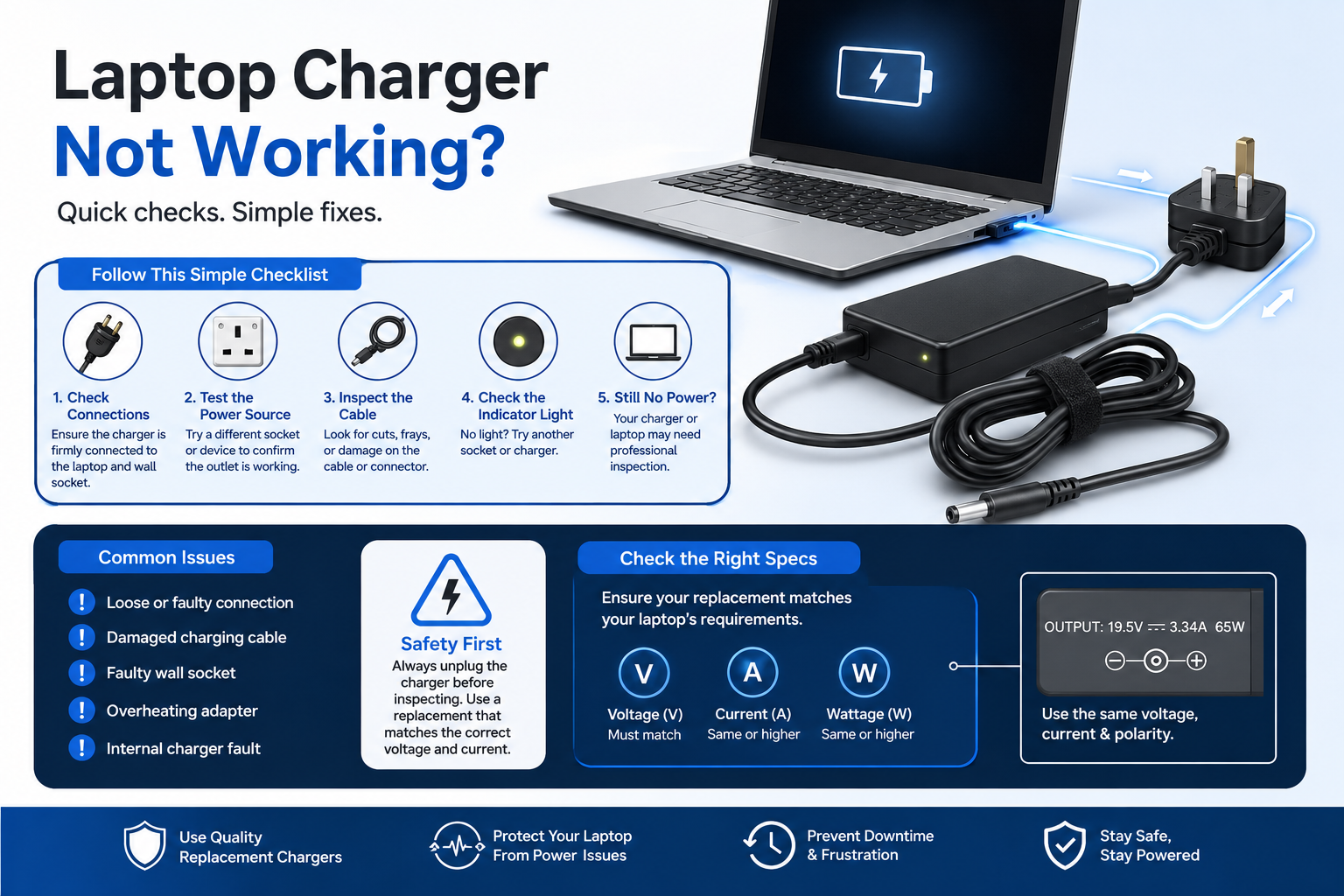
Experiencing sudden hardware power failure stops business operations instantly and creates costly workplace downtime. When your primary workstation or home setup suffers from sudden power supply failure, executing methodical laptop charger troubleshooting saves valuable time and budget. Many users assume a replacement charger is defective when a device refuses to power on. In reality, the issue often stems from a power adapter compatibility mismatch rather than hardware failure.
Two AC adapters can look identical externally, yet subtle differences in electrical output ratings, pin dimensions, or plug polarity stop laptops, monitors, and routers from charging. Before ordering another replacement power supply or sending equipment for repair, verifying basic electrical specifications isolates the problem immediately. Ignoring these vital details can lead to permanent motherboard damage, rendering your expensive electronic devices completely unusable and entirely unrepairable. Matching exact voltage and amperage requirements guarantees clean power delivery and protects sensitive internal circuitry across your entire equipment fleet.
How to Conduct Systematic Laptop Charger Troubleshooting
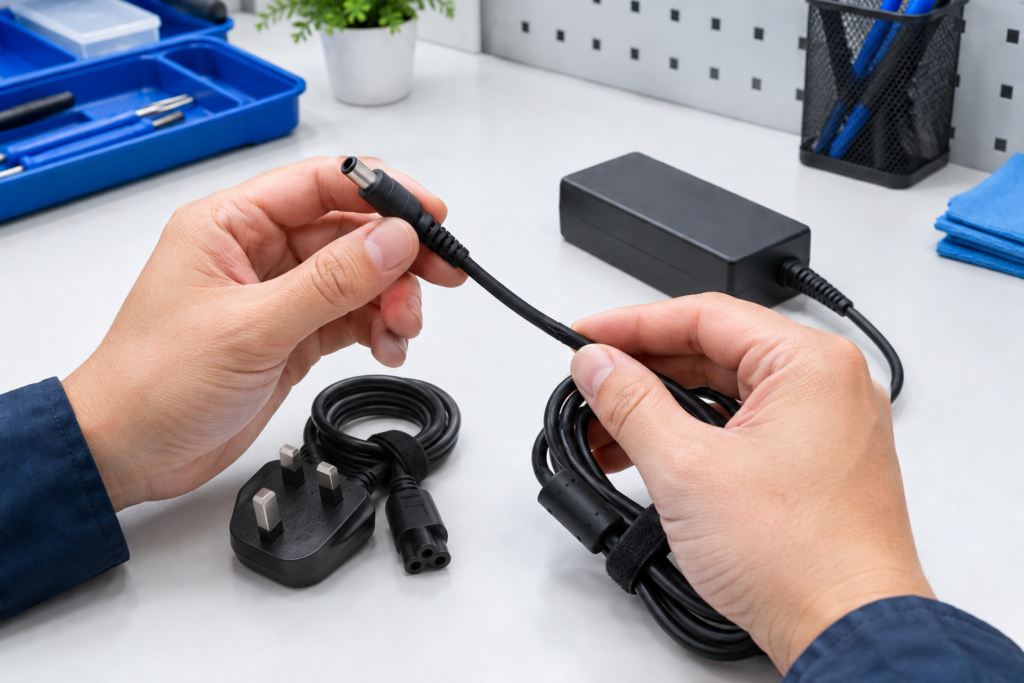
To perform effective laptop charger troubleshooting, test your wall socket with another appliance, inspect the DC cable for physical wear, verify that the transformer block LED light stays illuminated, and check plug tightness. Additionally, carefully run your fingers along the entire length of the power cable to detect any unusual kinks, bulges, or frayed shielding. Pay close attention to the junction where the cord meets the transformer block, as this area is highly susceptible to internal breakage from repeated bending and wrapping. If power cuts out when moving the cord, internal wire fracture or socket wear has occurred, requiring an immediate replacement power adapter.
Always inspect your device’s charging port for dust or debris before assuming the charger is broken. A blocked port prevents a secure connection, hindering power transfer. Cleaning the jack with compressed air often restores functionality without requiring new hardware purchases.
When dealing with a replacement charger not working on arrival, initial assumptions often point towards faulty manufacturing. However, barrel connector plugs are standardised across multiple physical sizes, leading users to connect a wrong charger that fits physically while delivering incompatible power specifications.
Before placing another order, work through this simple troubleshooting check:
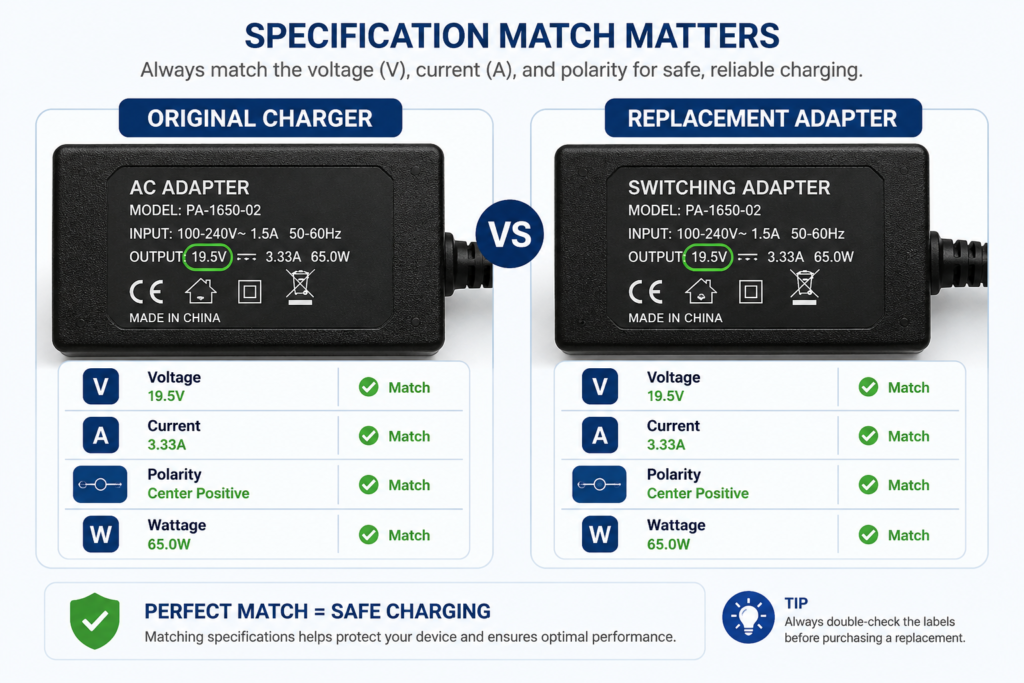
- Label Comparison: Confirms specification compatibility by matching output voltage and checking amperage ratings.
- Connector Inspection: Identifies physical fitment issues by checking for loose pins or worn strain relief boots.
- Mains Socket Testing: Rules out external supply failures by plugging equipment directly into a verified wall socket.
- Model Search: Verifies device model match by cross referencing hardware model numbers with supplier listings.
If these diagnostic checks reveal electrical variances, choosing a model specific replacement adapter resolves the power supply failure without guesswork.
Resolving Voltage Mismatch and Selecting a Replacement Power Adapter
Resolving a charger voltage mismatch requires selecting a replacement power adapter with output voltage identical to original manufacturer ratings. While hardware safely tolerates higher amperage, using lower or higher voltage damages internal power regulation circuits. Choosing a verified compatible power adapter designed for your exact device model guarantees safe power delivery. Furthermore, you must also pay close attention to the connector polarity symbol printed on the adapter label. The central pin of the barrel jack must correspond to the correct positive or negative charge required by your device. Reversing this polarity, even with the correct voltage, will instantly short-circuit the motherboard.
Generic universal charger units often require manual tip configuration and voltage toggling, increasing the risk of user error. Selecting model specific power adapters removes this uncertainty entirely across diverse commercial and personal electronics.
For instance, if your workstation laptop fails to accept charge, selecting the Compatible Charger for Coda Model 1.1 Laptop Replacement 12V 2A Power Adaptor provides an exact specification match. Similarly, if your display monitor experiences power loss, installing the Compatible AC Adapter Charger for LG 22M38A Monitor Power Supply delivers precise voltage stability.
Networking and entertainment equipment follow identical power rules. If your network router stops powering on, choosing the Compatible 12V Mains DrayTek Vigor 2700G 2710 Router AC Adaptor Power Supply Charger Plug ensures uninterrupted connectivity. For streaming hardware, using the Compatible 12V Power Adapter for Technicolor TalkTalk Android TV Box TV Hub UZW4054TTG UHD eliminates power delivery issues.
Frequently Asked Questions
Why does my replacement charger fit physically but fail to charge my device?
A replacement charger fitting physically into your charging port does not guarantee electrical compatibility. Your adapter must match original output voltage, deliver adequate amperage, and feature identical connector polarity. If electrical specifications differ from manufacturer requirements, your device will refuse power to protect internal battery circuits.
Is it safe to use a replacement power adapter with higher output amperage?
Yes, using a replacement power adapter with higher output amperage is completely safe. Electronic devices draw only the specific current required during operation. However, output voltage must always match original equipment specifications exactly, as excessive voltage causes immediate circuit damage while insufficient voltage leads to charging failure.
Can connecting a wrong charger damage my electronic hardware?
Connecting a wrong charger with incorrect voltage or reversed polarity can permanently damage sensitive internal power regulation components. Incorrect polarity causes instant short circuits, while excess voltage overheats motherboard power rails. Always verify label specifications prior to plugging replacement power supplies into valuable electronic equipment.
Why is a model specific replacement better than a universal charger?
A model specific replacement eliminates configuration errors associated with universal chargers. Universal units require selecting correct tip attachments and manually setting voltage switches. Model specific adapters feature fixed connectors, pre calibrated electrical outputs, and built in surge protection tailored precisely to your device electrical requirements.
What causes a replacement power adapter to get very hot during operation?
While it is completely normal for a laptop charger to become warm during heavy charging cycles, excessive heat indicates a critical power delivery issue. This typically occurs when an adapter struggles to supply adequate amperage to a demanding device, or when internal components degrade over time. If the casing becomes too hot to hold comfortably, disconnect it immediately from the wall socket to prevent thermal hazards and replace it with a certified, model-specific unit.
Conclusion
Mastering methodical laptop charger troubleshooting protects your business against costly downtime and prevents unnecessary hardware expenditure. Taking a few minutes to compare electrical labels, evaluate physical connectors, and test wall socket stability ensures your equipment receives clean, uninterrupted power. When a power supply fails completely, replacing it with a verified model specific adapter provides the fastest route to full operational recovery. Investing in the right replacement now prevents future disruptions, extending the lifespan of your critical office hardware and daily workflow.
Instead of guessing electrical specifications or risking hardware damage with generic alternatives, choose power supplies matched directly to your equipment. Explore verified compatible adapters and chargers at Power Adapter Warehouse UK or use our model search tools to find the perfect replacement power adapter for your devices today.