

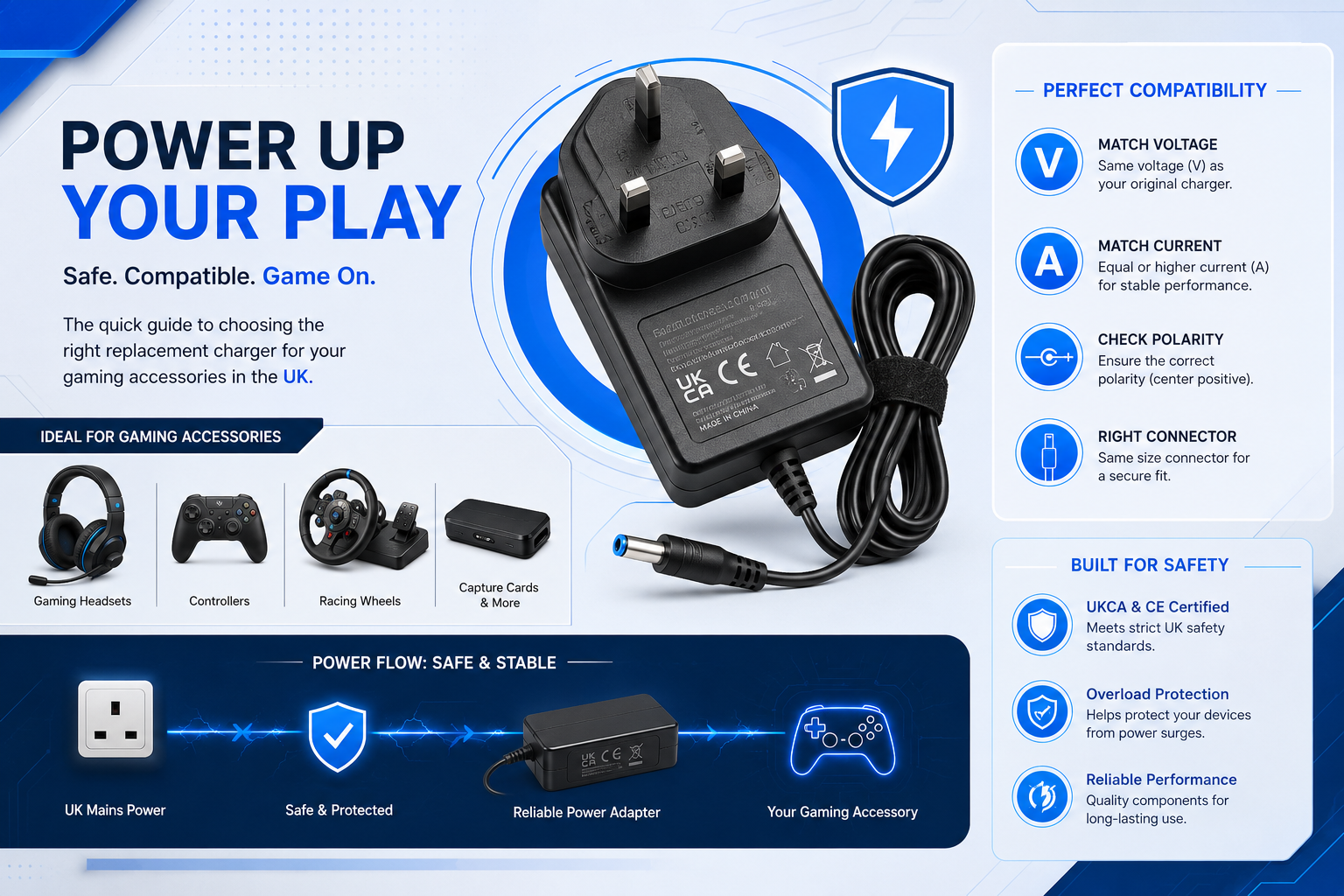
Finding the right replacement chargers for gaming accessories can be a sudden frustration, especially when a dead or missing power supply interrupts your session. Whether your dog chewed through your racing wheel cable, your gaming chair lost its power lead during a move, or your monitor adapter stopped working, getting the correct gear is crucial. Gamers invest hundreds, if not thousands, of pounds into their custom setups, yet the power supply is often an afterthought until it unexpectedly fails.
Plugging the wrong adapter into sensitive equipment can permanently fry your hardware in a matter of seconds. B2B managers setting up school esports hubs, office IT teams, and home gamers need to know exactly what to look for when shopping for safe replacements in the UK. Using subpar, uncertified replacement cables not only degrades the performance of high-end peripherals but can also introduce significant fire and electrical hazards into your home or commercial facility. Understanding your hardware’s specific energy needs is the only way to protect your investment.
How to Choose Replacement Chargers for Gaming Accessories & Avoid Myths
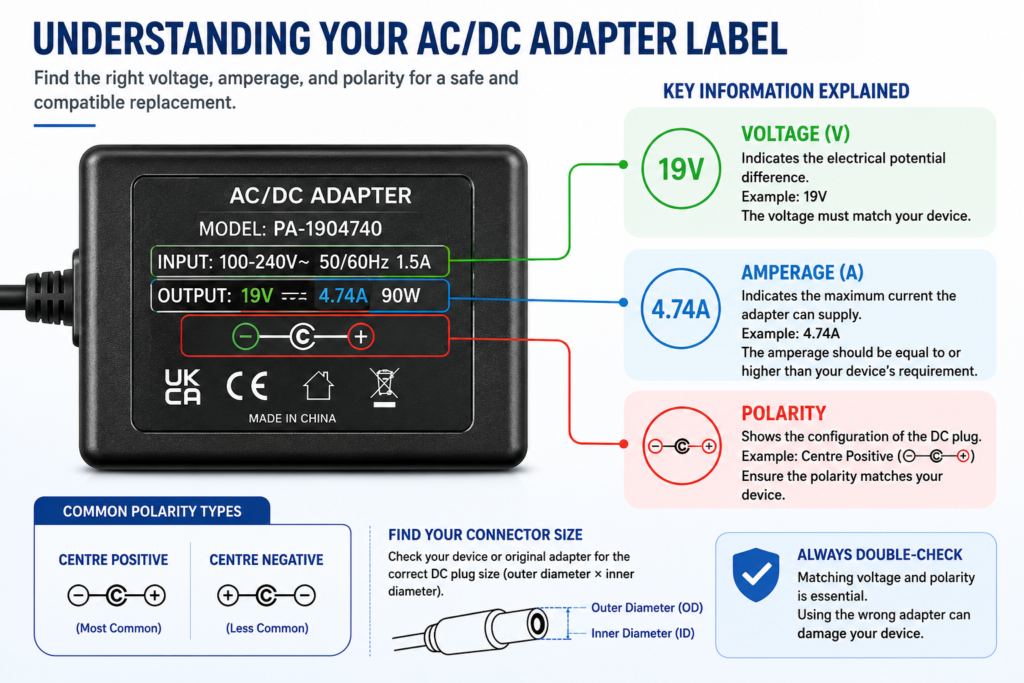
Finding a safe replacement starts with reading the DC input label on the bottom or back of your device. By understanding how to interpret input symbols, calculate total wattage, and avoid multi plug adapter traps, you can pick a dedicated replacement charger that delivers clean, reliable power without risking your hardware. The numbers printed on your device’s sticker are not suggestions; they are exact electrical requirements engineered to keep internal logic boards functioning properly.
If you want to ensure total compatibility without falling into common buyer traps, focus on these practical, technical checks before you make a purchase:
- Checking for Regulation Ratings: Unregulated power supplies output higher voltages when idle. Always look for a Regulated Switching Power Supply to ensure flat voltage output whether idling or running at full capacity.
- Calculate Your Wattage Ceiling (W=V×A): If your old charger label lists Watts (65W) and Voltage (19V), divide Watts by Volts to find required Amperage. Higher wattage adapters let the power brick run cooler under continuous gaming loads.
- Beware of Universal Multi Tip Adapters: Cheap multi tip power bricks with sliding voltage switches often slip out of setting mid game, causing voltage spikes or sparks that degrade your device’s charging IC. Always opt for a fixed voltage, single barrel replacement.
- Spotting Pin Centre Precision (2.1mm vs 2.5mm): Mixing up 5.5mm x 2.1mm and 5.5mm x 2.5mm barrel plugs is a common error. While a 2.5mm plug fits into a 2.1mm jack, the loose contact causes power cutouts when the cable moves.
Powering Up Gaming Chairs, Racing Wheels, and Monitors
Peripherals like force feedback steering wheels, audio enabled gaming chairs, and high refresh rate monitors draw heavy, uneven loads. A reliable replacement gaming monitor charger or racing wheel power supply needs to deliver clean, steady DC power without dropping voltage during peak performance moments.
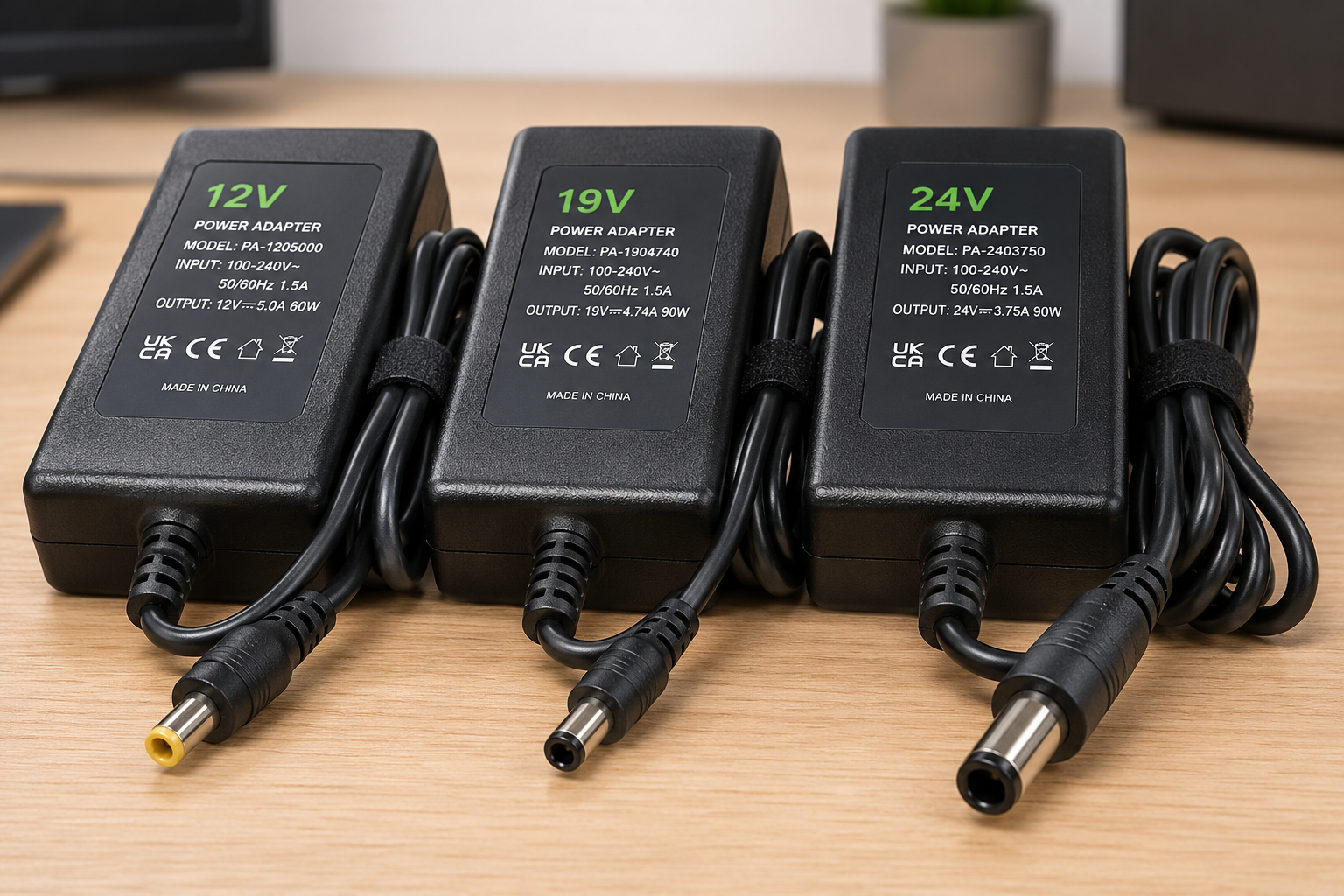
Different types of gaming hardware put unique demands on a power supply, and standard office-grade adapters often cannot keep up with the intense power fluctuations required by gaming gear:
- Gaming Monitors (Usually 19V): High refresh displays need continuous, regulated power. Voltage dips cause backlight flickering or black screens mid game.
- Sim Racing Wheels (Usually 24V): Force feedback motors draw sudden current bursts when taking sharp turns. A weak adapter causes torque drops right when control is needed most.
- Audio Gaming Chairs (Usually 12V): Built in subwoofers need low ripple power. Low quality chargers pass electrical hum directly into your speakers.
Why UKCA Safety Certification Matters
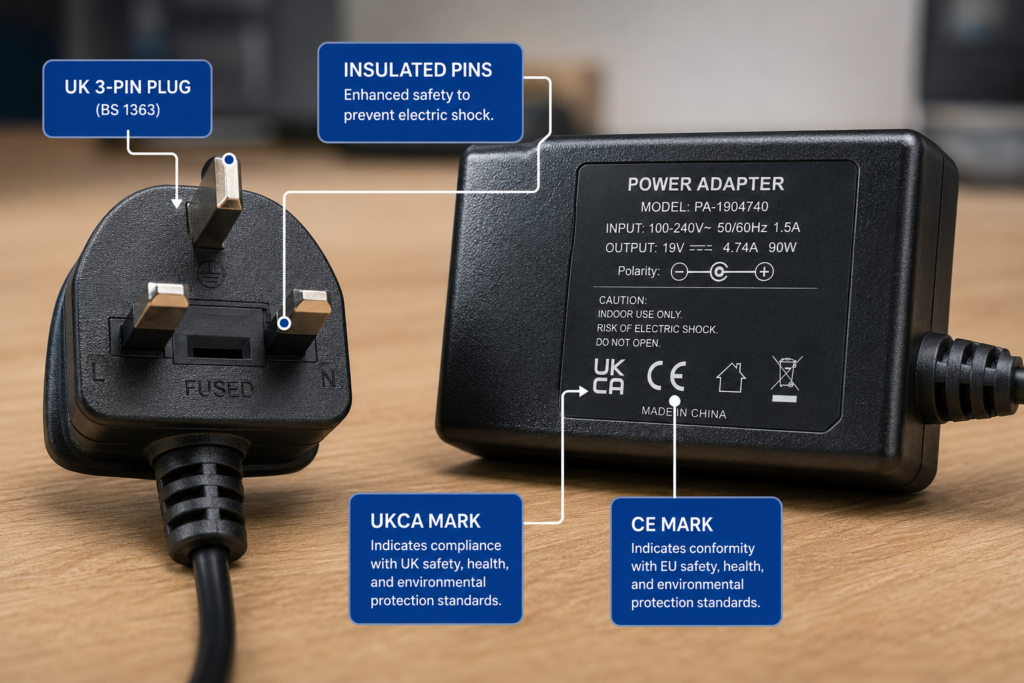
A UKCA certified AC DC adapter meets strict UK electrical legislation, featuring fused BS 1363 three pin plugs, insulated pins, and internal heat cutoff protection. Cheap, uncertified knockoffs skip these safeguards, posing real fire and shock risks.
Uncertified power supplies lack essential protection features required by official UK standards:
- Thermal Cutoffs: Stops the adapter from melting or catching fire if covered under a desk.
- Integrated Fuses: Shuts down power instantly if an electrical fault occurs in your home or office mains.
- Insulated Plug Pins: Prevents accidental shocks when plugging or unplugging devices.
Frequently Asked Questions
Can I use a charger with higher amps than my original one?
Yes, absolutely. Your gaming accessory will only pull the exact amount of current (amps) it needs. Using a charger with higher amperage capacity just means the power brick won’t have to work as hard or get as hot.
What happens if I accidentally use a charger with lower voltage?
Under volting your device causes erratic behaviour—like force feedback failing, speakers clipping, or your monitor turning off randomly. Over time, making internal components work under low voltage can cause permanent damage.
How do I check centre positive vs centre negative polarity?
Look at the label on the back of your old adapter or near the device’s power jack. You will see a small diagram with three circles connected by lines. If the line from the centre dot goes to the + sign, it is centre positive.
Why is my replacement monitor power adapter getting so hot?
Power supplies naturally warm up during use, but if it is too hot to comfortably hold, it is likely running at its absolute limit. You may need an adapter rated for higher amperage to handle the display’s power draw cleanly.
How do I know what size barrel plug my gaming device needs?
You can accurately measure the outer diameter and inner pin aperture of your original plug using a digital caliper in millimetres. Alternatively, consult your hardware manual, because mistakenly using a loose 2.5mm plug in a 2.1mm socket causes constant power disconnections.
Keep Your Gaming Setup Running Safely
Replacing a dead power cable does not have to be a guessing game. By taking a minute to match voltage, check amperage, and confirm plug sizes, you can get your favourite gear back up and running without risking electrical damage.
Whether you need a new gaming chair power adapter, a force feedback wheel supply, or a replacement monitor cable, stick to trusted, safety tested gear. You can browse fully compliant adapters and helpful setup guides over at Power Adapter Warehouse UK to keep your gaming hardware completely protected.