

Replacement Chargers for Popular Laptop Brands: Complete UK Buying Guide
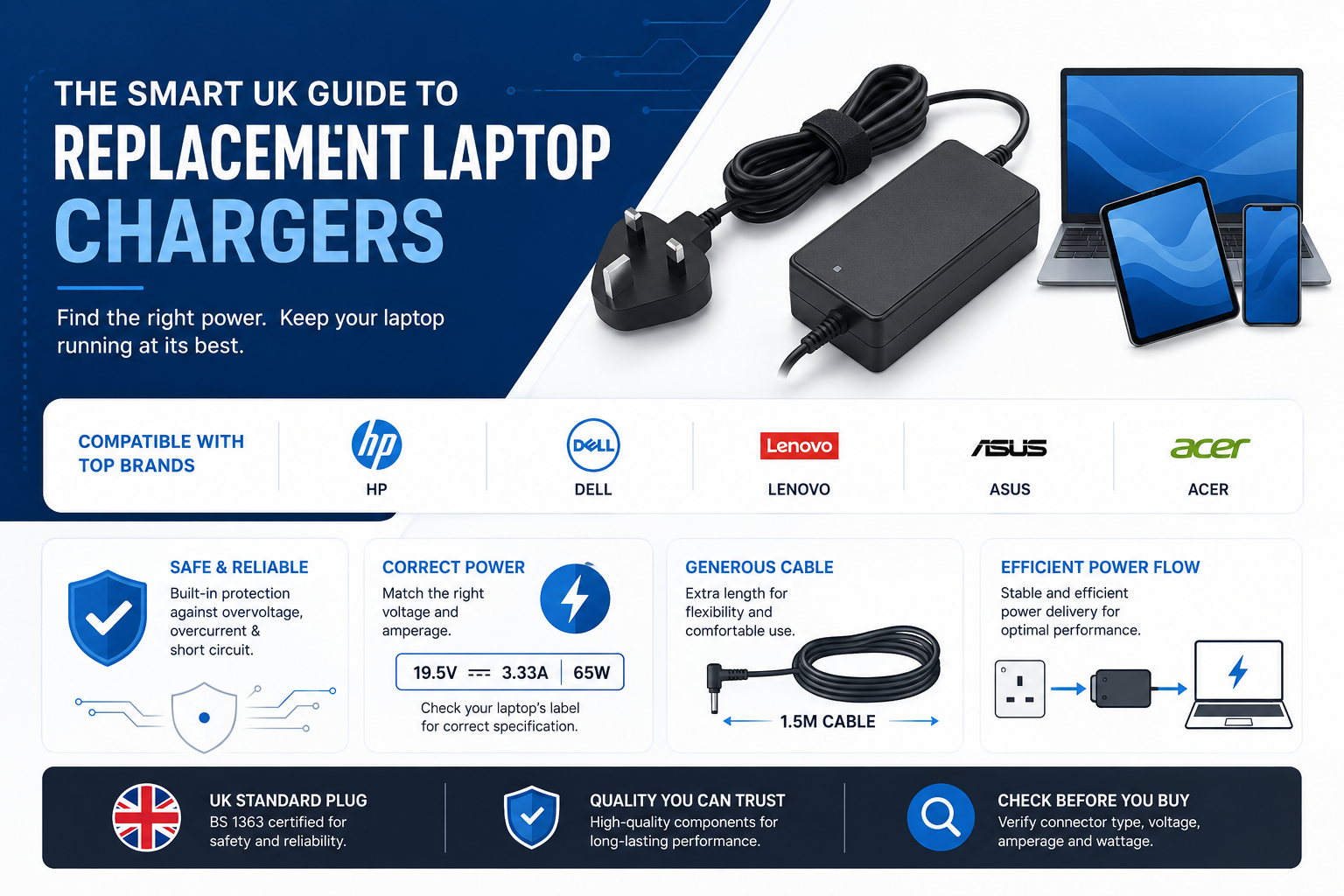
Looking for Chargers for Popular Laptop Brands? A damaged or missing laptop charger can disrupt your daily routine, whether you’re working, studying, or simply browsing online. Although many replacement chargers look similar, choosing the wrong one can lead to charging problems or poor performance. The key is to select a charger that matches your laptop’s voltage, connector type, and power requirements. This guide explains how to choose a compatible replacement charger for popular laptop brands, what specifications to check before buying, and how to avoid common compatibility mistakes. With the right information, you can confidently purchase a replacement charger that delivers safe and reliable performance.
A replacement laptop charger is a compatible power adapter designed to match your laptop’s required voltage, connector type, and power output. Choosing the correct charger helps ensure safe charging, reliable performance, and long-term device protection.
Why Choosing the Correct Replacement Charger Matters
Selecting the correct replacement charger helps your laptop charge safely and efficiently. A compatible charger delivers the required power, protects internal components, and reduces the risk of charging problems caused by incorrect voltage, connector type, or insufficient power output.
Explanation
Every laptop is designed with specific charging requirements. The replacement charger should provide the same output voltage as the original adapter while supplying sufficient power for normal operation. Even if two chargers appear similar, differences in connector size or electrical specifications may affect compatibility. Checking these details before purchasing helps ensure reliable charging, as recommended by Electrical Safety First.
Practical Example / Use Case
A user replacing a charger for an HP laptop should first compare the original charger’s voltage, wattage, and connector with the replacement product. Even within the same brand, different laptop models often require different chargers. Verifying the specifications before ordering helps avoid compatibility issues and unnecessary returns.
Common Mistakes or Buying Tips
One common mistake is choosing replacement laptop chargers based solely on appearance. Connectors may look alike but differ slightly in size or electrical specifications. Another mistake is overlooking the laptop model number, which is often the quickest way to identify a compatible replacement charger.
Summary
Checking compatibility before purchasing helps ensure safe charging and reliable everyday performance.
How to Identify the Right Replacement Charger
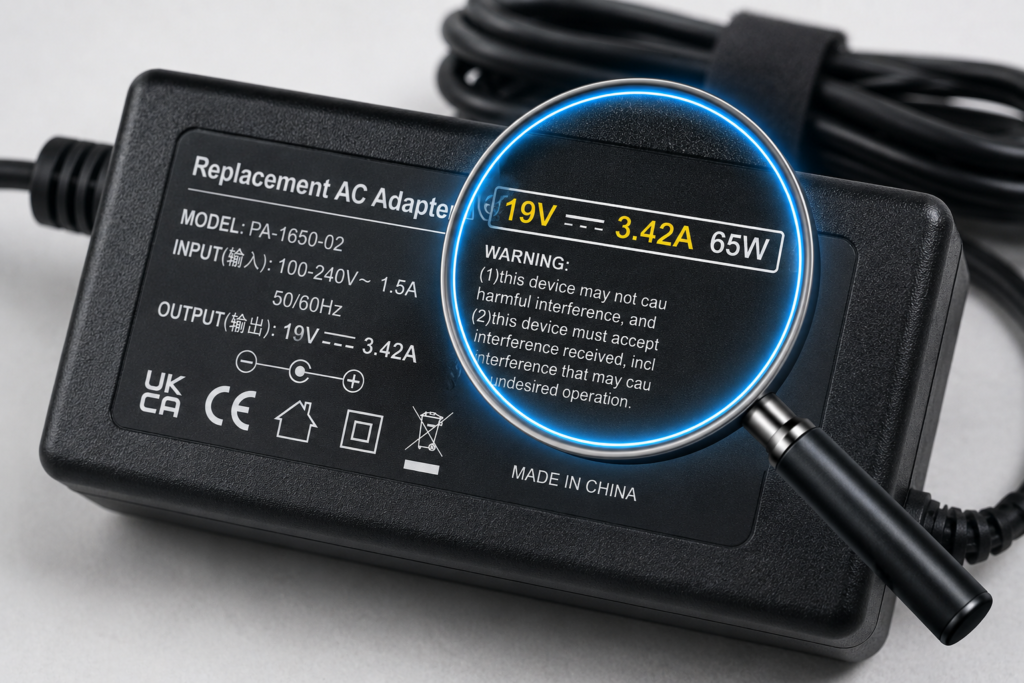
The easiest way to identify the correct replacement charger is by checking the original charger label or your laptop’s model information. Matching the voltage, connector type, and wattage helps ensure compatibility.
Explanation
The original charger label usually lists the output voltage, current, and wattage required by the laptop. If the original charger is unavailable, these specifications can often be found on the underside of the laptop or within the manufacturer’s documentation. Confirming these details reduces the likelihood of purchasing the wrong charger, adhering to standards from the UK Government – Product Safety for Businesses.
Practical Example / Use Case
Suppose your original charger like a Lenovo IdeaPad replacement charger is rated at 19.5V and 65W. A compatible replacement should provide the same voltage while offering equal or higher wattage with the correct connector. This ensures the laptop receives the power it needs for reliable charging and everyday use.
Common Mistakes or Buying Tips
Avoid assuming that chargers from the same manufacturer are interchangeable. Different laptop series often use different connector types or charging requirements. Searching by your exact laptop model number is usually the most reliable way to find a compatible replacement.
Summary
Verifying your laptop’s model and charger specifications makes choosing the correct replacement much easier.
Replacement Chargers for Popular Laptop Brands
Popular laptop brands use different charging technologies, connector types, and power requirements. Identifying your laptop’s exact model and charger specifications is the most reliable way to choose a compatible replacement charger that delivers safe and efficient performance.
Explanation
Manufacturers such as HP, Dell, Lenovo, ASUS, Acer, Toshiba, Samsung, Microsoft Surface, MSI, and Huawei produce laptops with varying charging requirements. While many newer models support USB-C charging, others continue to use proprietary or barrel-style connectors. Even within the same brand, different product ranges may require different charger specifications, making it important to verify compatibility before purchasing.
Practical Example / Use Case
A Lenovo ThinkPad may use a rectangular Slim Tip connector, while a newer Lenovo IdeaPad charger could support USB-C charging. Similarly, Dell laptops may use either a traditional barrel connector or USB-C, depending on the model. Checking the original charger or laptop specifications helps ensure you purchase the correct replacement.
Common Mistakes or Buying Tips
Don’t assume all laptops from the same manufacturer use identical chargers. Business laptops, gaming laptops, and consumer notebooks often have different power requirements. Always compare the charger specifications with your laptop model before making a purchase.
Summary
Laptop brands use different charging systems, so confirming compatibility is essential before buying a replacement charger.
Comparison Table
| Laptop Brand | Common Connector Type | Typical Power Range |
| HP | Barrel / Blue Tip / USB-C | 45W–150W |
| Dell | Barrel / USB-C | 45W–180W |
| Lenovo | Slim Tip / USB-C | 45W–135W |
| ASUS | Barrel / USB-C | 45W–240W |
| Acer | Barrel / USB-C | 45W–135W |
| Toshiba | Barrel | 45W–90W |
| Samsung | Barrel / USB-C | 40W–90W |
| Microsoft Surface | Surface Connect / USB-C | 39W–127W |
Decision Tree
Need a replacement charger?
↓
Identify your laptop model.
↓
Check the original charger specifications.
↓
Does the replacement have the same voltage?
- No → Choose a compatible charger.
- Yes → Continue.
↓
Does it have the correct connector?
- No → Find the correct connector type.
- Yes → Continue.
↓
Is the wattage equal to or higher than the original?
Yes → Suitable replacement charger.
No → Choose a higher wattage option.
Troubleshooting
If your laptop does not charge after replacing the charger, first confirm that the voltage, connector type, and wattage are compatible with your laptop. Inspect the charging cable for visible damage and ensure the connector fits securely. If the charger is compatible but charging problems continue, the issue may be related to the laptop’s battery or charging port rather than the replacement charger itself.
Myth vs Fact
| Myth | Fact |
| Any charger with the same connector will work. | Voltage and power specifications must also match. |
| Higher wattage chargers damage laptops. | Higher wattage is generally acceptable when the voltage and connector are correct. |
| All laptops from the same brand use the same charger. | Different models often require different charger specifications. |
Buying Checklist
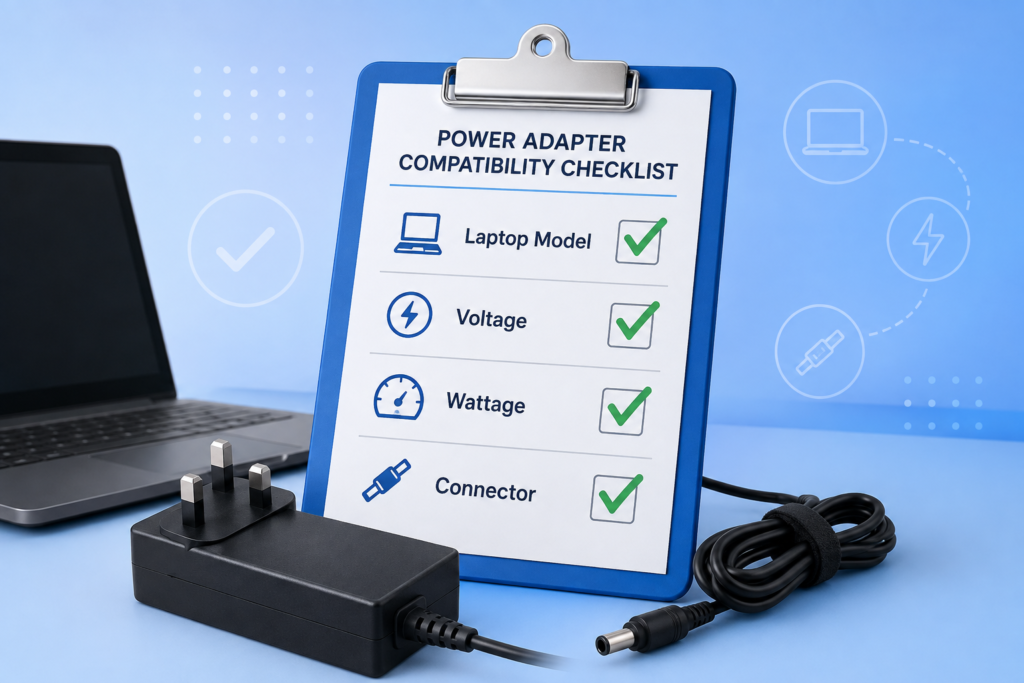
- Confirm your laptop model number.
- Match the output voltage exactly.
- Ensure the wattage is equal to or higher than the original.
- Verify the connector type.
- Check the product compatibility information and safety guidance before purchasing.
- Buy from a reputable replacement charger supplier.
FAQs
Can I use a higher wattage replacement charger?
Yes. A higher wattage charger is generally suitable provided the voltage matches and the connector is compatible. The laptop will only draw the power it requires.
How do I know which replacement charger I need?
Check the original charger label or your laptop model number. Compare the voltage, wattage, and connector type with the replacement charger specifications.
Are compatible replacement chargers safe?
A quality compatible charger designed for your laptop model can provide safe and reliable charging when it matches the required electrical specifications.
Can I use a charger from another laptop brand?
Only if the charger is fully compatible with your laptop’s voltage, connector type, and power requirements. Brand alone should never be used to determine compatibility.
Why is my replacement charger not working?
The most common causes are an incompatible connector, incorrect voltage, insufficient wattage, or a fault with the laptop’s charging port or battery.
Conclusion
Choosing the correct replacement charger is essential for maintaining safe and reliable laptop performance. By confirming your laptop model, matching the voltage, and selecting the correct connector type, you can confidently choose a compatible replacement charger. Taking a few moments to verify these details before purchasing helps avoid compatibility issues and ensures dependable charging for everyday use.