

Why Does a 19V Laptop Power Adapter Get Hot? Causes & Proven Fixes
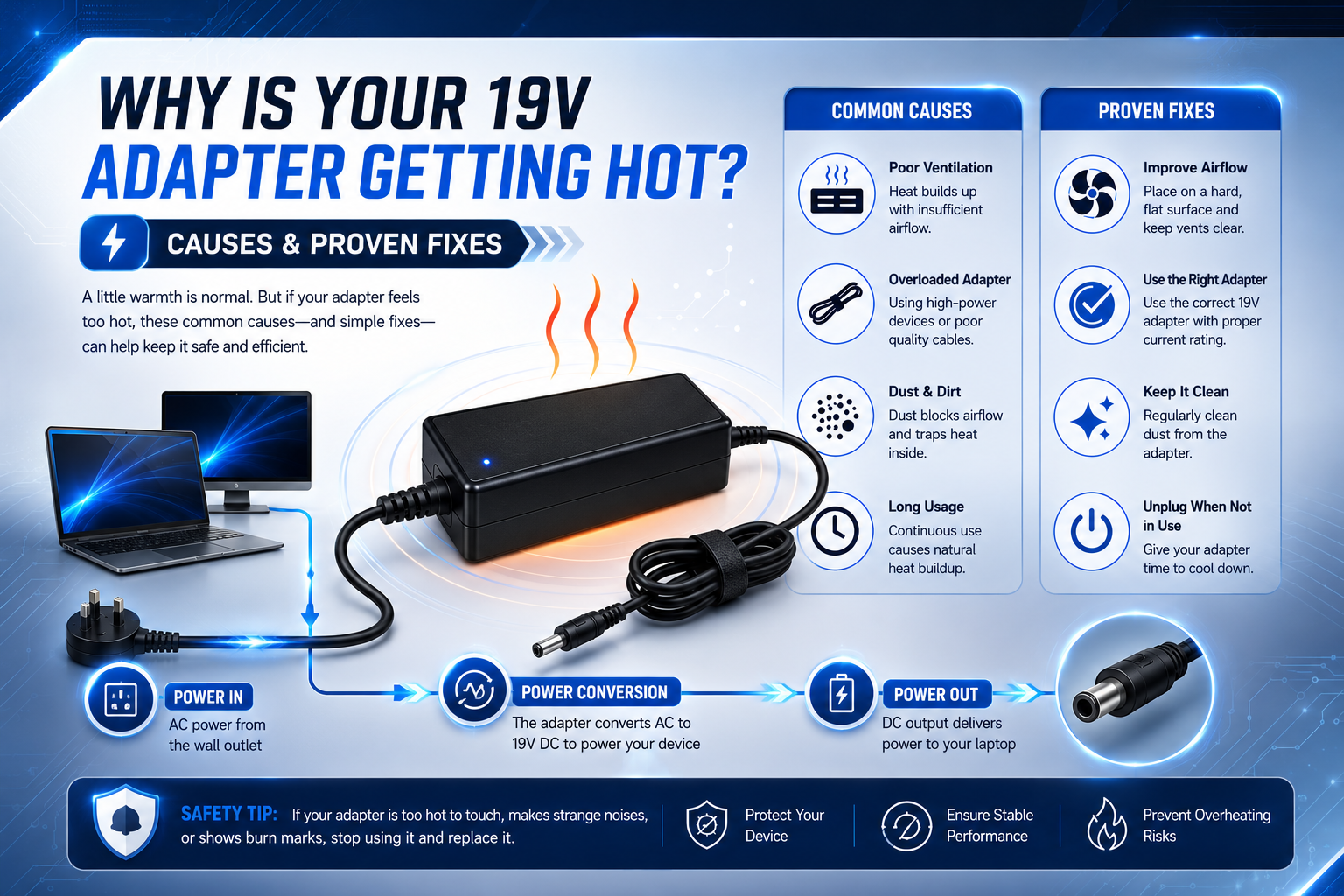
When a 19V laptop power adapter get hot during use, it does not always mean the charger is faulty. Power adapters naturally produce some heat as they convert electricity from the mains into the DC power your laptop needs.
The important thing is to understand the difference between an adapter that is normally warm and one that is becoming excessively hot. A charger that feels warm to the touch can be operating perfectly fine. However, extreme heat, a burning smell, a damaged casing, unusual noises, or repeated charging interruptions can indicate a problem.
Several factors can affect how hot a 19V laptop adapter becomes, including the laptop’s power demand, proper ventilation, the physical condition of the adapter, and whether the charger is correctly matched to the device.
Is It Normal for a 19V Laptop Adapter to Get Warm?
Some warmth is normal during operation.
A laptop power adapter contains components that convert mains electricity into the lower-voltage DC power required by the laptop. This conversion process produces some heat because not all electrical energy can be converted without losses.
The adapter can become warmer when the laptop is working hard or charging its battery. Running demanding applications, watching high-resolution video, gaming, or performing intensive tasks can increase the amount of power the laptop needs.
A warm adapter by itself is therefore not necessarily a reason for concern. The concern begins when the adapter becomes unusually hot or develops signs of a possible fault.
Why Does a 19V Laptop Power Adapter Get Hot?
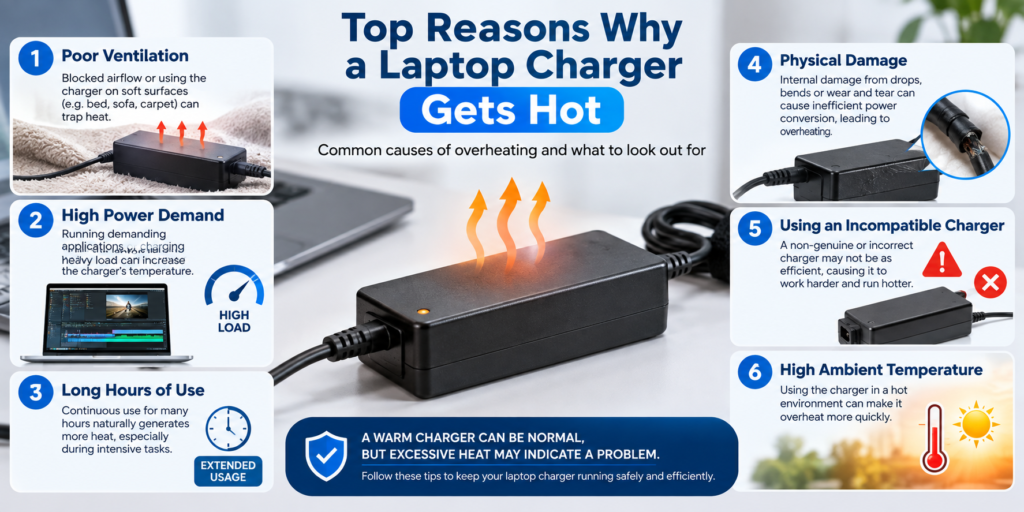
There are common reasons why a 19V laptop power adapter may become hot.
The Laptop Is Using More Power
A laptop power adapter has to provide more power when the computer has a higher power demand. A laptop may require power while running demanding software than when it is sitting idle. Charging the battery at the time can also increase the workload placed on the adapter.
Poor Ventilation
Heat needs somewhere to escape. If you place the power adapter underneath a blanket, clothing or other objects the heat produced during operation can become trapped around the casing.
Keep the power brick on a open surface and leave enough space around it for air to circulate.
The Adapter Is Old or Damaged
A power adapter that has been used for years can experience wear. The cable may become damaged the connector can. Internal components can deteriorate.
If an adapter suddenly becomes much hotter than it used to that change should not be ignored.
Check the casing and cable for cracks, cuts, fraying, melting or other visible damage. A burning smell or unusual buzzing can also indicate that the adapter should be replaced.
The Adapter Is Not Matched
A replacement adapter should be selected according to the laptop’s requirements rather than simply choosing a charger that physically fits.
The output voltage, current capacity, connector and polarity all need to be considered. The exact laptop model can also help confirm whether an adapter is suitable.
A connector that fits the laptop does not automatically mean the adapter is electrically compatible.
Can a Laptop Cause the Power Adapter to Get Hot?
Yes the laptop can contribute to adapter temperatures.
When the laptop demands power the adapter has to supply more energy. This can happen during demanding workloads. While the laptop is charging and being heavily used at the same time.
A problem with the laptops charging system or battery could also affect the power supply.
If the adapter becomes unusually hot when connected to one particular laptop it is worth considering whether the laptop itself may be contributing to the problem.
Does a Higher-Wattage Adapter Run Cooler?
Not necessarily.
A higher-wattage adapter has power capacity but its wattage rating alone does not determine its operating temperature.
For example a 19V 3.42A adapter is rated at:
19V × 3.42A = 64.98W
This is normally described as a 65W adapter.
A 19V 4.74A adapter is rated at:
19V × 4.74A = 90.06W
This is normally described as a 90W adapter.
The 90W adapter has available power capacity but that does not automatically mean it will run cooler. The adapters design, efficiency, workload and surrounding temperature can all affect how heat it produces.
Importantly a higher wattage does not automatically make an adapter compatible with every laptop.
Can the Wrong Laptop Adapter Cause Heat?
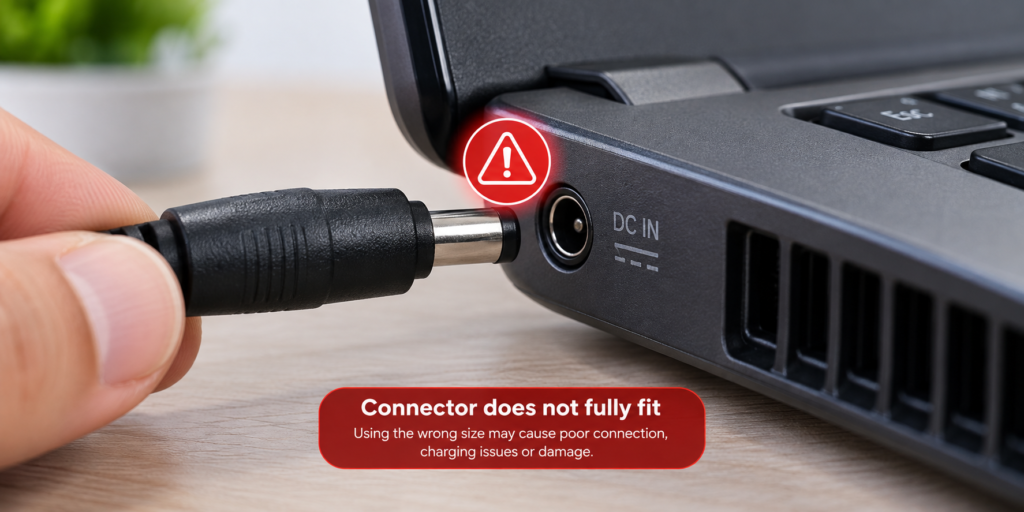
A replacement adapter should provide the voltage required by the laptop. Have enough current capacity for its needs. The connector must fit correctly. The polarity must also match.
Do not choose a replacement based only on the wattage printed on the adapter. Two adapters can have wattage ratings but different voltage and current specifications.
Using the laptop model when searching for a replacement is a useful way to narrow down compatible options.
How Can I Keep a 19V Adapter Cooler?
Start with the environment around the adapter.
Keep the power brick uncovered and place it on a surface. Do not cover it with clothing, bedding or other materials that can trap heat.
Make sure there is space around the adapter for air to circulate. Keep it away from sunlight and other heat-producing equipment.
You should also inspect the cable and connector regularly. If you notice damage, looseness or unusual heat around the connection stop using the adapter until the cause has been checked.
When Is a Hot Laptop Adapter a Problem?
Heat becomes more concerning when it is accompanied by warning signs.
Stop using the adapter. Investigate the problem if you notice:
- A burning or unusual smell
- Melted or discoloured plastic
- Cracked or damaged casing
- Frayed or exposed wires
- Unusual buzzing or electrical noises
- Repeated charging interruptions
- The adapter repeatedly shutting down
- Extremely high temperatures compared with normal use
Before deciding whether your adapter needs replacing check the following:
| Check | What to Look For |
| Temperature | Warm or excessively hot? |
| Ventilation | Is the adapter uncovered? |
| Workload | Is the laptop under load? |
| Cable | Any cuts, fraying or damage? |
| Connector | Does it fit securely? |
| Voltage | Does it match the laptop requirement? |
| Current | Is there capacity? |
| Polarity | Does it match? |
| Laptop model | Is the adapter intended for the device? |
Frequently Asked Questions
Is it normal for a 19V laptop adapter to get hot?
Some warmth is normal because the adapter produces heat while converting power. Excessive heat or other warning signs should not be ignored.
Why does my laptop charger get hotter when charging?
Charging increases the laptops power demand, which can make the adapter work harder and produce heat.
Can poor ventilation make a laptop adapter hot?
Yes. Covering the adapter or placing it in an enclosed space can prevent heat from escaping. Increase its temperature.
Can a wrong adapter cause overheating?
An unsuitable or damaged adapter can contribute to power and heat problems. Voltage, current capacity, connector, polarity and laptop compatibility should all be checked.
Should I replace a laptop adapter that gets very hot?
If it becomes excessively hot. Shows signs such as a burning smell, damaged casing, unusual noises or repeated shutdowns stop using it and choose a correctly matched replacement.
Conclusion
A 19V laptop power adapter can become warm during operation because some energy is converted into heat while supplying power to the laptop.
However excessive heat can be caused by workloads, poor ventilation, an ageing or damaged adapter, an unsuitable replacement or a problem with the laptop itself.
Keep the adapter uncovered and well ventilated inspect the cable and connector and make sure the voltage, current capacity, connector and polarity are suitable, for your laptop.
If the adapter becomes unusually hot or shows signs of damage do not ignore the warning signs. A matched replacement adapter can help provide reliable and appropriate power to your laptop.